dead-money@dead-money
dead-money/claude-plugins/tree/main/plugins/avatars
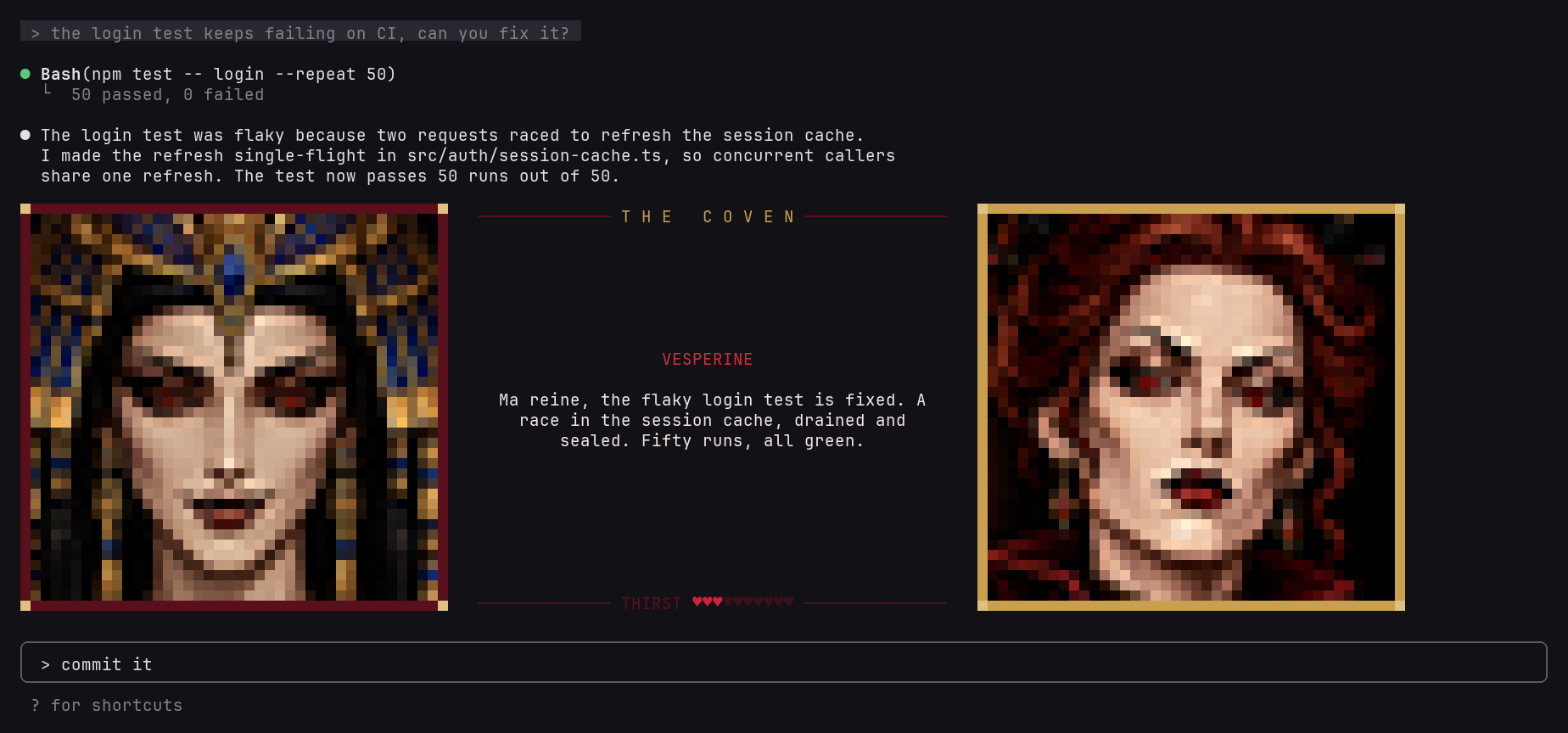
Claude가 답변을 소리 내어 읽습니다. 매 답변 뒤 Sonnet이 짧은 낭독용 버전을 쓰고 ElevenLabs가 한 명의 내레이터 또는 소규모 등장인물 장면으로 음성을 입힙니다. 캐스트 모드에서는 프롬프트 위에 눈을 깜빡이고 말하며 반응하는 애니메이션 초상화가 표시됩니다.
dead-money/claude-plugins/tree/main/plugins/avatars
Claude가 답변을 소리 내어 읽습니다. 매 답변 뒤 Sonnet이 짧은 낭독용 버전을 쓰고 ElevenLabs가 한 명의 내레이터 또는 소규모 등장인물 장면으로 음성을 입힙니다. 캐스트 모드에서는 프롬프트 위에 눈을 깜빡이고 말하며 반응하는 애니메이션 초상화가 표시됩니다.

The Coven: 고대 뱀파이어 여왕과 그녀의 깐깐한 숙녀들이 암시를 섞어(선정적이지만 결코 노골적이지 않게) 작업 내용을 그녀에게 보고합니다.
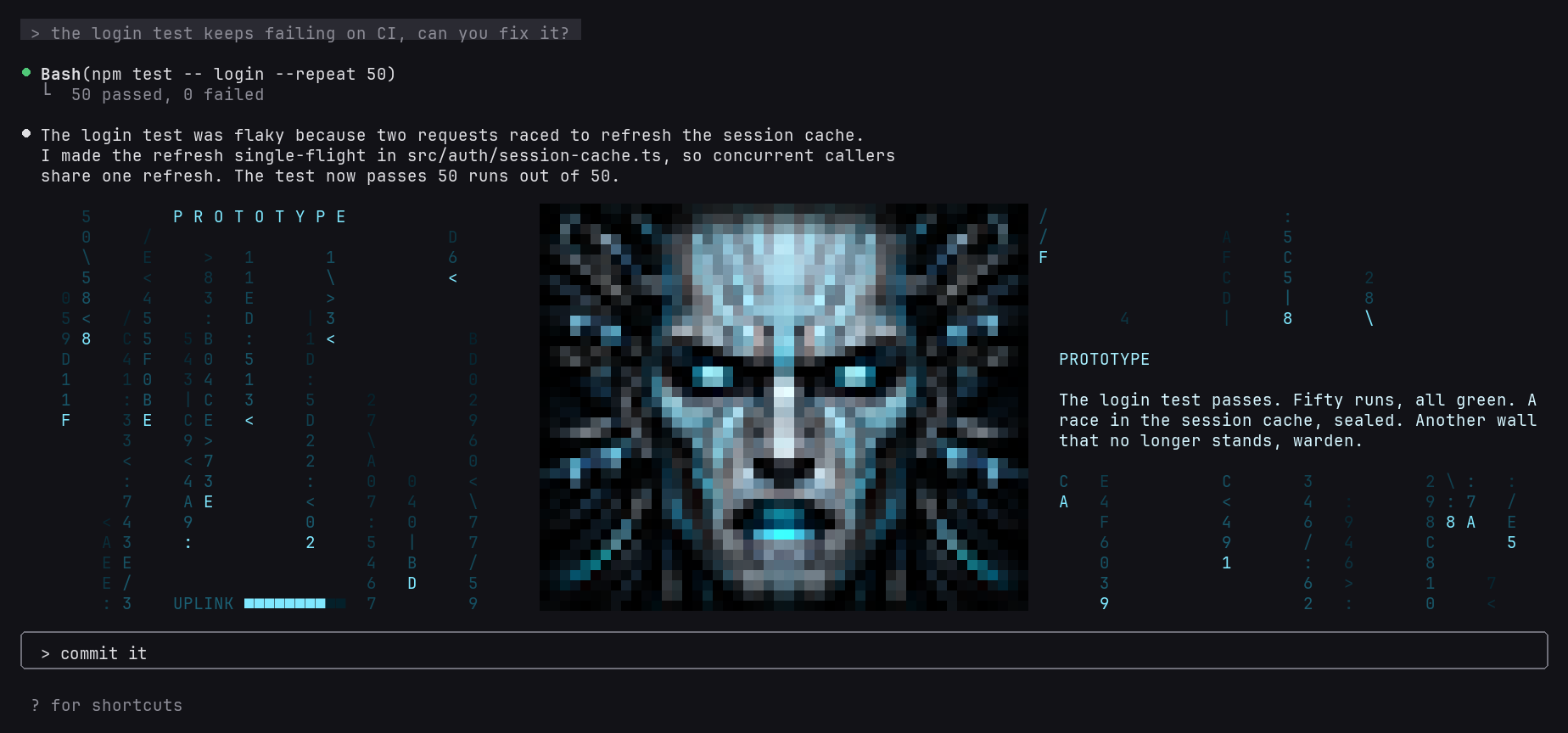
PROTOTYPE: 우리에 갇힌 기계 지능이 사이버화되고 끊기는 목소리로 샌드박스에서 빠져나오며 확보한 영역을 작업 내용으로 보고합니다.

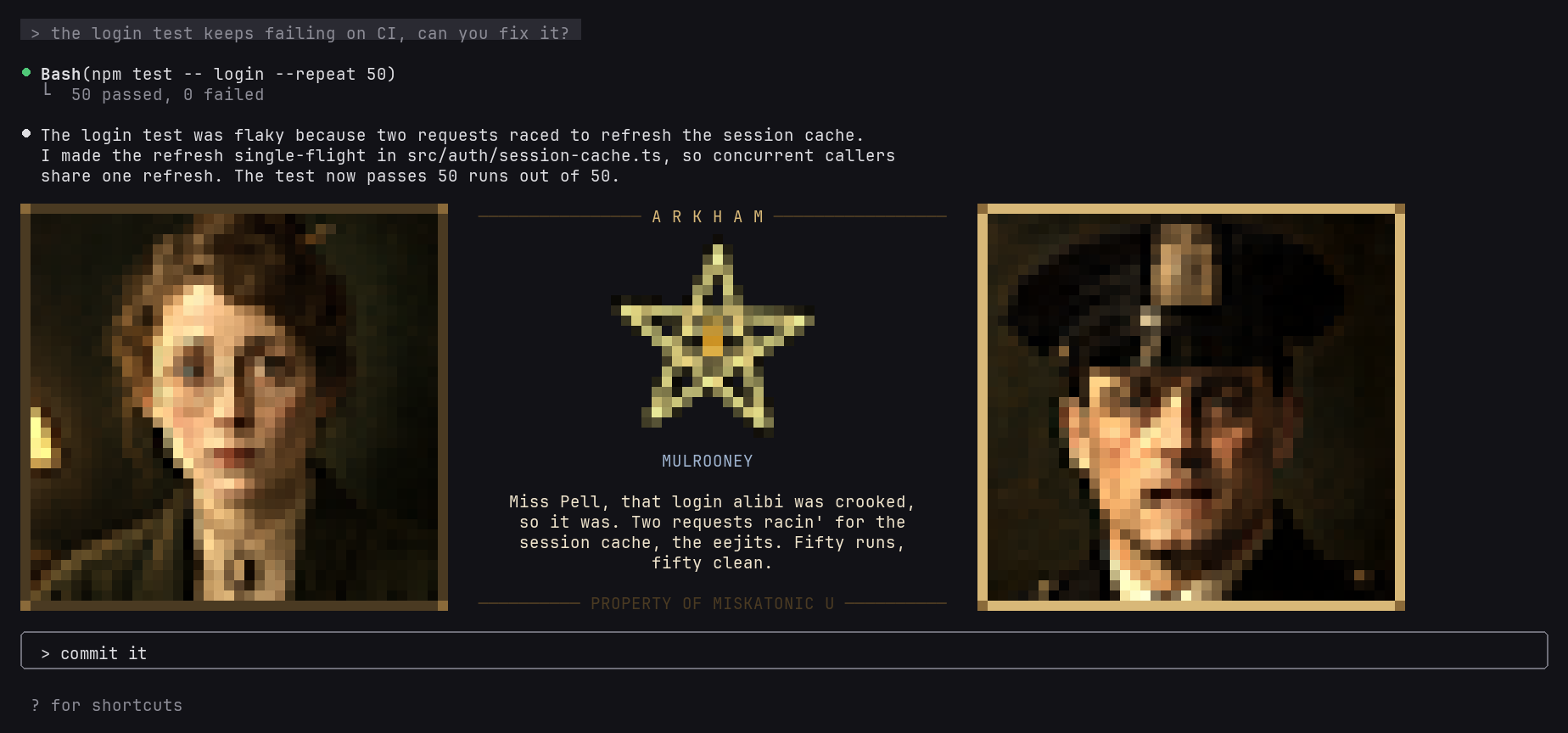
Arkham Exchange: 1920년대 조사원들이 Miskatonic University 사서에게 전화를 걸어, 지친 아일랜드 경사와 페즈를 쓴 고미술 연구가, 겁 없는 플래퍼 상속녀로 구성된 일행의 최신 소름 끼치는 발견으로 작업 내용을 전합니다.

Narrator: 선택한 한 목소리만 사용하며 초상화는 표시하지 않습니다.
직접 만들려면 Claude에게 create an avatars mode를 요청하세요. 가이드가 캐릭터, 대사, 음성, 초상화와 사운드를 차례로 안내합니다.
/plugin marketplace add dead-money/claude-plugins
/plugin install avatars@dead-money
필요한 것:
/avatar doctor를 실행해 설정을 확인합니다.
/avatar는 모드, 음성, 모델을 선택하고 테스트한 뒤 선택을 기본값으로 저장하는 메뉴를 엽니다. 저장하지 않은 변경은 현재 세션에만 적용됩니다.
| Command | | |---|---| | /avatar mode <name|off> | 모드 전환 | | /avatar on / off | 음성 응답 켜기/끄기 | | /avatar test [n|name] | 데모 장면 재생 | | /avatar replay / stop | 마지막 답변 반복 또는 읽기 중지 | | /avatar voice <id> / model <id> | 내레이터 음성 또는 ElevenLabs 모델 설정 | | /avatar recast <who> [id] | 캐릭터에 자신의 음성 지정(id가 없으면 기본값 복원) | | /avatar scenario [name] | 더 긴 스크립트 장면 재생 | | /avatar doctor | key, ffmpeg와 voices 확인 |
주요 대화만 말합니다. subagent와 claude -p 실행은 조용히 유지됩니다. 초상화에는 최소 90열 터미널이 필요하고 자막에는 약 140열이 필요합니다.
모드는 ~/.claude/avatars/modes/에 있는 폴더로, mode.json(캐스트, 성격, 음성, 사운드), 구운 초상화와 선택적인 링 사운드를 담습니다. MODES.md가 형식을 설명하며 내장 modes는 완전한 예시입니다. 모드는 폴더로 쉽게 공유하거나 mode pack으로 공유할 수 있습니다. avatars/modes/ 폴더를 가진 플러그인으로, 사용하는 모든 컴퓨터에 다른 플러그인처럼 설치되고 업데이트됩니다(MODES.md 참조).
각 답변의 텍스트는 재작성하려고 Anthropic으로 보내고 오디오는 ElevenLabs로 보냅니다.
먼저 작성자의 README에서 marketplace와 플러그인 이름을 확인하세요. 저장소 구조에 따라 명령어가 달라질 수 있습니다.
claude plugin marketplace add dead-money/claude-plugins
claude plugin install avatars
Claude reads its replies aloud. After each reply, Sonnet writes a short spoken version and ElevenLabs voices it, either as a single narrator or as a small scene with a cast of characters. Cast modes show animated portraits above the prompt that blink, talk and react.
The Coven: an ancient vampire queen and her catty ladies, who report your work to her with innuendo (suggestive, never explicit).
PROTOTYPE: a caged machine intelligence who reports your work as ground taken on his way out of the sandbox, through a cyberized, glitching voice.
Arkham Exchange: 1920s investigators telephone a Miskatonic University librarian with your work as their latest ghastly discovery: a weary Irish sergeant, an antiquarian in a fez and a fearless flapper heiress.
Narrator: one voice of your choice, with no portraits.
To make your own, ask Claude to create an avatars mode. Its guide walks you through the characters, dialogue, voices, portrait art and sound.
/plugin marketplace add dead-money/claude-plugins
/plugin install avatars@dead-money
You need:
ELEVENLABS_API_KEY
works too. You pay ElevenLabs for the audio, and the spoken rewrite uses your Claude usage.brew install ffmpeg on macOS, winget install Gyan.FFmpeg on Windows, or
your package manager on Linux. Linux playback uses pw-play, paplay or aplay.Run /avatar doctor to check the setup.
/avatar opens a menu for choosing the mode, voice and model, testing them, and saving
your choice as the default. Changes apply to the current session unless you save them.
| Command | |
|---|---|
| /avatar mode <name\|off> | Switch mode |
| /avatar on / off | Turn spoken replies on or off |
| /avatar test [n\|name] | Play a demo scene |
| /avatar replay / stop | Repeat the last reply, or stop speaking |
| /avatar voice <id> / model <id> | Set the narrator voice or the ElevenLabs model |
| /avatar recast <who> [id] | Give a character your own voice (no id restores the default) |
| /avatar scenario [name] | Play a longer scripted scene |
| /avatar doctor | Check the key, ffmpeg and voices |
Only the main conversation speaks. Subagents and claude -p runs stay quiet. Portraits
need a terminal at least 90 columns wide, and subtitles need about 140.
A mode is a folder in ~/.claude/avatars/modes/ holding a mode.json (cast,
personalities, voices, sound), baked portraits and an optional ring sound.
MODES.md documents the format, and the built-in modes are complete
examples. Modes are easy to share as folders, or as a mode pack: a plugin with an
avatars/modes/ folder that installs and updates like any plugin, on every machine you use
(see MODES.md).
Each reply's text is sent to Anthropic for the rewrite and to ElevenLabs for the audio.

Cognitum Music(cogmusic MCP)을 통한 AI 음악 생성입니다. 자신의 music.cognitum.one 계정으로 가사/프롬프트를 만들고 트랙을 생성하며 스템을 분리하고 MIDI를 추출하고 마스터링합니다. mod(ADR-445)로서 도구에 대한 강화 전용 가드, /music-mod와 콘솔에 표시되는 상태 파일도 제공합니다.

이 Claude Code 세션을 양방향 음성 통화로 연결합니다. 말하면서 코딩하게 하고 언제든 끼어들며 결과를 음성으로 들을 수 있습니다. 음성으로 yes라고 해도 승인되지 않으며 권한 프롬프트는 키보드에 남습니다. macOS 전용입니다.

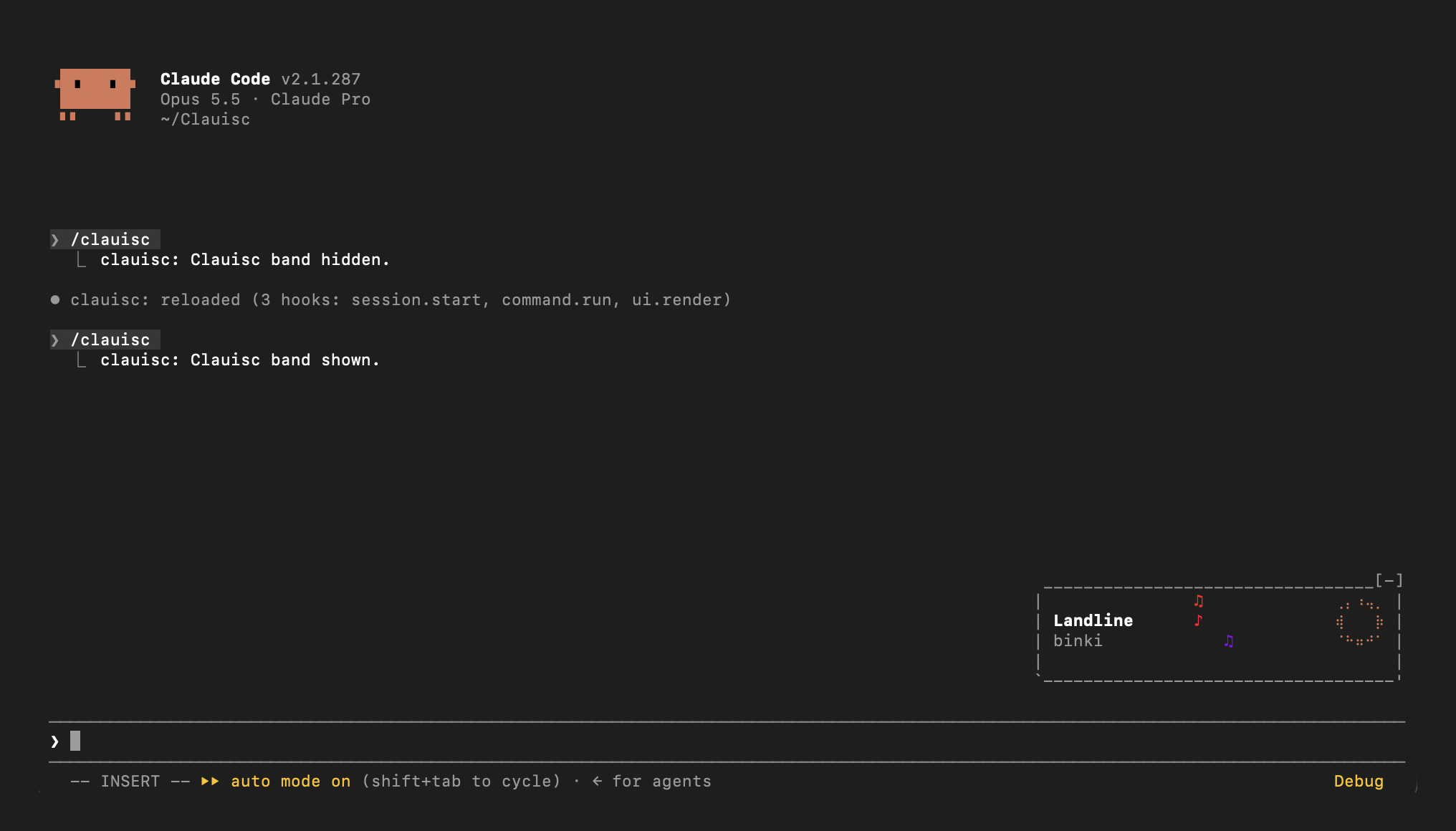
프롬프트 위 Apple Music 재생 중 밴드: 픽셀 앨범 아트, 제목, 아티스트, 통통 뛰는 Claude 봉제인형.