
Vortitron@Vortitron
Vortitron/home-assistant-mcp/tree/main/claude-plugin/vome-dash
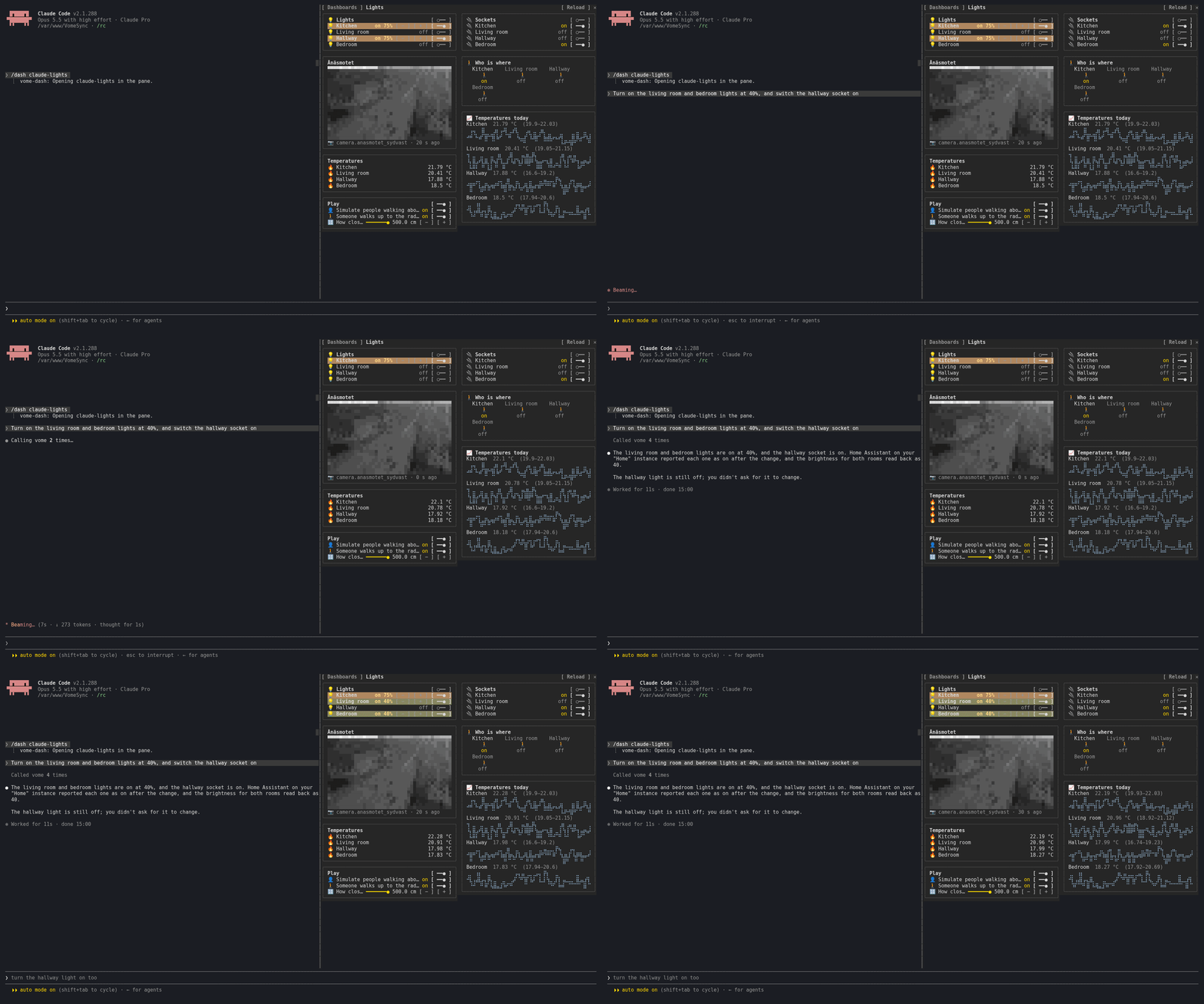
Claude Code のサイドペインに動作する Home Assistant ダッシュボードを表示し、リアルタイム状態と対話的な操作を提供するプラグインです。
Vortitron/home-assistant-mcp/tree/main/claude-plugin/vome-dash
vome-dash は Claude Code にサイドペインを追加し、本当に動作する Home Assistant ダッシュボードを表示します。Claude が作業中のものでも、自分のどのダッシュボードでも使えます。ライブ状態を表示し(ポーリングなしで 1 秒以内に更新)、実際の操作(スイッチ、調光器、スライダー、サーモスタット、シーン、スクリプト、カードボタン)に対応します。履歴グラフやカメラフレームを含め、Home Assistant と同じようにカードを描画します。Claude が変更したカードは一時的に光ります。/plugin install vome-connect --marketplace Vortitron/home-assistant-mcp でインストールし、続けて /plugin install vome-dash --marketplace Vortitron/home-assistant-mcp と /reload-plugins を実行します。/dash でペインを開きます。Vome Home Assistant アプリとキーが必要です。
まず作者の README で marketplace とプラグイン名を確認してください。コマンドはリポジトリの構成によって変わる場合があります。
claude plugin marketplace add Vortitron/home-assistant-mcp
claude plugin install vome-dash
A side pane with a Home Assistant dashboard in it: the one Claude is working on, or any of yours. Not a picture of one: it works.
Presses are yours: Claude never presses anything in the pane.
1. Add the Vome app to Home Assistant, then get a key from it. No sign-up needed.

The button opens your own Home Assistant and adds the app's repository. Pick Vome and Install, open it, and on the Agent tab create a key. Live states need the Vome app 0.3.52 or newer.
2. Paste these into Claude Code, in a terminal (version 2.1.275 or newer):
/plugin install vome-connect --marketplace Vortitron/home-assistant-mcp
It asks for the key from step 1. Then:
/plugin install vome-dash --marketplace Vortitron/home-assistant-mcp
/reload-plugins
Or all four Vome panes at once (automations, ESPHome, health and this one):
/plugin install vome-panes --marketplace Vortitron/home-assistant-mcp.
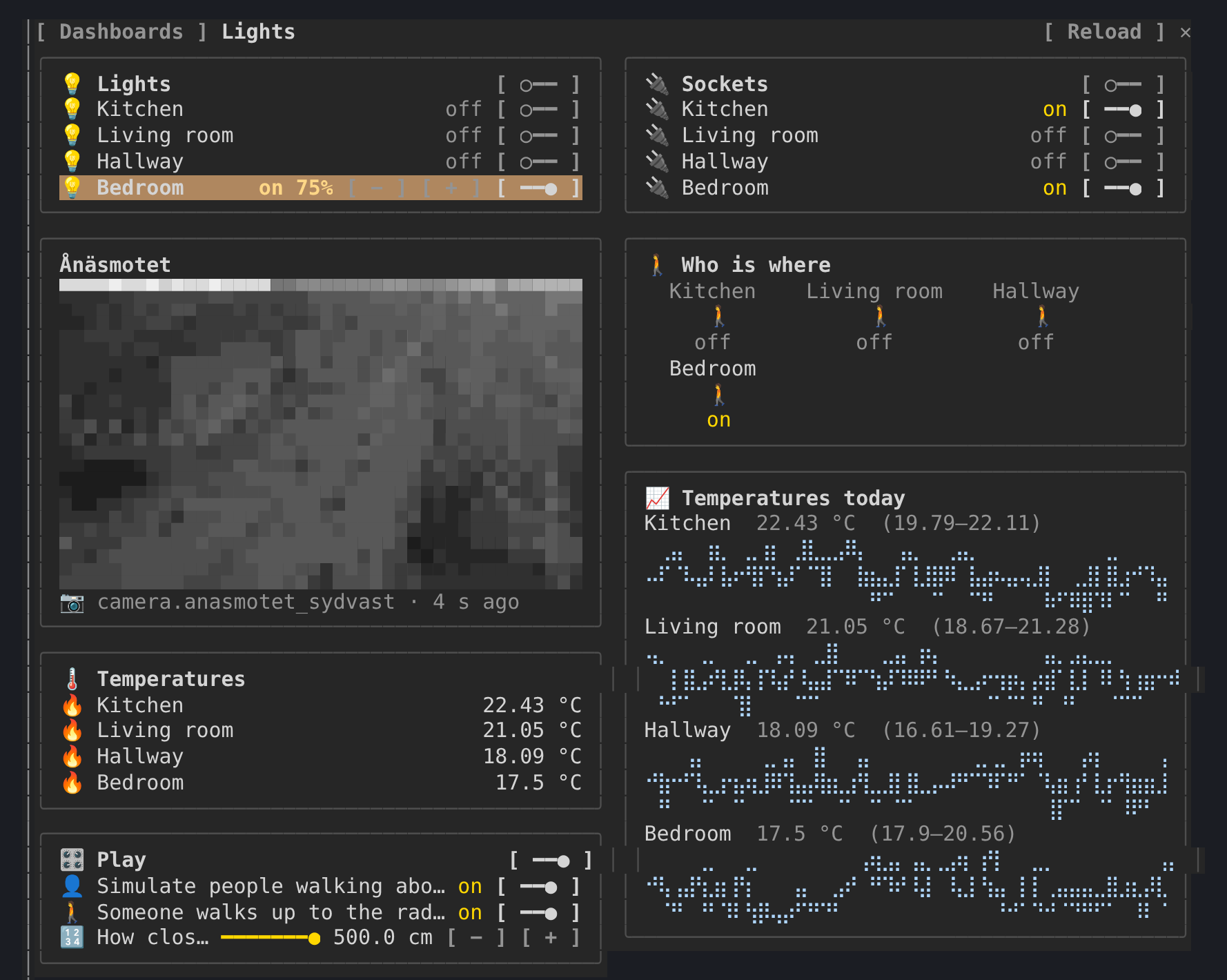
3. Run /dash, pick a dashboard, or ask Claude to build one: "Make me a
dashboard for the lights and the temperatures".
The pane reads in the background (states, the live watch, templates,
history, camera frames), all read-only. In auto mode Claude Code refuses
background calls nobody asked for unless they are allowed by name; the pane
shows the exact lines and where they go. With vome-connect:
"mcp__plugin_vome-connect_vome__ha_view_snapshot",
"mcp__plugin_vome-connect_vome__ha_watch_states",
"mcp__plugin_vome-connect_vome__ha_camera_frame",
"mcp__plugin_vome-connect_vome__ha_get_state",
"mcp__plugin_vome-connect_vome__ha_render_template",
"mcp__plugin_vome-connect_vome__ha_get_history",
"mcp__plugin_vome-connect_vome__ha_get_dashboard",
"mcp__plugin_vome-connect_vome__ha_list_dashboards"
A press calls ha_call_service. Allowing that by name would let Claude change
things without asking too, so the pane leaves that choice to you: use the
controls with auto mode off, or allow it if you are happy to.
| | |
| --- | --- |
| /dash | open the pane and pick a dashboard (/dash <url_path> opens one) |
| m | the dashboards sidebar |
| r | reload the dashboard |
The pane reads through the connection Claude Code already has. A live watch needs a key that may read the home, follows only the entities on show, reports states and never changes anything, and its access expires within minutes unless the key is still allowed. Camera pictures need the key's Cameras tick.

ドキュメント生成、ドリフト検出、API ドキュメント自動化プラグイン。秘密情報を含むドキュメント書き込みやワーカーのディスパッチを拒否する function-hook ガードとしても動作します。

Claude デスクトップアプリ用のステータスバー。プロンプト上に表示され、セッション品質、コンテキストの充填量、キャッシュのカウントダウン、5 時間および週間制限を示し、Clawd がセッションの動作を演じます。

databricks CLI に沿って Databricks のワークスペース、Unity Catalog、コンピュート、ジョブ、パイプライン、アプリ、ダッシュボードをツリー表示する /databricks-pane を提供する Claude Code プラグイン mod。ライブハイライト、プロファイル切り替え、CLI 引数のコピーにも対応します。
