
alexgreensh@alexgreensh
alexgreensh/token-optimizer/tree/main/desktop/token-optimizer-desktop
Claude デスクトップアプリ用のステータスバー。プロンプト上に表示され、セッション品質、コンテキストの充填量、キャッシュのカウントダウン、5 時間および週間制限を示し、Clawd がセッションの動作を演じます。
alexgreensh/token-optimizer/tree/main/desktop/token-optimizer-desktop
Claude デスクトップアプリ用のステータスバー。プロンプト上に表示され、セッション品質、コンテキストの充填量、キャッシュのカウントダウン、5 時間および週間制限を示し、Clawd がセッションの動作を演じます。
Token Optimizer plugin に含まれており(hooks/hooks.json が modules の下でこのフォルダーの hooks/register.tsx を指定します)、追加インストールは不要です。このフォルダーに独自の manifest があるのは、claude plugin test でテストを単独実行するためだけです。
Claude Code 2.1.287 以降と Anthropic の mods 機能が必要です。Anthropic は mods をリモートで無効にできます。無効でも壊れるものはなく、バーが表示されなくなるだけです。ターミナルには既存のステータス行が残ります。VS Code はサポートしていません。
キャッシュのカウントダウンは推定値です。Claude プランでは 1 時間、API では 5 分で、可能ならセッション自体を起点に測定します。
~/.claude/settings.json の env ブロックで TOKEN_OPTIMIZER_STATUS_BAR=0 を設定するとバーを隠し、TOKEN_OPTIMIZER_STATUS_BAR_ANIMATE=0 を設定すると Clawd を動かさないようにできます。
Token Optimizer README とドキュメントサイトの「Claude desktop app」ページを参照してください。
まず作者の README で marketplace とプラグイン名を確認してください。コマンドはリポジトリの構成によって変わる場合があります。
claude plugin marketplace add alexgreensh/token-optimizer
claude plugin install token-optimizer
A status bar for the Claude desktop app. It draws above your prompt and shows session quality, context fill, cache countdown, and your 5-hour and weekly limits, with Clawd acting out what the session is doing.
It ships inside the Token Optimizer plugin (hooks/hooks.json names this folder's hooks/register.tsx under modules), so there is nothing extra to install. This folder keeps its own manifest only so its tests run on their own with claude plugin test.
Needs Claude Code 2.1.287 or newer and Anthropic's mods feature. Anthropic can switch mods off remotely; when off, nothing breaks and the bar just does not appear. The terminal keeps its existing status line. VS Code is not supported.
The cache countdown is an estimate: 1 hour on Claude plans, 5 minutes on the API, measured from the session itself when possible.
TOKEN_OPTIMIZER_STATUS_BAR=0 hides the bar and TOKEN_OPTIMIZER_STATUS_BAR_ANIMATE=0 keeps Clawd still, set in the env block of ~/.claude/settings.json.
See the Token Optimizer README and the docs site page "Claude desktop app".

ドキュメント生成、ドリフト検出、API ドキュメント自動化プラグイン。秘密情報を含むドキュメント書き込みやワーカーのディスパッチを拒否する function-hook ガードとしても動作します。

databricks CLI に沿って Databricks のワークスペース、Unity Catalog、コンピュート、ジョブ、パイプライン、アプリ、ダッシュボードをツリー表示する /databricks-pane を提供する Claude Code プラグイン mod。ライブハイライト、プロファイル切り替え、CLI 引数のコピーにも対応します。


# RemCTL 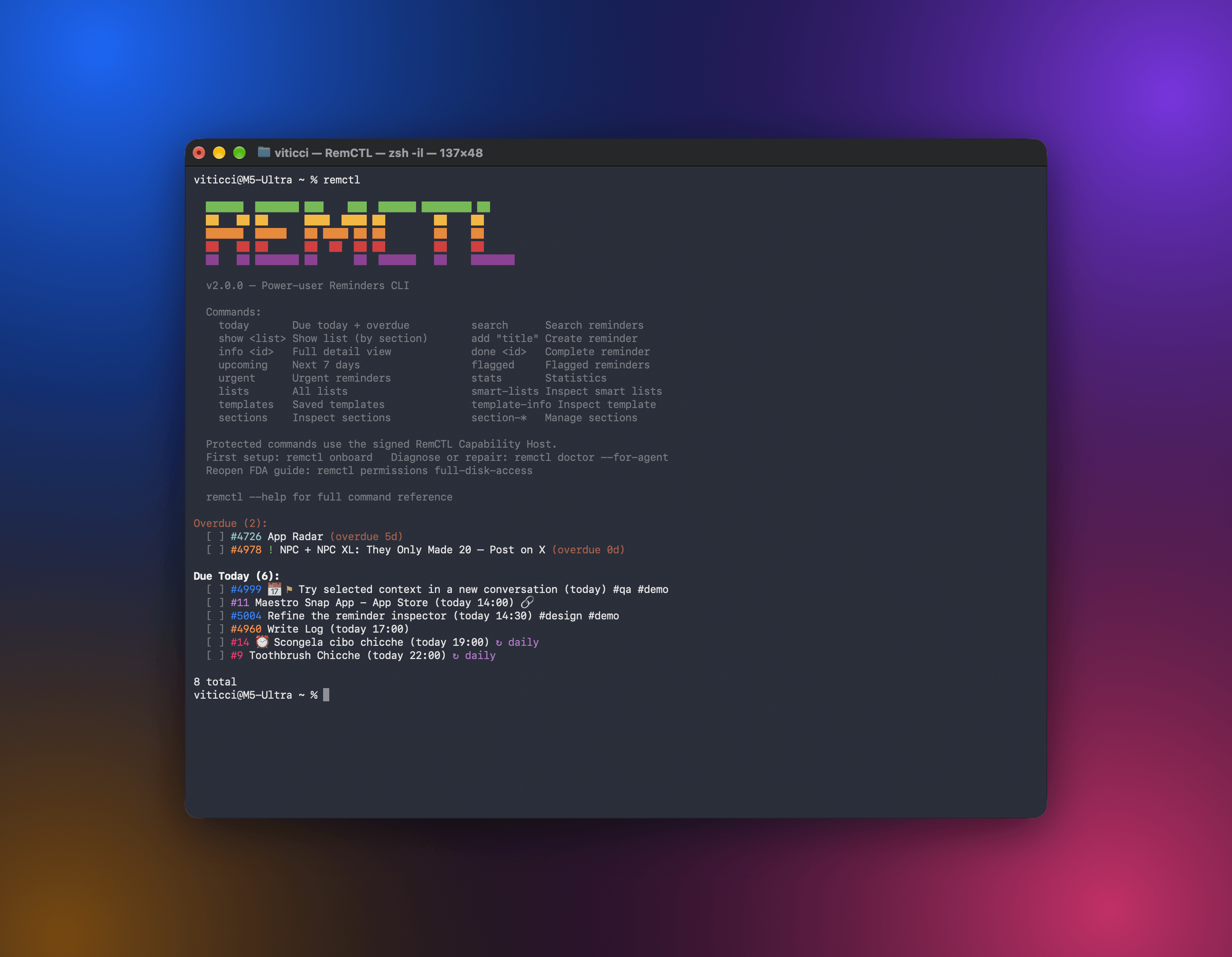 RemCTL は、ターミナル、AI アプリ、Codex 内の Reminders ワークスペース、Claude Code の Today バンドから Apple Reminders を完全に操作できます。リマインダー、リスト、期限、フラグ、検索といった基本機能に加え、Apple が他のアプリに公開していない sections、tags、subtasks、smart lists、templates も扱えます。
