
natsukium@natsukium
natsukium/claude-code-figures-plugin
natsukium/claude-code-figures-plugin
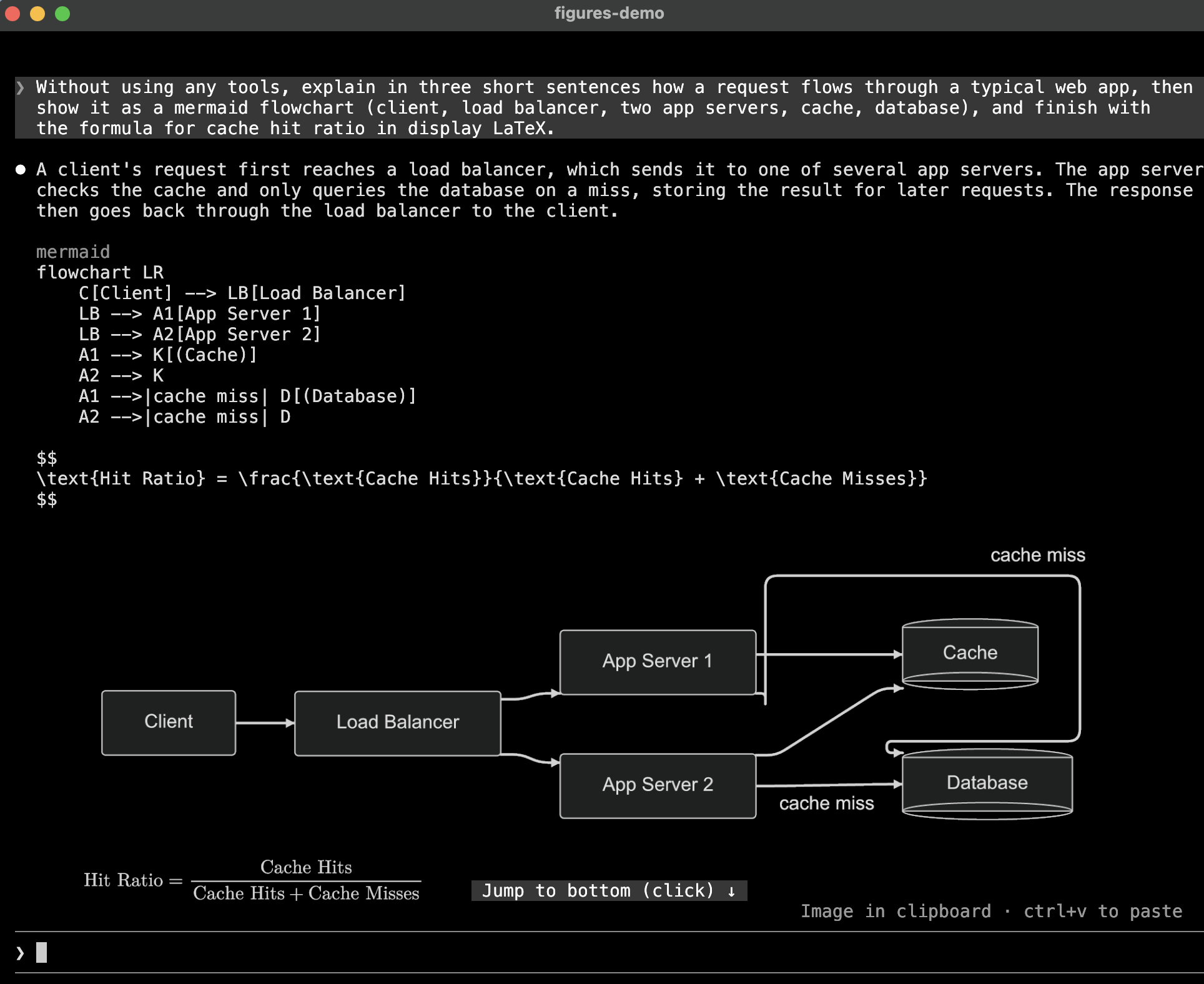
kitty graphics プロトコルを使い、ターミナルのトランスクリプト内に図、LaTeX 数式、ツール結果画像をインライン描画する Claude Code mod です。

サイズ上限により自然なサイズの 60% 未満に縮小される画像は、ターミナルの高さまで拡大します。それでも小さい場合は、shown at 43% · /figures to enlarge のように画像の下に表示します。
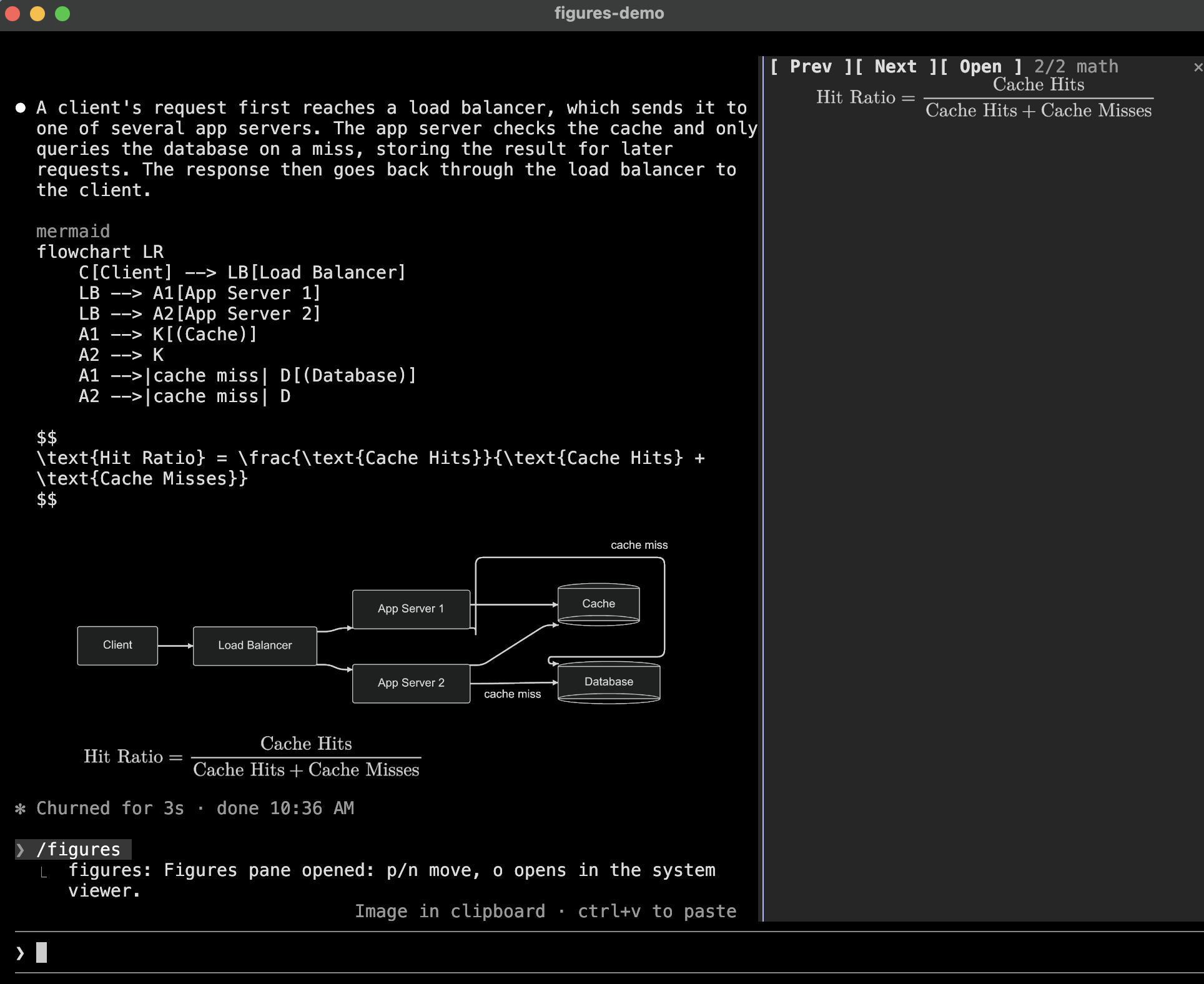
/figures はセッションの画像を表示するペインを開きます。最初は、直近に描画された読みにくいサイズの画像を表示し、なければ最新の画像を表示します。p と n で画像を移動し、o は open(macOS)または xdg-open で現在の画像を開きます。Escape または次のプロンプトでペインを閉じます。

このプラグインには diagrams skill も含まれています。どの言語が描画されるか、レンダリングできる形でどう書くかを Claude に伝えるものです。
レンダリングされた各 PNG は $TMPDIR/claude-figures/ にキャッシュされます。ソースとテーマのハッシュを名前に使うため、再開したセッションでも再レンダリングせずに画像を描画できます。セッション開始時に七日より古いファイルを削除します。
Claude Code 2.1.287 以降で、mods(function-hook plugins)を有効にし、kitty graphics 対応として扱われるターミナルで実行してください。Terminal support を参照してください。画像の種類ごとに PATH 上のプログラムも必要です。
| 画像 | 必要なもの | | -------------------------- | ---------------------------------------------------------------------------------------------------------------------------------------------------------------------------- | | mermaid | mmdr または mmdc。resvg 推奨 | | dot、graphviz | Graphviz の dot と resvg | | d2 | d2 と resvg | | svg、数式 | resvg | | PNG 以外のツール画像 | magick(ImageMagick)または sips(macOS 組み込み) |
claude plugin marketplace add natsukium/claude-code-figures-plugin
claude plugin install figures@figures
cargo install mermaid-rs-renderer で mmdr をインストールします。
/config または claude plugin configure figures で設定します。
| オプション | デフォルト | 意味 | | --------------------- | ------------- | --------------------------------------------------------------------------------------------------------------------------------------------------------------------------------- | | theme | auto | auto は Claude Code のテーマに従います。または dark、default、forest、neutral、modern を指定できます(mmdr のみ。mmdc は default として描画します)。dark では数式を明るく、それ以外では暗く描画します | | background | transparent | 図の背景。transparent ならターミナルの背景が透けます | | scale | 2 | 画像のピクセル密度。1 より大きくするには resvg が必要です | | cell_width_px | 8 | ターミナルの 1 セルの幅として仮定する値。図のレイアウトに使うピクセル単位 | | cell_aspect | 2.1 | ターミナルの 1 セルの高さと幅の比率として仮定する値 | | max_columns | 120 | 画像の最大幅。単位はセルで、ターミナル内にも収めます | | max_rows | 30 | 読みやすさのために拡大する前の画像の最大高さ。単位はセルです | | renderers | (空) | 優先順に並べたレンダラー id。カンマ区切りで指定します。下記参照 | | tool_images | true | ツール結果から見つかった画像を描画するか | | tool_image_max_rows | 12 | ツール結果のサムネイルに許す最大の高さ。単位はセルです |
renderers は各言語を描画するプログラムを選び、順序付けます。id は mmdr と mmdc(mermaid)、dot、d2、svg、mathjax です。ある言語にレンダラーが 1 つでも列挙されていれば、それらだけを列挙順に使います。それ以外はデフォルトのままです。つまり mmdc なら mermaid を mmdc だけで描画し、mmdc,mmdr なら mmdc を先に試します。レンダラーが存在しない id はセッション開始時に報告されます。
Claude Code は、ターミナルの XTVERSION 応答が kitty(0.28.0 以降)または Ghostty を名指しした場合だけ画像を有効にします。他の名前で kitty graphics クエリに正しく応答するターミナルでも、[mermaid diagram 1] のような alt テキストは表示されます。TERM や TERM_PROGRAM を設定しても効果はありません。
そのようなターミナルでこのプラグインを使うには、Claude Code が読むオーバーライドを設定します。
CLAUDE_CODE_FORCE_TERMINAL_IMAGES=1 claude
tmux のチェックもスキップされます。tmux 内では画像に加えて set -g allow-passthrough on が必要です。
Claude Code の判断を確認するには、--debug で起動し、デバッグログの Terminal capabilities: 行を探します。
tsconfig.json は .claude-plugin/types/ にあるエンジンの型定義を拡張し、Vite、Vitest、tsc が読み取ります。Claude Code はこのフォルダーからプラグインを読み込んだときだけ型定義を書き込み、他のコマンドが単独で書き込むことはありません。そのため pnpm types はダミー API key で claude -p --plugin-dir . を起動し、型定義が存在すれば失敗したリクエストを無視します。build、test、typecheck は最初にこれを実行します。Claude Code は開発依存関係なので、スクリプトと pnpm exec claude は PATH 上の claude ではなく、pnpm-lock.yaml に固定されたバージョンを使います。
pnpm install
pnpm build              # regenerate hooks/vendor/
pnpm test               # unit tests (Vitest, tests/unit/*.spec.ts)
pnpm typecheck
pnpm exec claude plugin validate .
pnpm exec claude plugin test .    # hooks through the engine (tests/engine/*.test.ts)
Claude Code は hooks/ を TypeScript ソースとして読み込むため、ビルドされるのはサードパーティーコードだけです。pnpm build は Vite で MathJax と @noble/hashes を hooks/vendor/ にバンドルし、リポジトリをそのままインストールできるようコミットします。Hooks モジュールは 1 MiB を超えるファイルをインポートできず、実行時にモジュールをインポートすることもできません。そのためビルドではバンドルをチャンクに分割し、フォントの各字形範囲を JSON として書き出します。プラグインは数式でその範囲が初めて使われたときに読み込みます。
エンジンはインポート間で $ を渡すモジュールを拒否します。そのため hooks/register.tsx はプラグインが $ から必要とするものを Io オブジェクト(hooks/io.ts)に包み、他のすべてのモジュールがそれを受け取ります。
Apache-2.0。hooks/vendor/ は MathJax とその New Computer Modern font(いずれも Apache-2.0)、および noble-hashes(MIT)から構築されています。
まず作者の README で marketplace とプラグイン名を確認してください。コマンドはリポジトリの構成によって変わる場合があります。
claude plugin marketplace add natsukium/claude-code-figures-plugin
claude plugin install figures
A Claude Code mod that draws diagrams, LaTeX math, and tool-result images inline in the terminal transcript, using the kitty graphics protocol.
mermaid, dot (or graphviz), d2, or svg in Claude's
reply is rendered and drawn under the reply. The code stays visible above the picture.$$ … $$, \[ … \], or a math, latex, or tex code block, is
typeset with MathJax. Inline $…$ stays text, since a picture cannot
sit inside a line, and a latex block holding a whole document (\documentclass) stays code.Read on a PNG, JPEG, GIF, WebP, or SVG file, or a screenshot an MCP
tool returns, is drawn under the tool's row, where Claude Code otherwise shows only a size line;
an SVG read only in part is left alone. In a collapsed tool group they are thumbnails; ctrl+o
unfolds the group and draws them full size. A PNG, JPEG, GIF, WebP, or SVG Claude sends to another
device with SendUserFile is drawn under its attachment line too, so it is on screen when you
come back to the terminal. It is read from disk when the row is first drawn; overwriting the file
later leaves that picture as it was.A picture the size caps would shrink below 60% of its natural size grows up to the terminal's
height, and one still smaller says so under it, such as shown at 43% · /figures to enlarge.
/figures opens a pane with the session's pictures, starting on the newest one drawn too small to
read, or else the newest. p and n step through them, o opens the current one with open
(macOS) or xdg-open, and Escape or your next prompt closes the pane.
The plugin also ships a diagrams skill, which tells Claude which languages are drawn and how to
write them so they render.
Each rendered PNG is cached under $TMPDIR/claude-figures/, named by a hash of the source and the
theme, so a resumed session draws its pictures again without re-rendering. Files older than seven
days are removed when a session starts.
Claude Code 2.1.287 or later, with mods (function-hook plugins) enabled, in a terminal it treats as
kitty-graphics capable; see Terminal support. Each kind of picture also needs
programs on PATH:
| Picture | Needs |
| -------------------------- | ---------------------------------------------------------------------------------------------------------------------------------------------------------------------------- |
| mermaid | mmdr or mmdc; resvg recommended |
| dot, graphviz | Graphviz's dot and resvg |
| d2 | d2 and resvg |
| svg, math | resvg |
| Tool images other than PNG | magick (ImageMagick) or sips (built into macOS) |
scale option.claude plugin marketplace add natsukium/claude-code-figures-plugin
claude plugin install figures@figures
Install mmdr with cargo install mermaid-rs-renderer.
Set these with /config or claude plugin configure figures.
| Option | Default | Meaning |
| --------------------- | ------------- | --------------------------------------------------------------------------------------------------------------------------------------------------------------------------------- |
| theme | auto | auto follows Claude Code's theme; or dark, default, forest, neutral, modern (mmdr only; mmdc draws it as default). Math is drawn light on dark and dark otherwise |
| background | transparent | Diagram background; transparent lets the terminal's background show through |
| scale | 2 | Pixel density of the picture; above 1 needs resvg |
| cell_width_px | 8 | Assumed width of one terminal cell, in the pixels diagrams are laid out in |
| cell_aspect | 2.1 | Assumed height-to-width ratio of one terminal cell |
| max_columns | 120 | Widest a picture may be, in cells; it is also kept inside the terminal |
| max_rows | 30 | Tallest a picture may be before it is grown for legibility, in cells |
| renderers | (empty) | Renderer ids in preference order, comma-separated; see below |
| tool_images | true | Draw images found in tool results |
| tool_image_max_rows | 12 | Tallest a tool-result thumbnail may be, in cells |
renderers picks and orders the programs that draw each language. The ids are mmdr and mmdc
(mermaid), dot, d2, svg, and mathjax. A language with any of its renderers listed uses only
those, in the listed order; the others keep the default. So mmdc draws mermaid with mmdc alone,
and mmdc,mmdr tries mmdc first. An id no renderer has is reported when a session starts.
Claude Code enables pictures only when the terminal's XTVERSION reply names kitty (0.28.0 or later)
or Ghostty. A terminal that answers the kitty graphics query correctly under any other name still
gets the alt text, such as [mermaid diagram 1]. Setting TERM or TERM_PROGRAM has no effect.
To use the plugin on such a terminal, set the override Claude Code reads:
CLAUDE_CODE_FORCE_TERMINAL_IMAGES=1 claude
This also skips Claude Code's tmux check. Inside tmux, the pictures additionally need
set -g allow-passthrough on.
To see what Claude Code decided, start it with --debug and look for the Terminal capabilities:
line in the debug log.
cell_width_px and cell_aspect, since mods are
not told the terminal's cell size in pixels. Adjust them if pictures look stretched.theme=auto follows Claude Code's own
theme (/config): a light variant draws light pictures, the others dark. When Claude Code's
theme is itself auto, its resolved value is not exposed, so COLORFGBG decides where the
terminal exports it, and dark otherwise.A --> B -->|ok| C) is misparsed; write one edge per line. Such a block renders
without an error, so it is not handed to mmdc; set renderers to mmdc to avoid mmdr.\text{日本語}, is drawn by resvg with a system
font./figures pane shares the screen with the prompt, so in a short terminal it has only a few
rows; o opens the picture at full size outside the terminal.tsconfig.json extends the engine's typings in .claude-plugin/types/, which Vite and Vitest read
as well as tsc. Claude Code writes them only when it loads the plugin from this folder, and no
command writes them alone, so pnpm types starts claude -p --plugin-dir . with a dummy API key
and ignores the failed request once the typings exist. build, test, and typecheck run it
first. Claude Code is a dev dependency, so the scripts and pnpm exec claude use the version
pinned in pnpm-lock.yaml, whatever claude is on PATH.
pnpm install
pnpm build              # regenerate hooks/vendor/
pnpm test               # unit tests (Vitest, tests/unit/*.spec.ts)
pnpm typecheck
pnpm exec claude plugin validate .
pnpm exec claude plugin test .    # hooks through the engine (tests/engine/*.test.ts)
Claude Code loads hooks/ as TypeScript source, so only third-party code is built. pnpm build
bundles MathJax and @noble/hashes with Vite into hooks/vendor/, which is committed so the
repository stays installable as is. A hooks module imports no file over 1 MiB and cannot import
modules at run time, so the build splits the bundle into chunks and writes each of the font's
glyph ranges as JSON, which the plugin reads the first time a formula uses it.
The engine refuses a module that passes $ across an import, so hooks/register.tsx wraps what
the plugin needs from $ in an Io object (hooks/io.ts), and every other module takes that.
Apache-2.0. hooks/vendor/ is built from MathJax and its
New Computer Modern font, both Apache-2.0, and
@noble/hashes, MIT.

Ruflo メモリ基盤のプラグイン。AgentDB コントローラーブリッジ(15 個の agentdb_* MCP ツール)、RuVector ONNX 埋め込み(RaBitQ 32x 量子化を含む 10 個の embeddings_* ツール)、WASM HNSW パターンルーター(3 個の ruvllm_hnsw_* ツール)を提供します。mod(ADR-445)として、プロンプトへの安全な任意リコール、秘密をメモリから遠ざける書き込みガード、/agentdb、コンソールが表示するステータスファイルを備えます。

pbir CLI に従うレポートペインで Claude が読み取り、変更する内容を表示しながら、インタラクティブな Power BI レポートの作成、整形、最適化、レビューを行います。


プロンプトの上、ステータス行、トーストに未読 AMP メッセージを表示し、アイドル状態の Claude Code セッションを起こして読ませます。Claude Code 2.1.287 以降が必要です。
