
cjavdev@cjavdev
cjavdev/mods/tree/main/cache-shot-clock
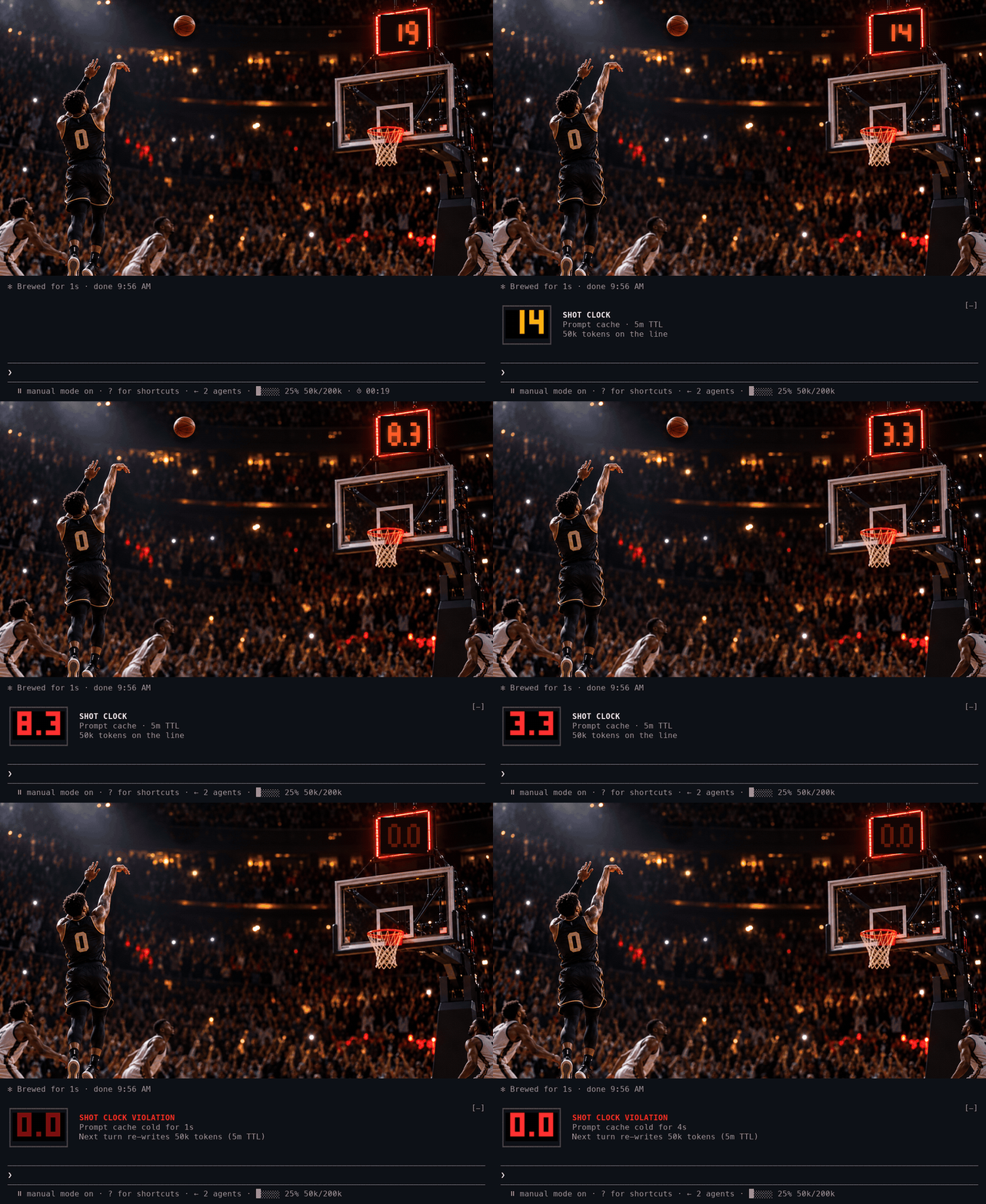
プロンプトキャッシュに残り時間を表示する Claude Code mod。期限切れまでの時間と、次のターンで会話全体をキャッシュへ書き直すことになる時点を知らせます。
cjavdev/mods/tree/main/cache-shot-clock
cache-shot-clock はプロンプトキャッシュの TTL を可視化する Claude Code mod です。プロンプトの下のバーに小さな時計を表示し、最後の 15 秒には大きなアンバー/赤の LED 時計を出します。キャッシュが切れると、次のターンで書き直すことになる token 数をブザーで知らせます。TTL(5m または 1h)はセッションのトランスクリプトから読み取り、アイドル中のキャッシュが残り 60 秒になると toast で警告します。/config の enabled、bigAt、ttl、warnSeconds、testTtlSeconds などで設定できます。Claude Code 2.1.287+ が必要で、--plugin-dir または CLAUDE_CODE_PLUGIN_DIRS からインストールできます。
まず作者の README で marketplace とプラグイン名を確認してください。コマンドはリポジトリの構成によって変わる場合があります。
claude plugin marketplace add cjavdev/mods
claude plugin install cache-shot-clock
A Claude Code mod that puts a shot clock on your prompt cache: how long until it expires and your next turn pays to write the whole conversation into the cache again.
<sub>The terminal half is a real capture of the mod counting down to the buzzer. The player is fictional.</sub>
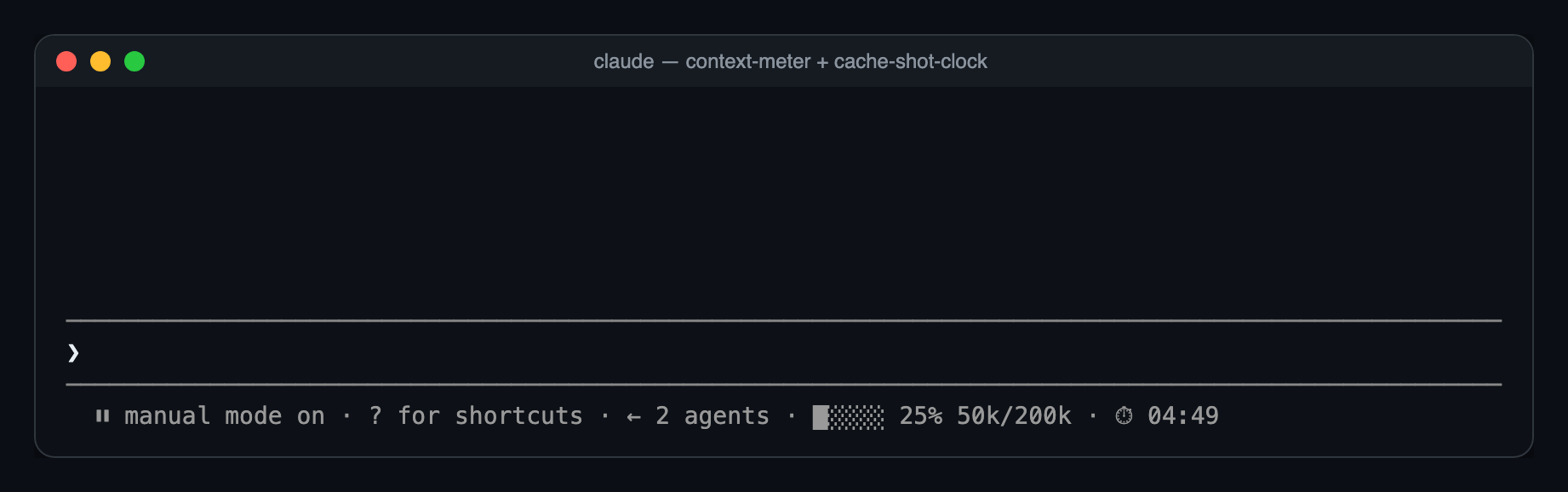
Most of the time, just a small clock at the end of the bar under the prompt:
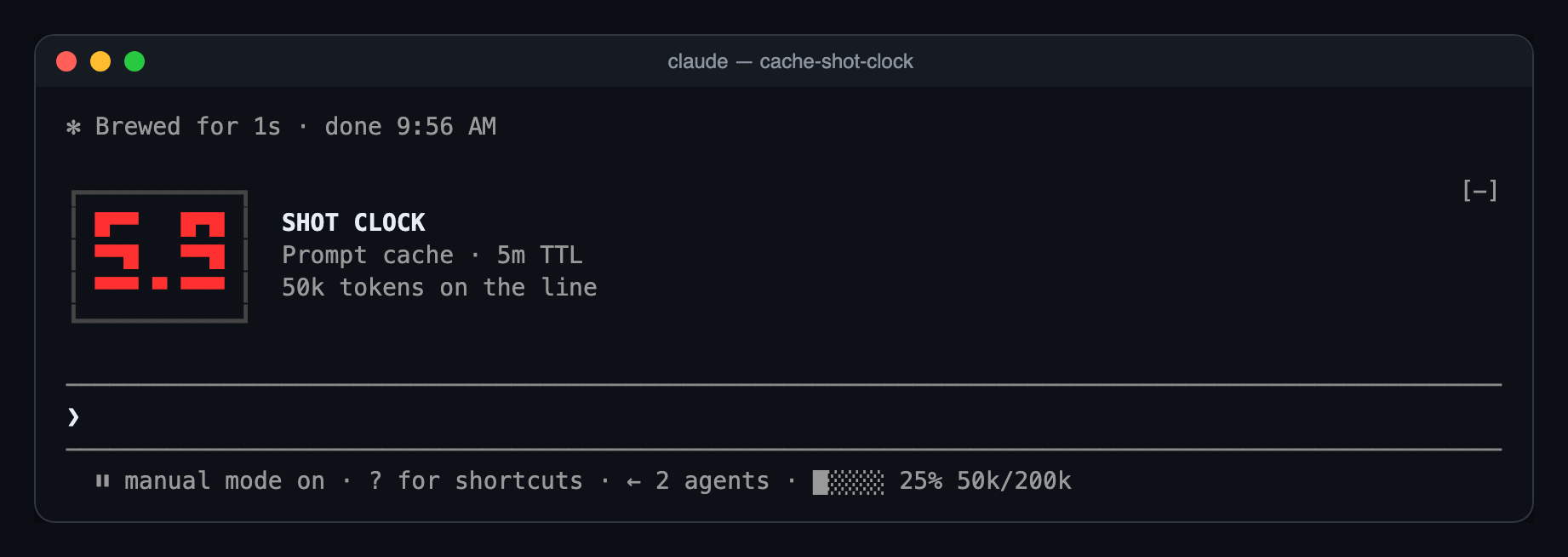
With 15 seconds left, the big LED clock appears above the prompt. It counts whole seconds in amber, then tenths in red for the last ten:
At zero, the buzzer:
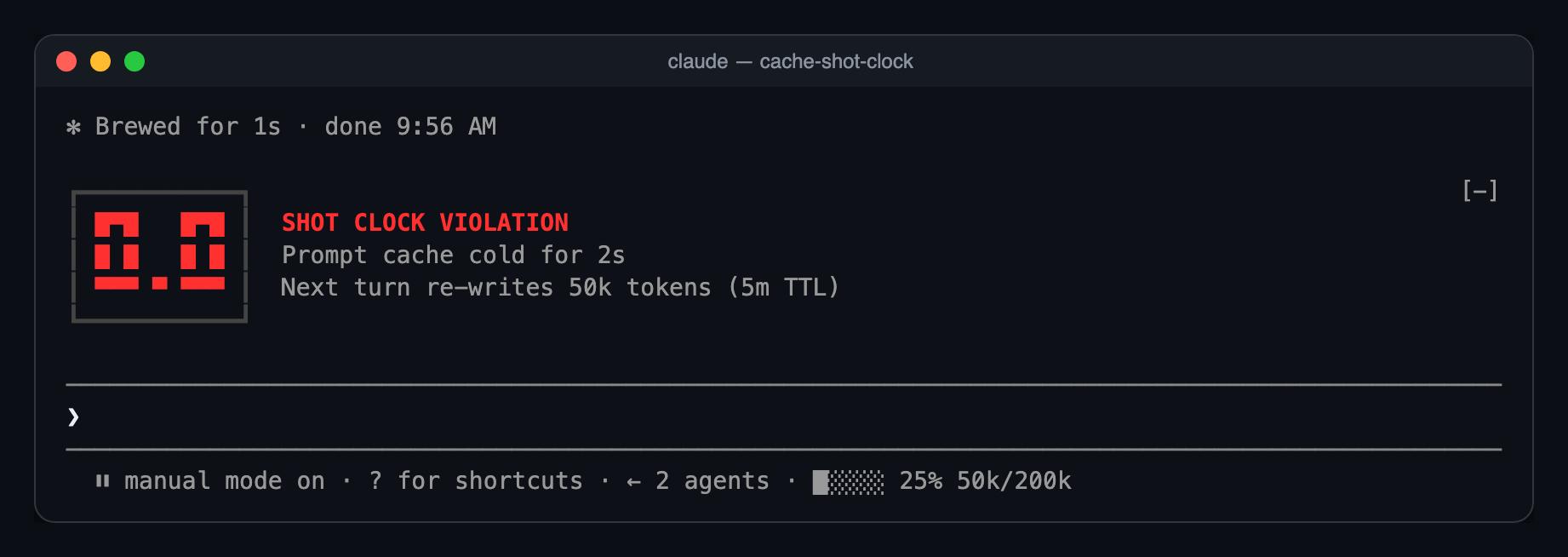
Ten seconds later it folds back into the bar as ⏱ 00:00, until your next turn restarts it.
A model switch, /compact or /clear resets the clock, because the new prefix has nothing cached yet.
You need Claude Code 2.1.287 or newer.
git clone https://github.com/cjavdev/mods.git ~/mods
claude --plugin-dir ~/mods/cache-shot-clock
To load it in every session, add the folder to CLAUDE_CODE_PLUGIN_DIRS in the env block of ~/.claude/settings.json (separate several folders with :):
{ "env": { "CLAUDE_CODE_PLUGIN_DIRS": "~/mods/cache-shot-clock:~/mods/context-meter" } }
It shares the bar with context-meter, and the big clock stacks under anything else above the prompt.
The bar under the prompt is drawn by the terminal only for now. In the desktop app you get the big clock for the last 15 seconds and nothing before it.
In /config, or under pluginConfigs["cache-shot-clock"].options in settings:
| Option | Default | |
| --- | --- | --- |
| enabled | true | Turns the clock off without unloading the mod. |
| bigAt | 15 | Seconds left when the big LED clock appears. 0 keeps the clock in the bar. |
| ttl | auto | auto, 5m or 1h. Forces the countdown length instead of reading it from the transcript. |
| warnSeconds | 60 | When to toast before an idle cache expires. 0 turns the toast off. |
| testTtlSeconds | 0 | For testing: count down from this many seconds instead of the real TTL. 0 is off. |
testTtlSeconds makes the clock count down from any number of seconds. This runs a 40-second clock, so you see the big clock and the buzzer in under a minute:
claude --settings '{"pluginConfigs":{"cache-shot-clock":{"options":{"testTtlSeconds":40}}}}'
testTtlSeconds and ttl only change what the clock counts. They don't change how long Anthropic keeps your cache. To get a real 5-minute cache for a session, start Claude Code with FORCE_PROMPT_CACHING_5M=1; the clock picks that up by itself.
turn.step hook reads each main-thread response's usage and restarts the clock.model.fork hook restarts it when another mod's fork reads the main prefix, such as cache-saver.classic.Stop hook tails the transcript after each turn and reads the newest cache_creation bucket to find the TTL.$.clock.every tick redraws the clock and raises the warning. The last ten seconds tick every 100ms.ui.render hook on PromptHint adds the small clock as the hint line's tail.ui.render hook on AbovePrompt draws the LED panel for the last seconds.The parsing, formatting and LED font are pure functions in hooks/clock.ts.
claude plugin validate ~/mods/cache-shot-clock
claude plugin test ~/mods/cache-shot-clock
The tests run a whole countdown on a mocked clock: the bar clock, the big clock taking over at 15 seconds, tenths, the buzzer, and folding back.

ドキュメント生成、ドリフト検出、API ドキュメント自動化プラグイン。秘密情報を含むドキュメント書き込みやワーカーのディスパッチを拒否する function-hook ガードとしても動作します。

Claude デスクトップアプリ用のステータスバー。プロンプト上に表示され、セッション品質、コンテキストの充填量、キャッシュのカウントダウン、5 時間および週間制限を示し、Clawd がセッションの動作を演じます。

databricks CLI に沿って Databricks のワークスペース、Unity Catalog、コンピュート、ジョブ、パイプライン、アプリ、ダッシュボードをツリー表示する /databricks-pane を提供する Claude Code プラグイン mod。ライブハイライト、プロファイル切り替え、CLI 引数のコピーにも対応します。
