
akilin@akilin
akilin/claude-plugins/tree/main/plugins/better-tool-rows
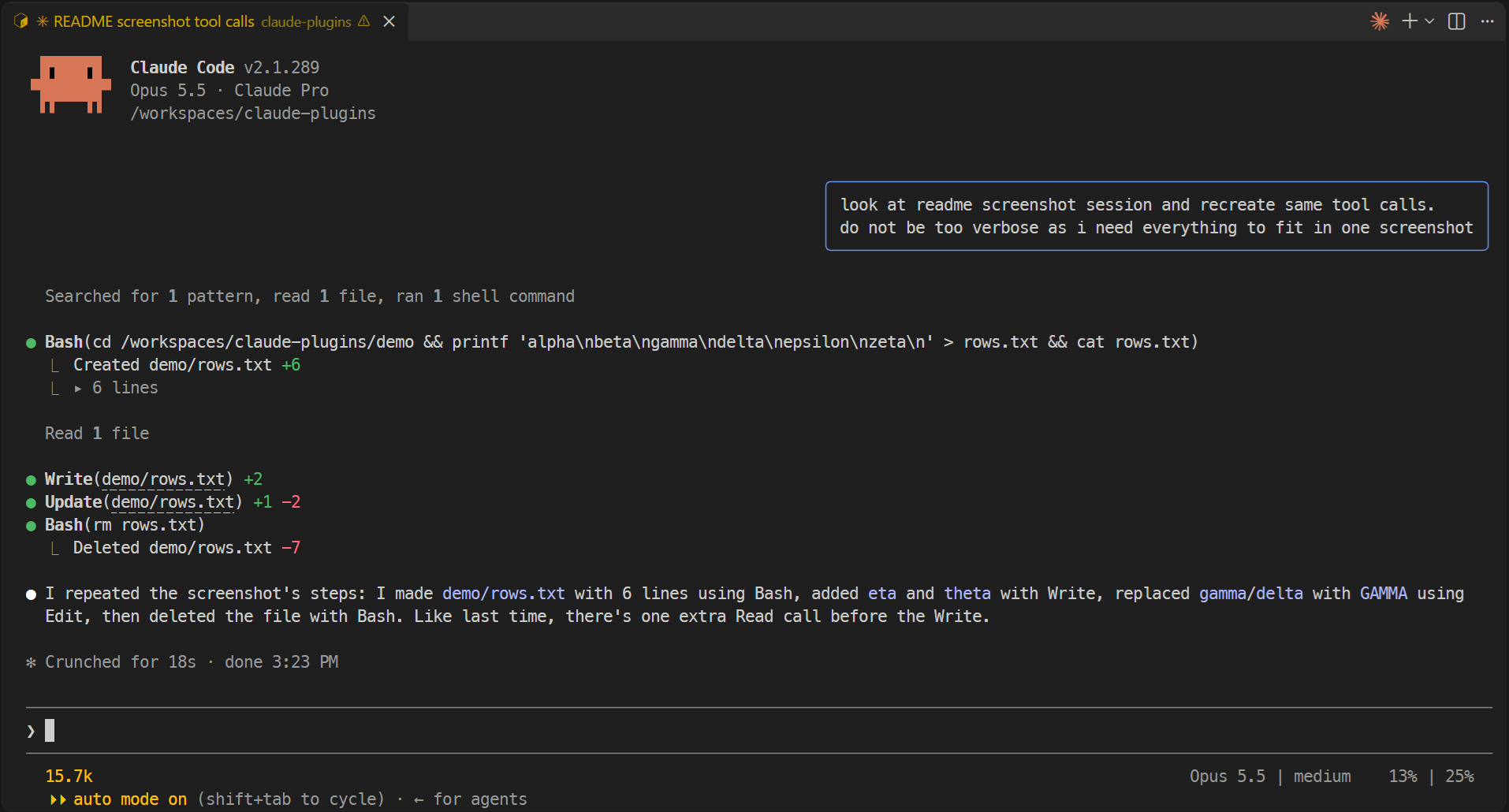
相対 Read/Edit/Write パス、diff の代わりの +/- 行数、1 行の Bash コマンド、折りたたまれた長い出力で、短く静かなツール行を表示する Claude Code プラグインです。
akilin/claude-plugins/tree/main/plugins/better-tool-rows
better-tool-rows は Claude Code プラグインで、ターミナルにおけるツール行の表示だけを変更します。Read/Edit/Write はセッションディレクトリからの相対ファイルパスを表示し、完全なパスはリンクの背後に残します。Edit/Write は diff を隠して行上に +/- の行数を表示し、編集が連続すると空の区切り行を省きます。Bash コマンドは 1 行にまとめて省略記号で切り詰め、ファイルを作成・削除する Bash コマンドでは各ファイルと行数を列挙します。5 行を超える Bash 出力は、クリックできる行数の後ろに折りたたまれます。akilin/claude-plugins marketplace からインストールします。MIT ライセンスです。姉妹プラグイン prompt-bubbles はユーザープロンプトを右寄せのバブルとして表示します。
まず作者の README で marketplace とプラグイン名を確認してください。コマンドはリポジトリの構成によって変わる場合があります。
claude plugin marketplace add akilin/claude-plugins
claude plugin install better-tool-rows
Claude Code plugins that change how the terminal UI looks. They only change rendering: what the model sees and does is untouched.
/plugin marketplace add akilin/claude-plugins
/plugin install better-tool-rows@akilin-plugins
/plugin install prompt-bubbles@akilin-plugins
With both plugins:
The same session without them (zoomed out to fit on one screen):
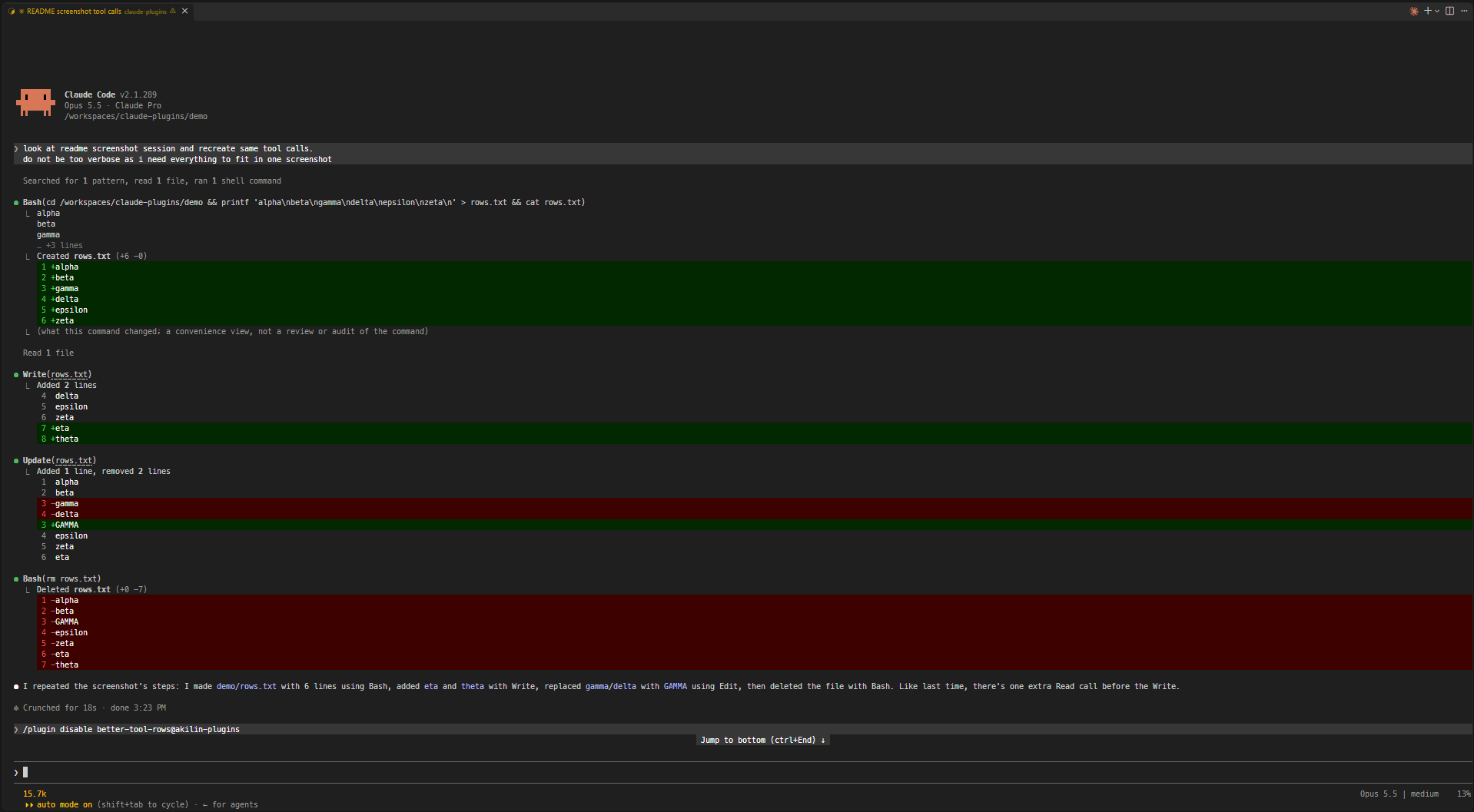
Shorter, quieter tool rows.
cds elsewhere or /cd moves the project. Files outside the folder keep their full path. Windows paths match with either separator and in any case.Update(notes.md) +3 -1. A path too long to fit on the line with its counts is cut to its end (Update(…/src/notes.md) +3 -1), still opening the full path on ctrl+click. An edit held for review rather than written is shown as usual.Read 7 lines), the blank line stays.… so Bash(command) always fits on one line, wide characters included.Created notes.md +10, Deleted notes.md -10) instead of a diff of all the lines each file has or had.▸ 12 lines; unfolded, it shows up to 500 lines and counts the rest. If the command was cut or joined, the fold also holds the full command with syntax highlighting (▸ command, 12 lines); with 5 lines of output or fewer, the output stays as it is and the fold holds the command alone (▸ command).Your own prompts are drawn as right-aligned chat bubbles (a rounded box with a cornflower-blue border, as wide as the longest line and at most three quarters of the terminal) so they stand apart from Claude's replies. Task notifications and messages from other agents or sessions keep the usual drawing, and so does the desktop app, which already has bubbles.
The repo has a dev container (Node, TypeScript and Claude Code preinstalled). It keeps Claude Code's config in a volume of its own, so logins and settings survive a rebuild, and sets VS Code's chat to auto-approve tool calls (chat.permissions.default), which is only safe inside the container.
From a plugin's folder (e.g. plugins/better-tool-rows):
claude plugin validate .
claude plugin test .
npx -y -p typescript tsc -p tsconfig.json
tsc needs the API types Claude Code writes to .claude-plugin/types/ (gitignored) when it loads the plugin, so on a fresh clone load it once first, e.g. claude --plugin-dir plugins/better-tool-rows.
MIT

ドキュメント生成、ドリフト検出、API ドキュメント自動化プラグイン。秘密情報を含むドキュメント書き込みやワーカーのディスパッチを拒否する function-hook ガードとしても動作します。

Claude デスクトップアプリ用のステータスバー。プロンプト上に表示され、セッション品質、コンテキストの充填量、キャッシュのカウントダウン、5 時間および週間制限を示し、Clawd がセッションの動作を演じます。

databricks CLI に沿って Databricks のワークスペース、Unity Catalog、コンピュート、ジョブ、パイプライン、アプリ、ダッシュボードをツリー表示する /databricks-pane を提供する Claude Code プラグイン mod。ライブハイライト、プロファイル切り替え、CLI 引数のコピーにも対応します。
