arafathusayn@arafathusayn
arafathusayn/cc-mods/tree/main/mods/usage-meter
在提示列上方的一行顯示方案的 5 小時與每週用量上限,以及距離每次重設的時間;`/usage-meter` 會開啟面板,顯示你的使用速度和何時會用完。
arafathusayn/cc-mods/tree/main/mods/usage-meter
Claude Code 外掛,會把訂閱用量時段(5 小時、所有模型每週、每個模型每週)持續顯示在提示列上方的一行,並在 50% 與 75% 設定色彩門檻。/usage-meter 會切換詳細面板,顯示長條、重設時刻與倒數、近期使用速度,以及該時段會提前用完還是能維持到重設。5 小時與每週時段的資料來自每次回覆;每個模型的每週用量則從帳號用量要求讀取,每次回覆後最多每五分鐘讀取一次。透過 claude plugin marketplace add arafathusayn/cc-mods 和 claude plugin install usage-meter@cc-mods 安裝。已用 Claude Code 2.1.289 測試。
請先查看作者 README,確認 marketplace 與外掛名稱;指令可能隨儲存庫結構而變動。
claude plugin marketplace add arafathusayn/cc-mods
claude plugin install usage-meter
Your Claude subscription has usage limits: a 5-hour window, a weekly window for all models, a
weekly window for a model your plan counts on its own (such as Fable) and, on a Claude gateway, a
spend limit. Claude Code mentions them only once you are close. usage-meter keeps them on screen
the whole session, as one line at the right side above the prompt:
5H 14% 2h 55m │ WK 76% 4d 0h │ Fable 30% 4d 0h
Each entry is a window: how much of it is used, and how long until it resets. A model's own week carries the model's name. The percent turns yellow from 50% and red from 75%. The line appears once Claude has replied for the first time in a subscription session; a session on an API key has no usage limits, so nothing is drawn.
/usage-meter opens a pane with more for each window: a bar drawn to the pane's width, the reset
as a clock time and a countdown, your recent pace, and where that pace leads:
5-hour limit · 14% used
█████░░░░░░░░░░░░░░░░░░░░░░░░░░░░░░░░
resets 15:00 (in 2h 55m)
pace 6.0%/h over the last 1h 0m
at this pace: lasts until the reset
Run /usage-meter again to close it.
claude plugin marketplace add arafathusayn/cc-mods
claude plugin install usage-meter@cc-mods
session.measure), so the meter asks nothing for them./usage makes, at most every five minutes after a reply and every quarter hour while
the session sits idle. It asks with the session's own login through Claude Code, which keeps the
credential and sends it to Anthropic alone; the mod never sees it. A session without a Claude
login (an API key, a gateway) asks nothing.runs out in ~2h 5m when the window fills before it resets, lasts until the reset when the reset comes first, not rising when use has not moved.claude --plugin-dir mods/usage-meter
hooks/register.tsx is the only file that touches $: it builds the ports the use cases in
hooks/actions.ts run on and wires the events. The rest is pure: reading.ts and
account-usage.ts decode what the engine and the account's usage report, track.ts and
meter.ts keep the history, forecast.ts works out the pace, wording.ts writes the text,
band.tsx and pane.tsx draw.
Inspired by quota-meter from claude-mods (MIT); written anew here.
Tested with Claude Code 2.1.289.

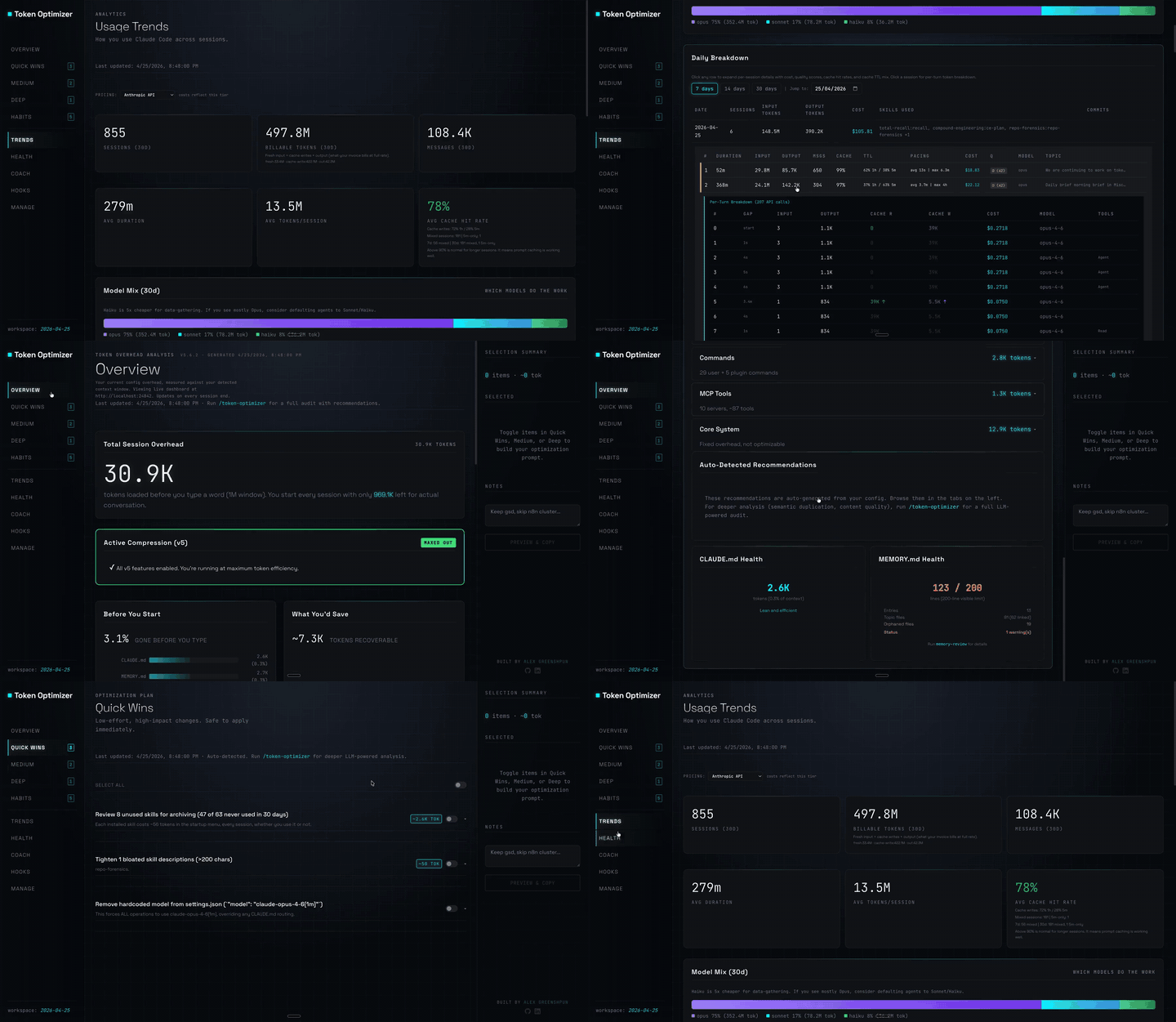
Claude Code 外掛,會壓縮工具輸出、在壓縮前建立檢查點、評分內容品質,並在本機面板回報 token/成本節省;附帶 hooks 與 localhost 常駐程式。

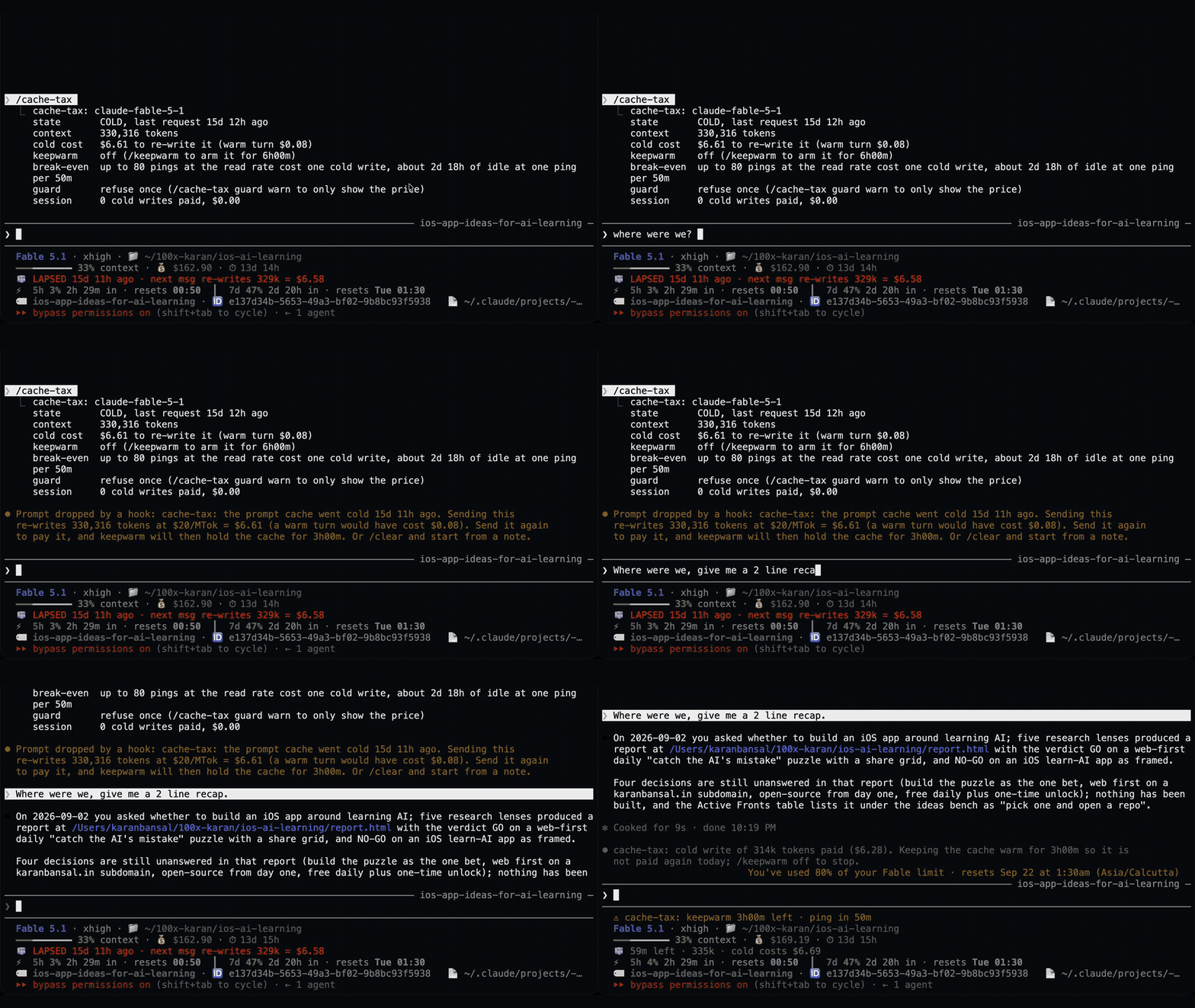
一個 Claude Code 外掛,用靜默 ping 保持閒置工作階段的提示快取溫熱,然後在快取仍然溫熱時壓縮大型工作階段一次。
Claude Code 外掛會在休息期間維持一小時提示快取溫熱,並在冷快取送出前顯示一次預估的重寫成本。預熱會使用模型請求並耗用 token。需要 Claude Code 2.1.287+。