
magnuswiderberg@magnuswiderberg
magnuswiderberg/claude-code-mods/tree/main/plugins/severance-mdr
一個 Claude Code 外掛,會在代理程式工作時開啟《Severance》風格的 Macrodata Refinement 小遊戲面板,提供鍵盤和滑鼠控制、分類箱、配額以及可儲存的進度。
magnuswiderberg/claude-code-mods/tree/main/plugins/severance-mdr
Severance MDR 將 Macrodata Refinement 帶進 Claude Code。每次提交提示時,面板都會開啟,顯示一個數字網格,其中有些數字很可怕;找到它們、框選它們,再把它們分類到箱子裡。也可以手動使用 /mdr 開啟。控制方式包括使用方向鍵/hjkl/wasd 移動,使用 shift+方向鍵繪製選取區域,使用空白鍵標記單個數字,使用 Enter 標記 3x3 方格,拖曳滑鼠框選區域,使用 1-5 或點選分類箱進行分類,使用 c 清除,以及使用 n/N 開始或放棄新檔案。游標靠近時,可怕的數字會變粗並抖動;每個分類箱接受 WO、FC、DR 和 MA temper 配額,已滿的箱子會拒絕額外內容。檔案達到 100% 時完成,進度會在工作階段之間保留。執行 /mdr auto off 可停止面板在每次提示時開啟。支援滑鼠的動畫棋盤可以在終端機和 Claude 桌面應用程式中執行,而 VS Code 擴充功能顯示的是更簡單的按鈕版本。請注意,外掛 API 仍處於搶先體驗階段,可能會隨 Claude Code 版本變更。透過 /plugin marketplace add magnuswiderberg/claude-code-mods,然後執行 /plugin install severance-mdr@magnus-mods 安裝。
請先查看作者 README,確認 marketplace 與外掛名稱;指令可能隨儲存庫結構而變動。
claude plugin marketplace add magnuswiderberg/claude-code-mods
claude plugin install severance-mdr
Macrodata Refinement for Claude Code. While your agents work, a pane opens with a grid of numbers. Some of them are scary. Find them, box them, and sort them into bins. The work is mysterious and important.
/plugin marketplace add magnuswiderberg/claude-code-mods
/plugin install severance-mdr@magnus-mods
The pane opens each time you submit a prompt. You can also open it yourself with /mdr.
Click the board to give it the keyboard. Esc hands the keyboard back to the prompt.
| Key | Does |
| --- | --- |
| Arrows, hjkl, wasd | Move the cursor |
| Shift+arrows | Paint a selection |
| Space | Mark one number |
| Enter | Mark the 3x3 square around the cursor |
| Mouse drag | Box a region |
| 1-5 or click a bin | Send the selection to that bin |
| c | Clear the selection |
| n | New file, once this one is complete (N abandons it) |
Scary numbers give themselves away only when the cursor is near: they turn bold and jitter. Each bin takes a quota of each temper: WO (Woe), FC (Frolic), DR (Dread) and MA (Malice). A full bin refuses the extras, so try another bin. The file is done at 100%. Your progress is saved between sessions.
/mdr auto off stops the pane opening on every prompt. /mdr auto on turns it back on.
| Path | Holds |
| --- | --- |
| hooks/register.tsx | /mdr, opening the pane, agent status, saving, the button board |
| hooks/refiner.tsx | The animated board with keyboard and mouse input |
| hooks/mdr.tsx | Game rules and drawing, shared by both boards |
| types/index.d.ts | Game types and the state contract |
| tests/ | Tests |

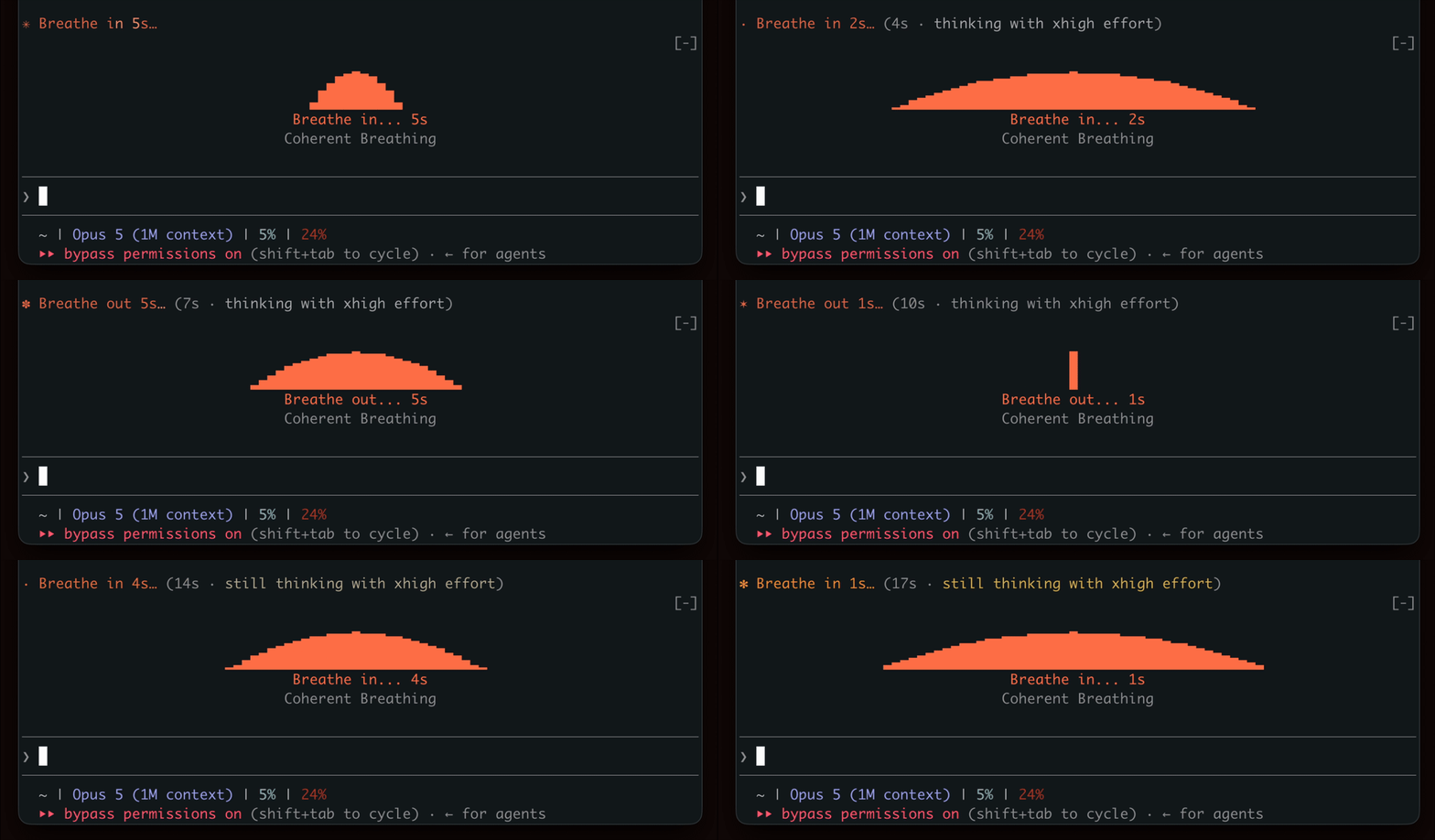
在等待生成時表現出呼吸節奏,鼓勵短暫的休息。

終端機面板中的 YouTube Shorts:Claude 工作時播放,Claude 完成後暫停。


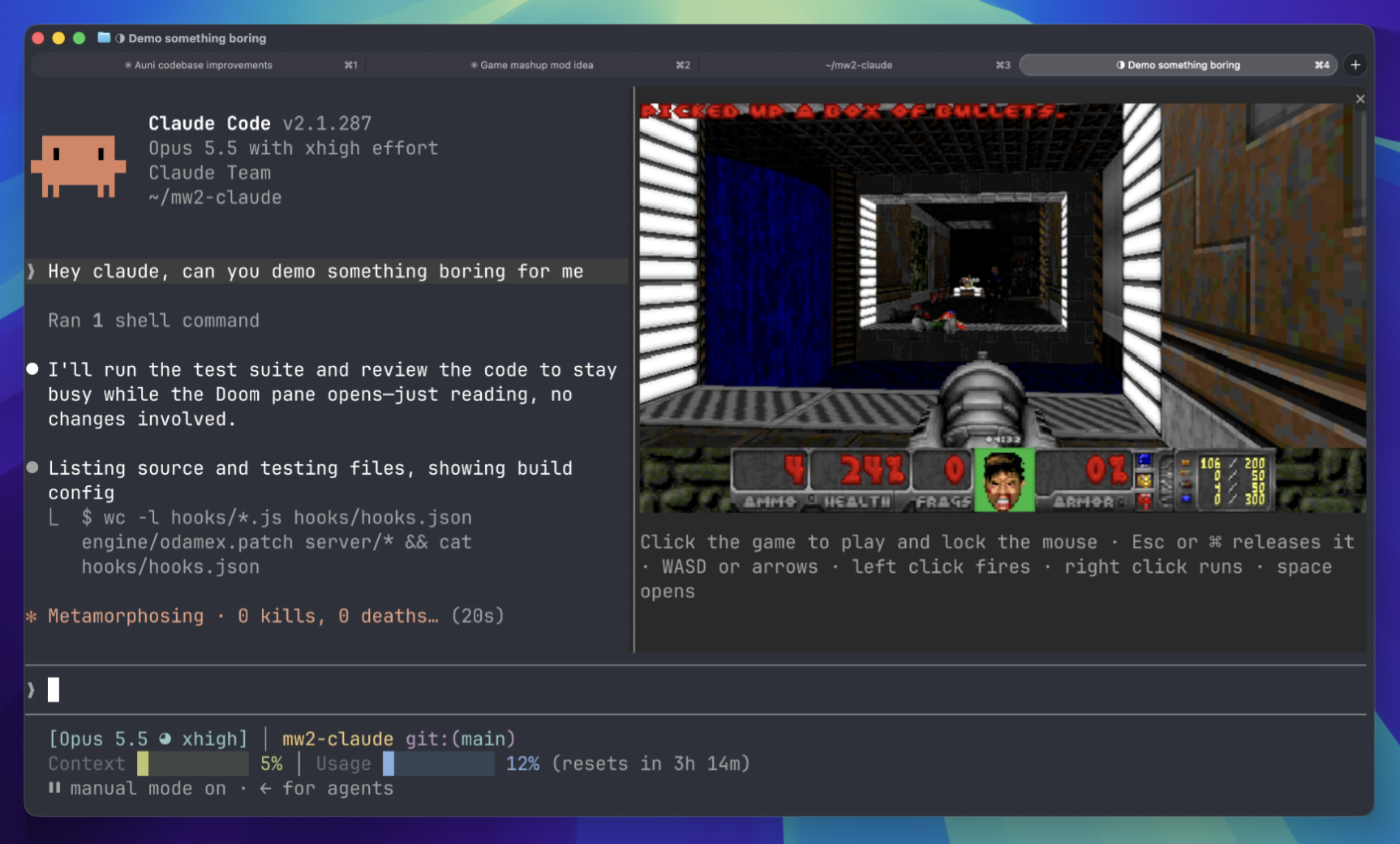
等待時在終端面板上玩 Doom 比賽。需要下載遊戲組件並連接到伺服器。
 ▶ ♫
▶ ♫