NotTahaAli@NotTahaAli
NotTahaAli/sessclone/tree/main/packages/plugin
將 token、模型和花費使用量回報給 SessClone 部署的 Claude Code 外掛,提供狀態列、斜線命令和可選啟用的轉錄上傳。
NotTahaAli/sessclone/tree/main/packages/plugin
SessClone Collector 會將 Claude Code 的使用情況(token、模型、成本輸入和耗時)回報給 SessClone 部署,讓個人和組織能按人員、Project、Device 和 Session 查看花費。它包含 hooks(SessionStart、Stop、StopFailure、SessionEnd)、狀態列,以及 /sessclone-status 和 /sessclone-sync 命令;mod 也提供 /sessclone:status 和 /sessclone:sync 作為後備。每回合只透過 HTTPS 傳送帶有 bearer key 的中繼資料;除非啟用可選的轉錄上傳,否則不會傳送提示、回覆或檔案內容。需要 Node 22.18+(或 23.6+、24)。採用 MIT 授權。
請先查看作者 README,確認 marketplace 與外掛名稱;指令可能隨儲存庫結構而變動。
claude plugin marketplace add NotTahaAli/sessclone
claude plugin install sessclone
The SessClone Collector. It reports your Claude Code usage (tokens, models, cost inputs, timings) to a SessClone deployment, so you and your Org can see spend per person, Project, Device and Session on the dashboard.
/plugin marketplace add NotTahaAli/sessclone
/plugin install sessclone@sessclone
Claude Code asks for two things, both optional:
settings.json. Leave it empty in a Claude Code
cloud environment whose SessClone API credential adds it.https://sessclone.com. Self-hosted deployments enter their own address.Restart Claude Code. The next session says whether it connected, and which Org it reports to. Turns from before the install are backfilled from the transcripts Claude Code still keeps.
Requires Node 22.18 or newer (or 23.6+, or 24).
/sessclone-status shows what the last session start found: the
deployment, the key's first three characters and length, whether it was
accepted and for which Org, plus this Device, how many of this session's
Turns are not sent yet, what is waiting to send and the last push./sessclone-sync sends everything waiting now, without a Claude turn, and
says what it sent.↗,
which opens this session in the dashboard.These are the plugin's mod (hooks/register.tsx), which needs Claude Code
2.1.287 or newer. Where mods cannot load, /sessclone:status and
/sessclone:sync do the same, except that status leaves out this session's
unsent Turns, and sync is carried out by the hook that ends that turn.
Everything goes over HTTPS to the deployment URL above, with your key as a bearer token, except the opt-in transcript upload described last.
SessionStart): GET /api/ingest to ask whether the key
is accepted and for which Org. If it is not, the plugin says so and sends
nothing else until a session starts with a key that is. Then it re-sends
what an earlier session could not (POST /api/ingest).Stop): POST /api/ingest with, per Turn, the token counts
by kind, the model, timings, the Session, Project and Device it belongs to,
the working directory, the git branch, and the git remote reduced to a
Project key. No prompt, no reply, no file contents.StopFailure, SessionEnd): POST /api/ingest saying
that a turn ended on an API error, or that a session ended.POST /api/logs/presign), uploads the
compressed transcript to that URL, which is the deployment's object storage
(Supabase Storage for the hosted service), and confirms it
(POST /api/logs/confirm). Your Org's retention removes it.~/.claude/projects/ (or
CLAUDE_CONFIG_DIR), from a cursor, so each turn costs a few hundred bytes.git in the session's working directory, to read the branch and remote.~/.local/state/sessclone, ~/Library/Application Support/sessclone, or
%LOCALAPPDATA%\sessclone).HTTPS_PROXY is set, each hook restarts itself once under Node's own
proxy support so its requests go through that proxy.The API key is read only from the plugin's setup prompt, never from your shell environment, and never written to a log, a file or a transcript.
| Setting | Where | Default |
| ------------------- | ----------------------------- | ------------------------ |
| API key | setup prompt (api_key) | none, optional in cloud |
| Deployment URL | setup prompt, SESSCLONE_URL | https://sessclone.com |
| State directory | SESSCLONE_STATE_DIR | per platform, see above |
| Device name | SESSCLONE_DEVICE | derived from the machine |
| Print hook failures | SESSCLONE_DEBUG=1 | off |
To change an answer, run /plugin configure sessclone and start a new session.
Readable source, no build step: the hooks in hooks/ run as node <file>.mjs
and import the modules in src/. MIT licensed, see LICENSE. Project home and
issues: https://github.com/NotTahaAli/sessclone

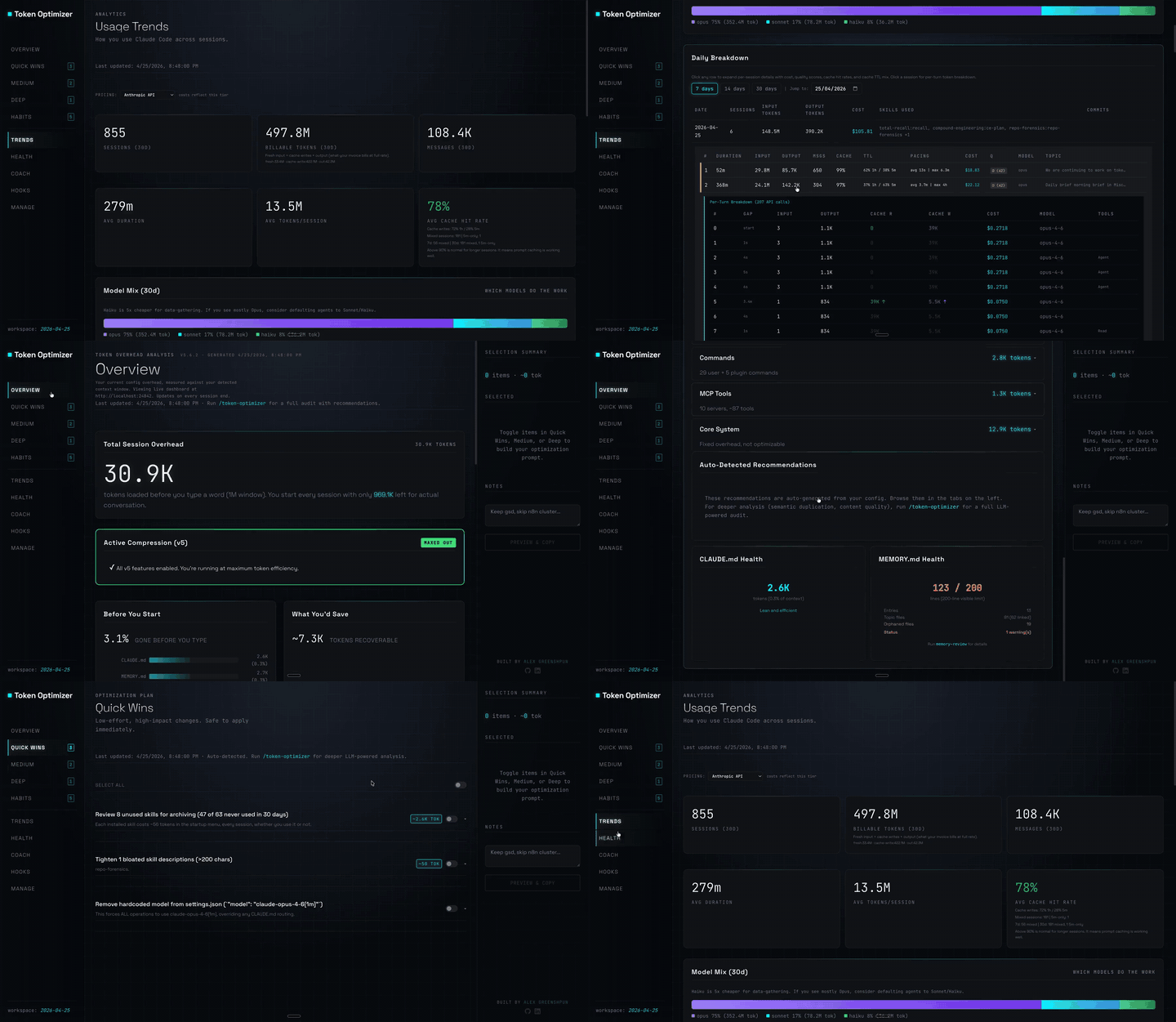
Claude Code 外掛,會壓縮工具輸出、在壓縮前建立檢查點、評分內容品質,並在本機面板回報 token/成本節省;附帶 hooks 與 localhost 常駐程式。

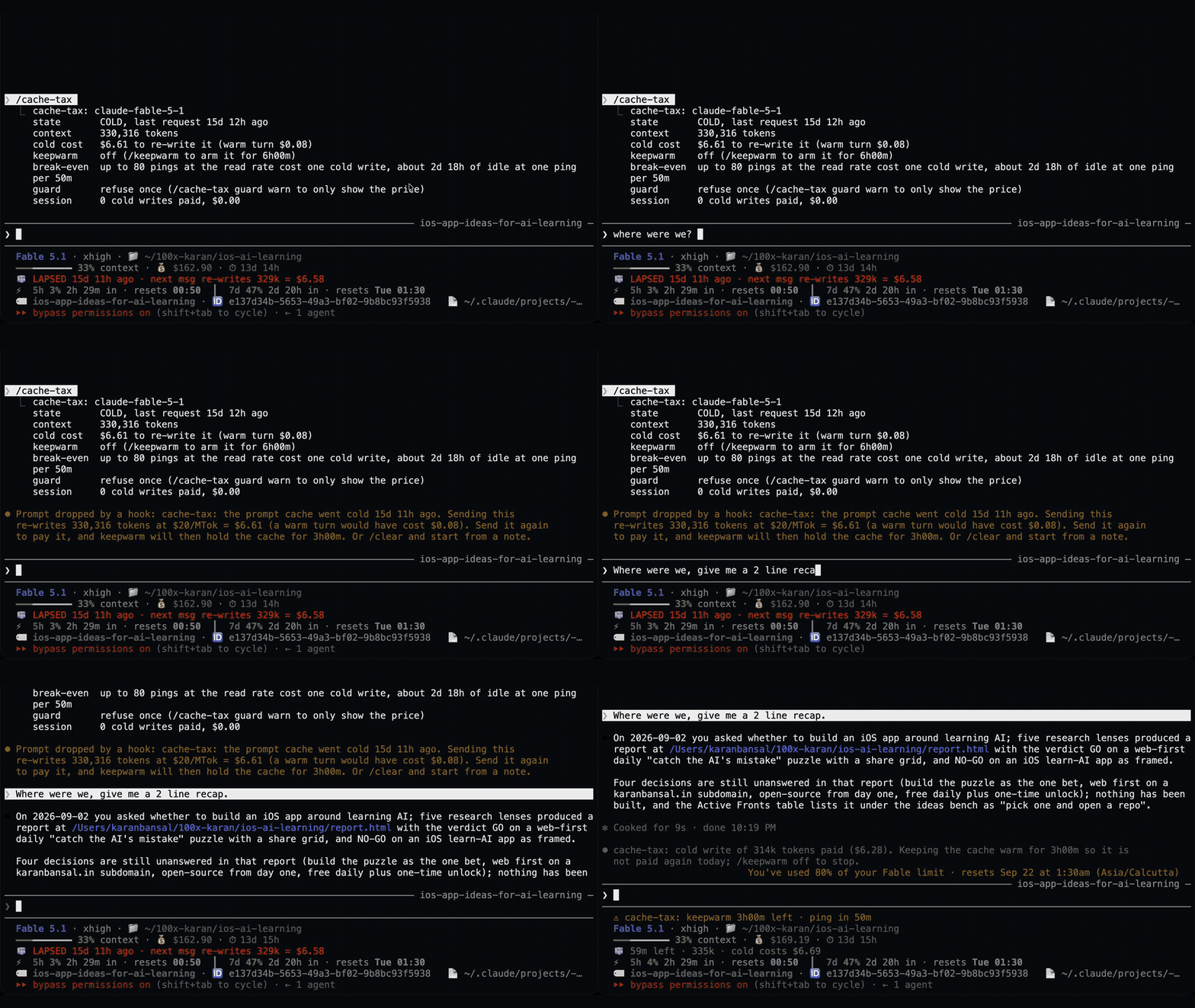
一個 Claude Code 外掛,用靜默 ping 保持閒置工作階段的提示快取溫熱,然後在快取仍然溫熱時壓縮大型工作階段一次。
Claude Code 外掛會在休息期間維持一小時提示快取溫熱,並在冷快取送出前顯示一次預估的重寫成本。預熱會使用模型請求並耗用 token。需要 Claude Code 2.1.287+。