
LorcanChinnock@LorcanChinnock
LorcanChinnock/claude-desk-neighbours/tree/main/plugins/previously-on
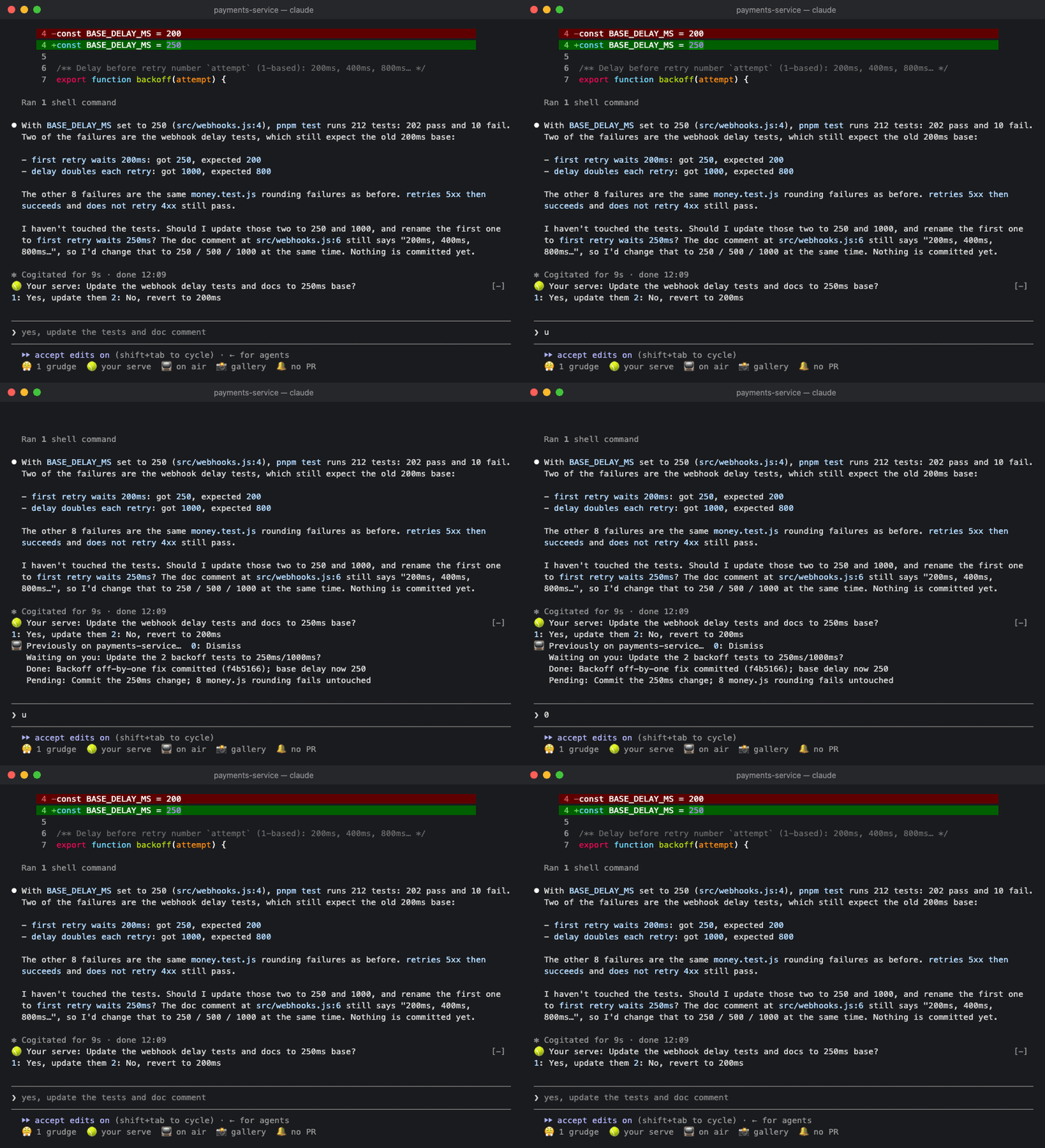
Claude Code 外掛:閒置後回來時顯示工作階段回顧、昨天工作階段的早晨摘要,以及 /standup 指令。
LorcanChinnock/claude-desk-neighbours/tree/main/plugins/previously-on
📺 Previously On 會在你回到工作階段時補上進度。如果你在已有完成回合的工作階段中閒置 20 分鐘,第一次按鍵會顯示已完成的工作、待處理事項,以及等待你處理的內容。每次返回只產生一次;只要沒有變更就會重複使用,送出提示或按下 Dismiss 鍵(0)時關閉。每天的第一個工作階段也會顯示前一天工作階段的一次性摘要,而 /standup 會列印前一天和今天的工作階段,方便貼到站會頻道。📺 on air 面板(或 /previously-on)會顯示今天與昨天的工作階段,並提供 Recap now(r)和 Copy standup(c)按鈕。閒置門檻可設定(預設 20 分鐘)。背景會重新讀取轉錄並進行模型呼叫(主要使用提示快取);Haiku 會在第一個回合和之後每五個回合標記工作階段主題;每日記錄會在兩週內為每個工作階段保留一行。
請先查看作者 README,確認 marketplace 與外掛名稱;指令可能隨儲存庫結構而變動。
claude plugin marketplace add LorcanChinnock/claude-desk-neighbours
claude plugin install previously-on
Catches you up when you come back.
/plugin install previously-on@claude-desk-neighbours
If you've been idle for 20 minutes in a session that has some finished turns, your first keystroke brings up a recap:
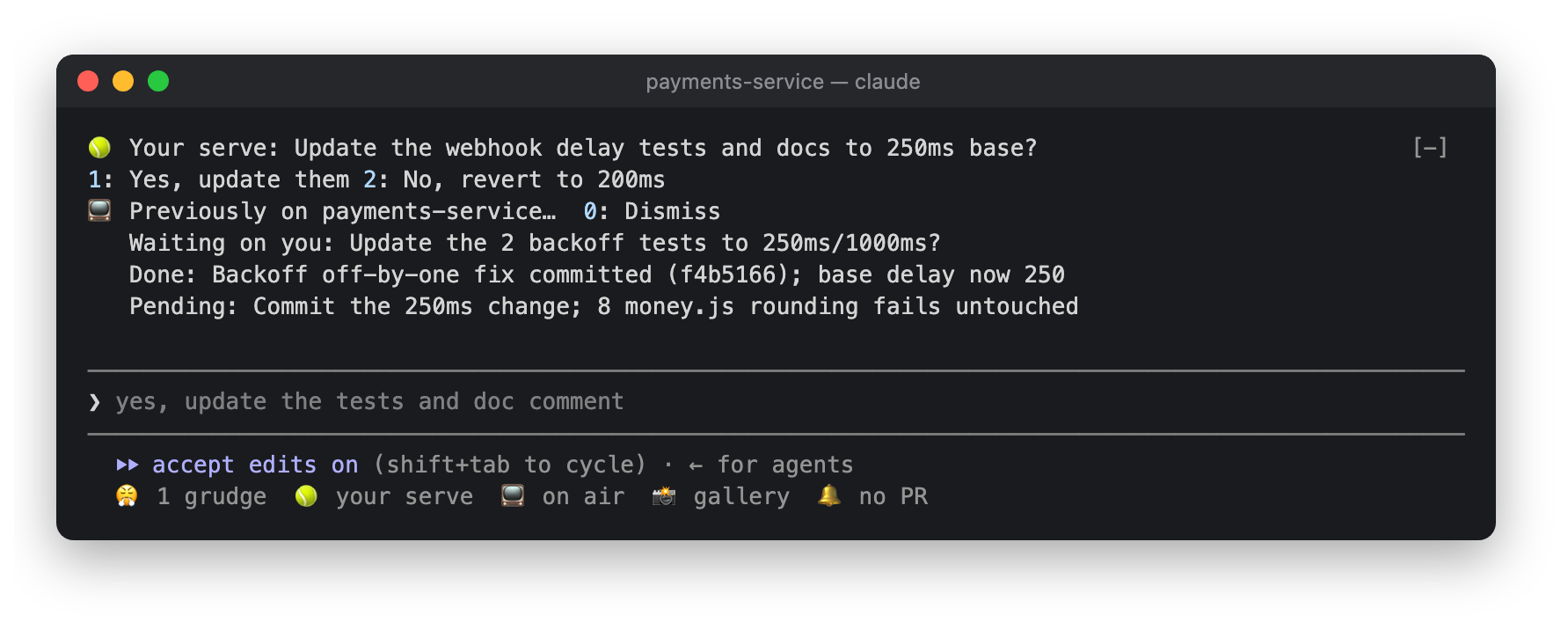
📺 Previously on payments-service…
   Waiting on you: keep or drop the old cache?
   Done: retry logic for webhook sends, tests green
   Pending: idempotency key on refunds
It's only generated once each time you come back, and reused if nothing has changed. It goes away when you send a
prompt or press Dismiss (0 in an empty prompt, or click it). Here's the recap from the demo above, sitting under
a Your Serve question:
The first session of your day also shows a one-off digest of the previous day's sessions:
📺 Yesterday: payments-service (webhook retries) · web-app (login copy fixes)
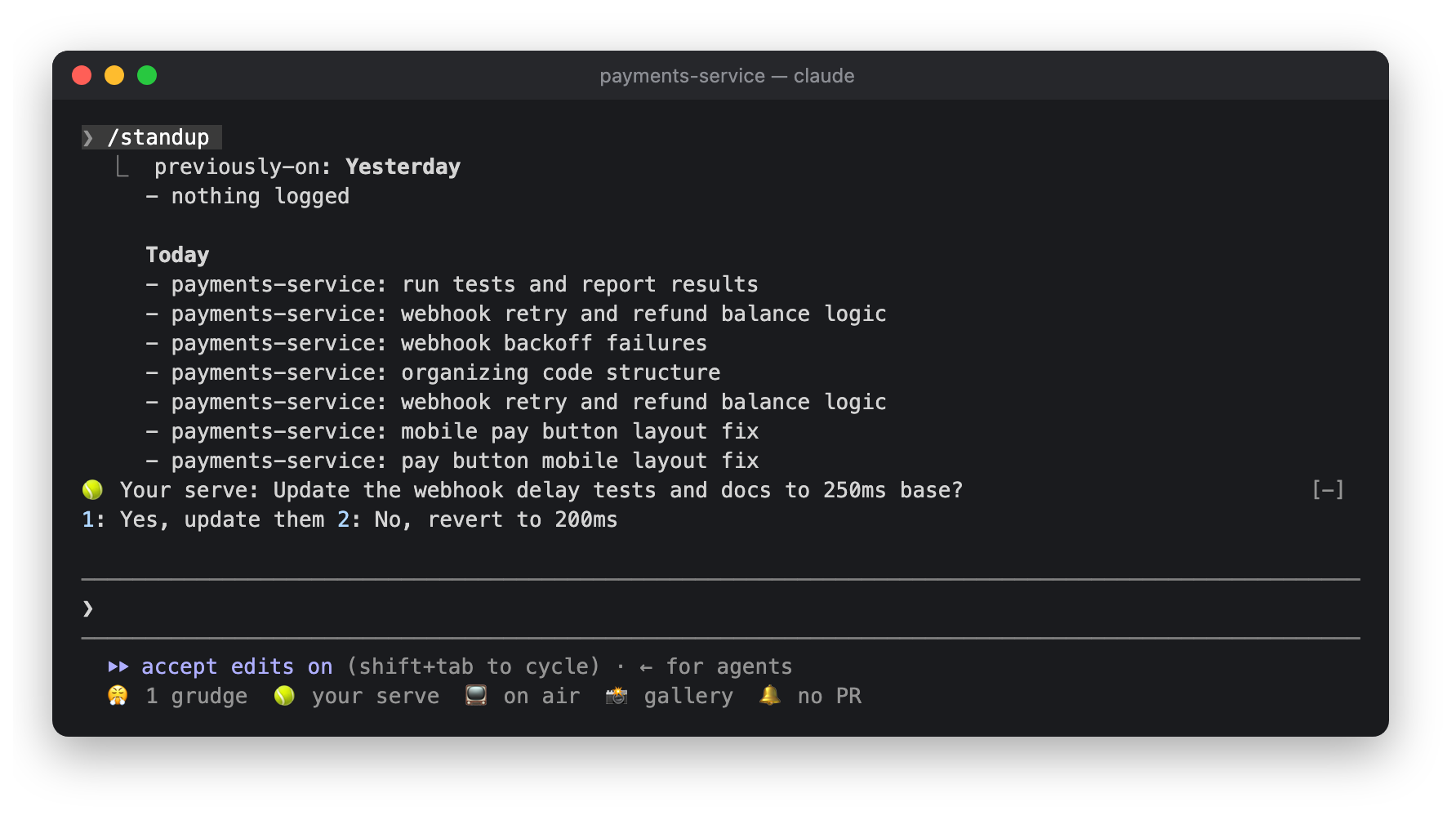
And /standup prints the previous day's and today's sessions so you can paste them into your standup channel.
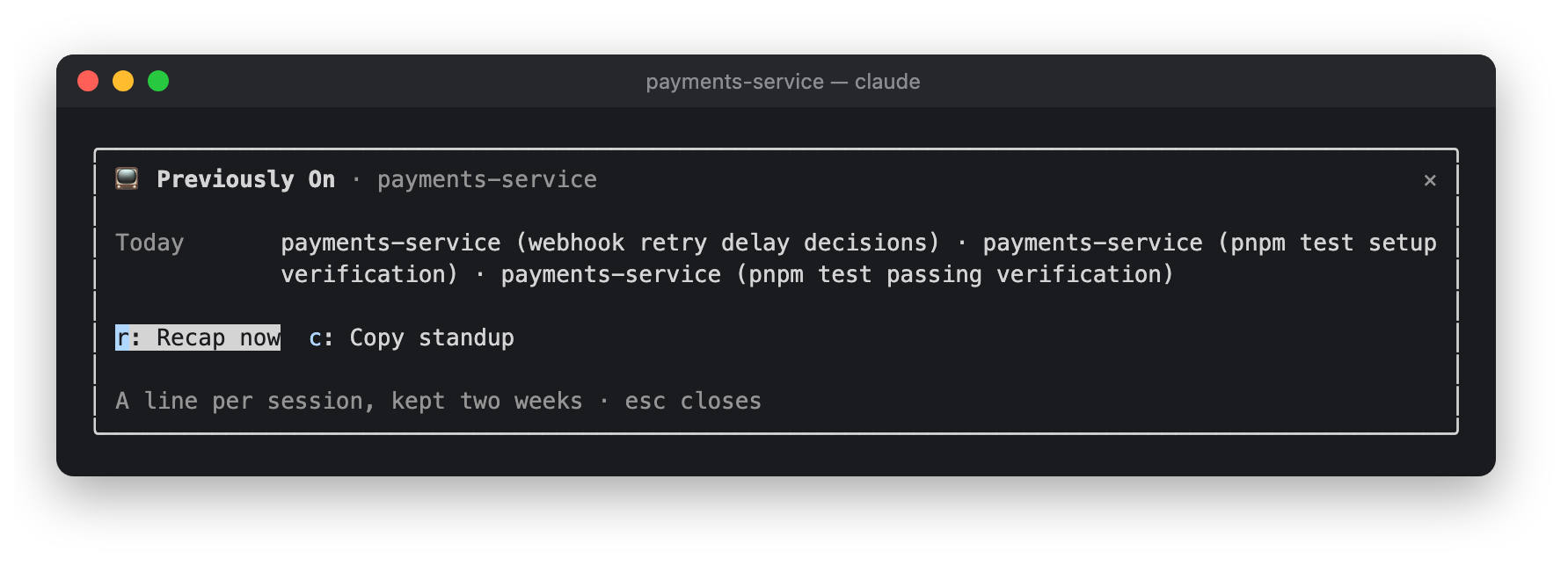
Click 📺 on air in the status row, or run /previously-on, to see today's and the previous day's sessions.
There are buttons for Recap now (r) and Copy standup (c).
| Setting | Default | |---|---| | Recap after this many idle minutes | 20 |
The recap re-reads the session transcript in one model call, which mostly comes out of the prompt cache. After the first turn, and then every fifth turn, Haiku looks at your prompts and gives the session a topic for the day log. The log has one line per session and is kept for two weeks in the plugin's store.

了解快取的 /loop worker 與 CronCreate 背景自動化。ruflo 系列每個週期性工作都使用的基礎外掛。

作為 Claude Code mod 的 claude-reflect:每個簡短提示都會進行模型檢查,找出可重複使用的修正(任何語言皆可);提示列上方的橫條讓你按一次就將它們儲存到 CLAUDE.md。


Claude Code 裡的早期 crit:在面板中評論對話、差異或檔案,把審查送給 Claude,並在線程中閱讀 Claude 的回覆。