juninmd@juninmd
juninmd/cc-litellm/tree/main/plugins/litellm-key
一個 Claude Code 外掛市集項目(juninmd/cc-litellm),包含 litellm-key 外掛:透過狀態列和窗格讀取 LiteLLM proxy 的虛擬金鑰預算、支出、限制、到期日、模型與 7 天用量,並加入建立/封鎖/更新金鑰、授予預算和檢查 fallback chain 的管理命令。
juninmd/cc-litellm/tree/main/plugins/litellm-key
這個儲存庫是 Claude Code 外掛市集(cc-litellm),包含 litellm-key 外掛。它會讀取 Claude Code 已在使用的 LiteLLM virtual key,並在狀態列和自適應的 /litellm 窗格顯示預算、支出、速率限制、到期日、允許的模型、每個金鑰/視窗/團隊/成員的預算、7 天用量,以及 runway 預測;在可設定的門檻顯示 toast,並顯示超出預算的橫幅。管理命令(keys、key new/set/reset-spend/block/unblock、grant、org、fallbacks)會預覽變更,在 Claude Code 原生對話框中確認、套用變更並讀回結果;新密鑰會寫入剪貼簿,若剪貼簿失敗則回復。設定會重用 ANTHROPIC_BASE_URL / ANTHROPIC_AUTH_TOKEN / x-litellm-api-key 或外掛選項;管理操作使用的 litellm_admin_key 儲存在作業系統認證儲存區。它需要 function hooks(early-access API),已在 Claude Code 2.1.289 搭配 LiteLLM v1.99.1 和 v1.104.0 測試,並將 v1.102 起的每模型預算、temp_budget_increase 和 organizations 列為企業版專用。內含 Docker 開發實驗室。
請先查看作者 README,確認 marketplace 與外掛名稱;指令可能隨儲存庫結構而變動。
claude plugin marketplace add juninmd/cc-litellm
claude plugin install litellm-key
A Claude Code plugin for people who reach their models through a LiteLLM proxy. It shows what the proxy knows about the virtual key Claude Code is using (budget, spend, limits, expiry, models, 7-day usage) and, for admins, lets you create and edit keys, give someone extra budget, block a key and read the router's fallback chains without leaving the terminal.
This repository is a plugin marketplace (cc-litellm) with one plugin: litellm-key.
| | | |
| --- | --- | --- |
| 👀 Watch | Status line under the prompt, always visible | ⚠ litellm-key: 86% of budget · $30.00 of $35.00 · resets in 27d (30d) |
| | /litellm pane | meters for key, team, user and team-member budgets, the user's role, limits, expiry, models, 7-day sparkline, top models of the week, and a runway forecast; refreshes itself |
| | Toasts | at 80% (configurable), 95%, 100%; key about to expire; key blocked or expired. Once per budget window, even across sessions |
| | Over-budget banner | a red band above the prompt that stays for as long as a budget is spent up (key, user, team, window or model) and leaves only when the numbers are normal again |
| 🛠️ Manage (admin) | /litellm key new | create a virtual key; the secret goes to your clipboard, never the transcript |
| | /litellm grant | extra budget for a key, a user, a team or an organization, with a preview and a confirmation |
| | /litellm key set / reset-spend | change a key's models, limits, expiry or alias; zero its spend counter |
| | /litellm key block / unblock | stop (or restore) a key in one line |
| | /litellm org | an organization's budget, which a virtual key cannot read |
| | /litellm keys | list keys: yours, a user's, a team's, or all |
| | /litellm fallbacks | the router's fallback chains (cloud/auto → cloud/auto-long → …), plus context-window fallbacks |
Every change shows a preview first, asks in Claude Code's native dialog, applies, then reads the result back from the proxy.
Needs a recent Claude Code: the plugin uses function hooks (an early-access API), tested on 2.1.289.
/plugin marketplace add juninmd/cc-litellm
/plugin install litellm-key@cc-litellm
Try it from a clone without installing: claude --plugin-dir ./plugins/litellm-key.
If Claude Code already talks to LiteLLM, there is nothing to configure: the plugin reads the same URL and key Claude Code uses. Admin commands also want litellm_admin_key (see Admin commands).
/litellm models lists what the key may call, /litellm keys the keys you own:
The plugin tells a blocked key from an expired one from a wrong one, instead of a generic 401:
<table> <tr> <td width="50%"><img src="docs/evidence/warning.png" alt="86% of the budget used"><br><sub><b>86%</b>: warning toast and status line</sub></td> <td width="50%"><img src="docs/evidence/over-budget.png" alt="Over budget"><br><sub><b>Over budget</b>: a banner that stays until the budget is normal</sub></td> </tr> <tr> <td width="50%"><img src="docs/evidence/blocked.png" alt="Key blocked"><br><sub><b>Blocked</b> key, named as blocked</sub></td> <td width="50%"><img src="docs/evidence/expired.png" alt="Key expired"><br><sub><b>Expired</b> key, named as expired</sub></td> </tr> </table>A team can cap what each member spends (team_member_budget). The proxy refuses the request while the key's own budget is fine, so the plugin reads the cap and shows it as a Member meter, and the over-budget banner names it:
<sub>Shot against dev/mock-litellm.py --scenario member. The proxy does not report a member's total to a virtual key, so the meter counts <b>this key's spend</b> and says so. It can read low, and against a cap that resets it can read high (a reset zeroes the member's spend, not the key's), so the banner is raised only for a cap that never resets. The key's organization is named too; its budget is admin-only, <code>/litellm org</code> reads it.</sub>
Everything above is the real LiteLLM v1.99.1 admin UI reflecting what the plugin did:
<table> <tr> <td width="50%"><img src="docs/evidence/litellm-ui-keys.png" alt="LiteLLM UI, Virtual Keys"><br><sub>Keys created and raised from Claude Code; one expired</sub></td> <td width="50%"><img src="docs/evidence/litellm-ui-usage.png" alt="LiteLLM UI, Usage"><br><sub>Spend shows up in Usage</sub></td> </tr> <tr> <td width="50%"><img src="docs/evidence/litellm-ui-users.png" alt="LiteLLM UI, Internal Users"><br><sub>The user's proxy role (<code>internal_user</code>, <code>proxy_admin</code>) is what the pane's <b>Role</b> line shows</sub></td> <td width="50%"></td> </tr> </table>| Command | Does |
| --- | --- |
| /litellm | Open the pane (and answer with a one-line summary). No screen: print the summary. |
| /litellm refresh | Read again now. |
| /litellm info | Print the full summary in the transcript. |
| /litellm models | List the models this key can call, with their price per million tokens and context window. |
| /litellm debug | Show where the URL and the keys come from (always masked), what was tried, the result. |
| /litellm close | Close the pane. |
| /litellm keys [--user ID \| --team ID \| --all] | List keys. Default: the keys of your own user. 🔐 |
| /litellm key new <alias> [flags] | Create a key. 🔐 |
| /litellm key block <alias\|hash> / unblock | Block or restore a key. 🔐 |
| /litellm key set <alias\|hash> [flags] | Change the models, limits, expiry or alias of a key. 🔐 |
| /litellm key reset-spend <alias\|hash> | Set a key's spend counter back to zero. 🔐 |
| /litellm grant <amount> [--key \| --user \| --team \| --org] [--set] | Add budget. 🔐 |
| /litellm org [id\|alias] | An organization's budget; no name: the key's own organization, else the list. 🔐 |
| /litellm fallbacks [model] | Router fallback chains, optionally for models matching a name. 🔐 |
🔐 = admin command, see below. In the pane (focus it with a click or ctrl+x tab): r refreshes, c copies the summary, q closes, arrows scroll; each button names its key (Refresh (r), Copy (c), Close (q)). Esc also closes it on an empty prompt.
The pane adapts to the space: beside the conversation (full screen, from 110 columns) each meter takes two lines; above the prompt, from 122 columns, the meters become a table; in narrower terminals it keeps two lines per meter, or turns compact if you enable compact_pane. Beside the conversation the pane gets titled sections (BUDGETS, KEY, LAST 7 DAYS, TOP MODELS) and a letter under each day of the week; TOP MODELS ranks the five models that spent most, each with its share of the week as a bar. A long name is cut in the middle, so claude-sonnet-4-5 and claude-sonnet-4-6 stay apart. Color is never the only signal: ▲ marks a budget that is close to its cap, ✖ one that is spent up, and a day with no spend is a ·, never a short bar.
Runway. The Runway row (in the pane and in /litellm info) sets the pace of the last 7 days (fewer for a key younger than that, never fewer than one) against the cap: lasts until the reset at $2.18/day, or out in 2d 6h at $2.18/day · resets in 6d 12h when the budget would run out first. The status line adds out in 2d 6h at this pace only when that is coming: before the reset, or within 3 days for a key with no reset. A key with no cap, one already spent up, and one whose reset is due get no forecast.
<sub>Shot against dev/mock-litellm.py --scenario warning: the local lab has no week of history to forecast from.</sub>
Reads and changes of keys need a proxy admin. Set the litellm_admin_key option (stored in your OS credential store, never in settings.json). Without it the plugin tries with your virtual key and, if the proxy refuses, tells you exactly that.
/litellm key new ci-runner --budget 5 --every 7d --rpm 60 --user [email protected]
/litellm key new batch --budget 20 --models cloud/auto,cloud/auto-long --expires 30d --team platform-eng
/litellm grant 10 --key claude-code-ana          # +$10 on top of the current budget
/litellm grant 200 --team platform-eng --set     # cap the team at exactly $200
/litellm grant 25 --org acme                     # +$25 on the organization (LiteLLM before 1.102, or enterprise)
/litellm key set ci-runner --models cloud/auto --rpm 30 --expires 14d
/litellm key set ci-runner --rpm none --expires never   # none removes a limit; --models all clears the list
/litellm key reset-spend ci-runner               # the budget counter back to $0
/litellm key block old-contractor
/litellm fallbacks cloud/auto
| key new flag | Meaning |
| --- | --- |
| --budget 10 | Spend cap in dollars. |
| --every 30d | Budget window: it resets every 30 days (s m h d w mo). |
| --soft 8 | Soft alert threshold. |
| --models a,b | Models the key may call (default: all). |
| --rpm 60 / --tpm 100000 / --parallel 4 | Rate limits. |
| --expires 30d | The key stops working after this long. |
| --user ID / --team ID | Who owns it (and whose budget also applies). |
| key set flag | Meaning |
| --- | --- |
| --models a,b / --models all | Replace the models the key may call (all: every model). |
| --rpm N / --tpm N / --parallel N | Set a limit; none removes it. |
| --expires 30d / --expires never | Expire after this long from now, or never. |
| --alias NEW | Rename the key. |
A field you leave out stays as it is. The preview shows before → after for each field, and warns when the key is the one Claude Code is using.
Safety rails, on every admin command:
--dry-run stops there; --yes skips the confirmation; otherwise Claude Code's native dialog asks (Apply / Cancel).--reveal prints it, with a warning that it is now saved in the transcript.sk-… values are refused as key references: use an alias or the key hash. Unknown flags are errors, not silently ignored.grant says when the spend already exceeds the new budget, when there is no cap to add to (use --set), when nothing would change, and when --user would create a user the proxy has never seen.What can be given as extra budget today, on LiteLLM v1.99.1 and v1.104.0: raise a key budget, a user budget, or a team budget (--team, which needs a proxy admin), as an increment or an absolute value (--set). An organization budget (--org) works up to v1.101; from v1.102 the proxy keeps organizations for enterprise licenses and the plugin says so. A temporary budget increase (temp_budget_increase) and per-model budgets are enterprise-only on the proxy side (see Budgets), so the plugin does not offer them rather than pretend.
Checked live against LiteLLM v1.99.1 (open-source proxy, no license); the member cap and organizations were also checked on v1.104.0:
| Budget | Works? | How |
| --- | --- | --- |
| Per key (cap + reset window) | ✅ | /litellm key new --budget 10 --every 30d; raise with /litellm grant 5 --key NAME |
| Per user | ✅ | /litellm grant 5 --user ID (applies to every key the user owns) |
| Per team | ✅ | /litellm grant 50 --team NAME (needs a proxy admin) |
| Per member of a team (team_member_budget) | 👀 read-only | blocks the user's requests in that team (HTTP 429, 422 from v1.104). The pane shows the cap as Member…; set it in the LiteLLM UI or API. A virtual key cannot read the member's total, so the meter counts this key's spend and says so. A reset zeroes the member's spend but not the key's, so the over-budget banner is raised only for a cap that never resets; against a cap that resets the meter warns, it does not claim a block |
| Per organization | ✅ up to v1.101 · ⛔ enterprise from v1.102 | blocks every key in it (HTTP 429). A virtual key cannot read it: the pane names the organization, /litellm org shows the budget (admin), grant --org raises it |
| Several windows on one key (budget_limits, e.g. $5/hour + $50/month) | read-only | shown as Window 1h meters when the proxy has them |
| Per model on a key (model_max_budget) | ⛔ enterprise | the proxy answers "You must have an enterprise license to set model_max_budget", also for /budget/new. If your proxy has the license, the pane shows those meters (Model gpt-4o) |
| Temporary budget increase (temp_budget_increase) | ⛔ enterprise | the open-source proxy accepts the field and never enforces it |
Per-model budget without the license: make one key per model, each with its own cap, e.g.
/litellm key new auto-only --models cloud/auto --budget 5 --every 30d. The key can call only that model and stops at $5.
The plugin reads the same URL and key Claude Code uses, in this order (process variables first, then the env block of settings.json):
| What | From |
| --- | --- |
| URL | option litellm_url, ANTHROPIC_BASE_URL, LITELLM_PROXY_API_BASE |
| Key | option litellm_key, the x-litellm-api-key header in ANTHROPIC_CUSTOM_HEADERS, ANTHROPIC_AUTH_TOKEN, ANTHROPIC_API_KEY, LITELLM_PROXY_API_KEY |
If the URL ends in a pass-through route (/anthropic, /bedrock, /v1…), the plugin also tries the proxy root. A key is only used with the URL it belongs to: environment keys never go to a litellm_url on another host, and LITELLM_PROXY_API_BASE only pairs with LITELLM_PROXY_API_KEY.
All options are optional (Claude Code says at install that they are "not set"; that is harmless). Change them with /plugin configure litellm-key@cc-litellm, or claude plugin configure litellm-key@cc-litellm --values-stdin with a JSON object of strings.
| Option | Default | For |
| --- | --- | --- |
| litellm_url | empty | A proxy at a non-default place (Bedrock/Vertex via LiteLLM, URL with a prefix). |
| litellm_key | empty | An explicit key. 🔒 stored in the credential store, not in settings.json. |
| litellm_admin_key | empty | Admin key for keys, key new/set/reset-spend/block/unblock, grant, org, fallbacks. 🔒 same storage. Never printed. |
| refresh_seconds | 60 | Read interval (15 to 3600). Also reads after each turn, at most every 20 s. |
| warn_percent | 80 | First budget warning (it also warns at 95% and 100%). |
| show_status_line | yes | The line under the prompt. |
| show_related | yes | Read /user/info and /team/info: those budgets can block requests too. |
| show_usage | yes | Read /user/daily/activity (a beta LiteLLM endpoint) for the 7-day usage. |
| compact_pane | no | Compact pane above the prompt in narrow terminals (74 to 121 columns): one meter per line, facts side by side. |
Watching only reads (GET), always with your own key:
| Endpoint | For |
| --- | --- |
| /key/info | Alias, spend, budget and windows, reset, limits, expiry, status, models, per-model budgets. Every read. |
| /user/info, /team/info | Budget of the key's user and team, and the team's per-member cap, when capped. Every read. |
| /v1/models | The models actually allowed. Every 10 min. |
| /model_group/info | Price per token and context window of those models (the proxy answers for all of its models; the plugin keeps the allowed ones). Every 10 min. |
| /user/daily/activity | Spend, requests and tokens of the last 7 days, and the spend per model. Every 10 min. |
Managing only happens when you type an admin command: GET /key/list, /key/info, /user/info, /team/info, /v2/team/list, /organization/info, /organization/list, /router/settings, and POST /key/generate, /key/delete (rollback only), /key/block, /key/unblock, /key/update, /key/{hash}/reset_spend, /user/update, /team/update, PATCH /organization/update.
Each request waits at most 4 s (15 s for admin commands). An optional read that fails (403, 404…) becomes a quiet note in the pane, never an error. If the proxy goes down, the pane keeps the last good reading, marked as stale. LiteLLM writes spend to its database in batches, so numbers lag a request by about 10 seconds.
Authorization (or x-litellm-api-key) header. Never in a URL, log, toast, state or the plugin's storage; error messages pass a filter that masks it.litellm-key reads ANTHROPIC_BASE_URL, ANTHROPIC_AUTH_TOKEN, ANTHROPIC_API_KEY, ANTHROPIC_CUSTOM_HEADERS, LITELLM_PROXY_API_BASE and LITELLM_PROXY_API_KEY, the env block of settings.json, and makes HTTP requests. claude plugin validate plugins/litellm-key lists all of it.| Symptom | Likely cause |
| --- | --- |
| Nothing in the status line, toast says "not configured" | Claude Code is not behind a proxy (ANTHROPIC_BASE_URL missing or api.anthropic.com). |
| "The proxy has no database record for this key" | It is the master key, or a config.yaml-only key. Only keys made with /key/generate have data. |
| "The proxy has no database" | The proxy runs without DATABASE_URL: there are no virtual keys to read. |
| "does not look like a LiteLLM proxy" | The URL points at something else. Set litellm_url to the proxy root. |
| "key blocked" / "key expired" | Exactly that. Ask an admin, or run /litellm key unblock from another session. |
| "key rejected (401)" | Invalid key. |
| 7-day history is missing | The key has no user_id, or the beta endpoint is absent in your LiteLLM version. |
| Admin command says it needs an admin key | Set litellm_admin_key. |
| Admin command waits "until the proxy accepts this session's key" | By design, the admin key is only sent to a proxy that accepted your own key. Fix that key from another session or the LiteLLM UI. |
/litellm debug shows what the plugin resolved.
dev/litellm is a complete lab: LiteLLM v1.104.0 with Postgres 18 in Docker, so virtual keys, budgets and spend are real. CI starts it and runs the smoke test on every change.
docker compose -f dev/litellm/docker-compose.yml up -d          # zero provider keys: canned answers
bun dev/litellm/smoke.ts                                         # live homologation of the plugin's own modules
config.mock.yaml (the default) mirrors a real "auto" setup: a weighted cloud/auto group, a fallback chain, a context-window fallback and a model (demo/always-429) that always fails so the router visibly falls back. Nothing leaves your machine.python dev/litellm/from-cluster.py --namespace NS --configmap CM --secret SECRET reads (read-only, kubectl) your proxy's config.yaml and only the provider variables it references, and writes a local config.cluster.yaml + .env (git-ignored: never commit them). Then LITELLM_CONFIG=config.cluster.yaml docker compose -f dev/litellm/docker-compose.yml up -d.dev/mock-litellm.py is a tiny fake proxy for the UI states (--scenario warning|blocked|…), without Docker.dev/evidence/ is the harness that took every screenshot in this README: a real Claude Code in a ConPTY, rendered to PNG. See dev/evidence/README.md.claude plugin validate . # marketplace
claude plugin validate plugins/litellm-key --strict # plugin
claude plugin test plugins/litellm-key # tests (they use Claude Code's engine)
tsc -p plugins/litellm-key # types (.claude-plugin/types appears on first load)
bash dev/check-file-size.sh # no source file over 300 lines
Layout of the plugin: hooks/register.tsx is the only file that touches Claude Code's $; it builds the injected ports (hooks/ports.ts) and wires events, commands, timers and toasts. Everything else is plain functions that take those ports, so it runs under test without booting the engine. hooks/session.ts is the reading cycle (config, ticker, queued forced refresh); hooks/credentials.ts and hooks/settings.ts resolve the key and the options; hooks/litellm.ts reads the proxy, hooks/parsers.ts and hooks/json.ts normalize the answers and hooks/failures.ts names what went wrong; hooks/alerts.ts decides the toasts. hooks/commands.ts is the /litellm command table and hooks/admin*.ts the admin commands (admin.ts the proxy reads, admin-targets.ts the key, user and team lookups, admin-writes.ts its writes, admin-plan.ts the previews and plans, admin-link.ts the admin key's link to the proxy, admin-commands.ts the flow, args.ts the argument parser). hooks/exceeded.ts and hooks/band.tsx are the over-budget banner; hooks/summary.ts builds the text, hooks/view.tsx and hooks/parts.tsx the pane (gauge, section titles, status chip, meter rows); hooks/format.ts has the pure formatters; types/index.d.ts is the state contract.
apiKeyHelper is not read (running a user command is out of scope). Use litellm_key./user/daily/activity is beta in LiteLLM and may change.model_max_budget), temporary budget increases and key regeneration are enterprise-only on the proxy side, so they are not offered (see Budgets). Editing fallback chains needs STORE_MODEL_IN_DB=True on the proxy, so /litellm fallbacks stays read-only./litellm org reads it with an admin key. The admin key is still sent only when you type an admin command, never on the refresh timer.Member meter counts this key's spend only, so it can read low: if the user has several keys in the team, the proxy may block earlier than the meter says. Against a cap that resets it can also read high (a reset zeroes the member's spend, not the key's), so there it warns and the banner stays quiet.⚠ before the status line is drawn by Claude Code for every plugin status entry; it does not mean the key is in trouble (the text does).MIT.
Português (Brasil) · Español · Français · 日本語 · Italiano · 简体中文 · Deutsch · Русский · Türkçe · हिन्दी

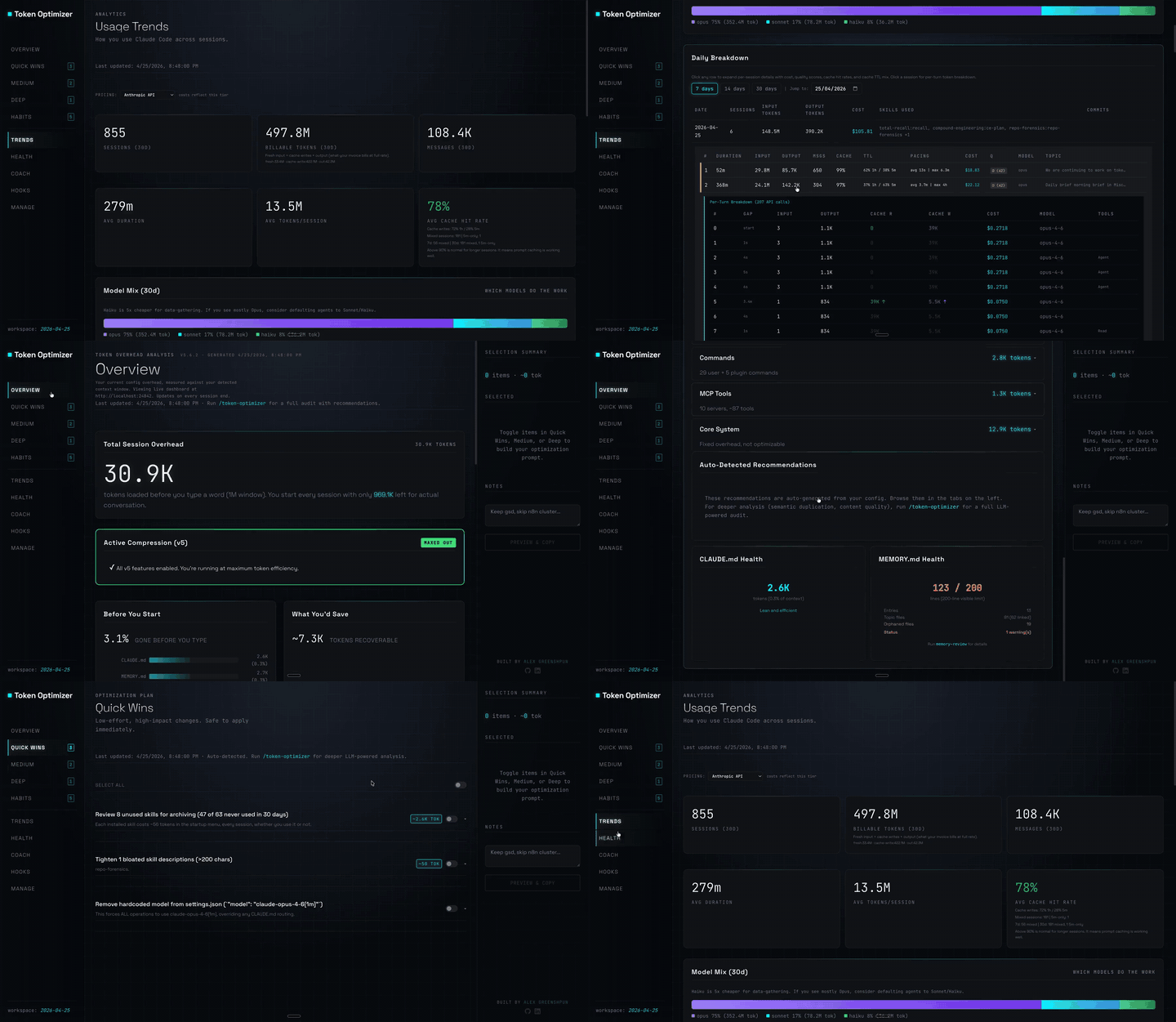
Claude Code 外掛,會壓縮工具輸出、在壓縮前建立檢查點、評分內容品質,並在本機面板回報 token/成本節省;附帶 hooks 與 localhost 常駐程式。

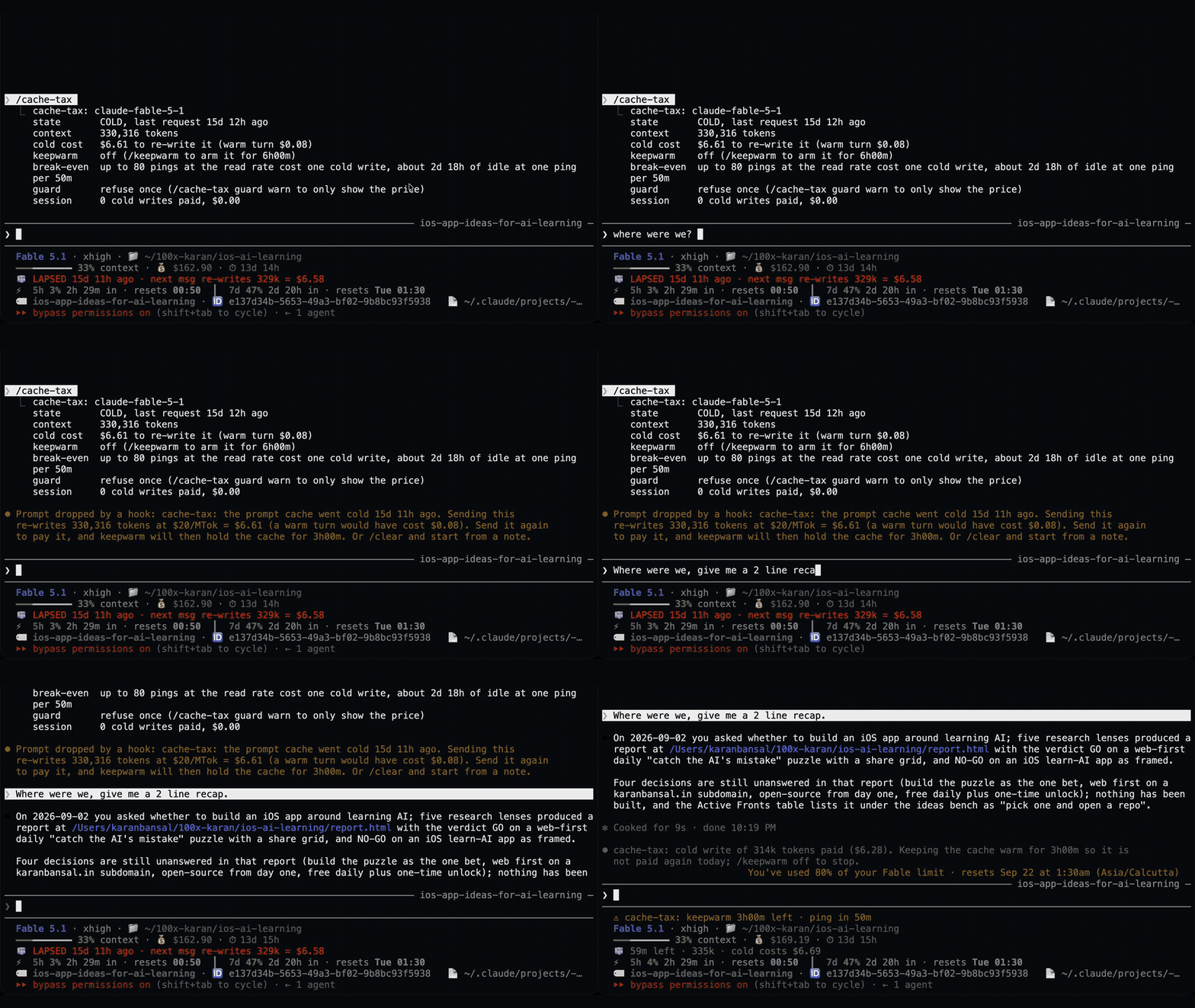
一個 Claude Code 外掛,用靜默 ping 保持閒置工作階段的提示快取溫熱,然後在快取仍然溫熱時壓縮大型工作階段一次。
Claude Code 外掛會在休息期間維持一小時提示快取溫熱,並在冷快取送出前顯示一次預估的重寫成本。預熱會使用模型請求並耗用 token。需要 Claude Code 2.1.287+。