
Birium@Birium
Birium/gamemods
Birium/gamemods
Gamemods 是 Claude Code 的外掛,讓使用者在 Claude 工作時玩遊戲。它會在提示列上方顯示遊戲選單,每個遊戲顯示在側邊面板中,支援終端機與 Desktop,所有按鍵都在本機處理,不需要呼叫模型或消耗 token。包含井字棋、Hogzzle、Echo、2048 等遊戲,並提供暫停、重新開始與返回選單的通用按鍵。安裝方式是新增市集並安裝外掛,或在 Claude Code 工作階段中使用 /plugin 指令。
請先查看作者 README,確認 marketplace 與外掛名稱;指令可能隨儲存庫結構而變動。
claude plugin marketplace add Birium/gamemods
claude plugin install gamemods
Play games in Claude Code while Claude works. Gamemods is a Claude Code mod (plugin): a game menu in the band above the prompt, each game in a side pane. It works in the terminal and in Desktop. Every key is answered locally: zero model calls, zero tokens, nothing added to the conversation.
https://github.com/user-attachments/assets/4ed57392-6d74-4186-94d2-9fe6d065f97f
Gamemods started as a way to try Claude Code mods and to have a good time doing it. It is not a productivity tool and it does not take itself too seriously: think of it as an arcade cabinet for Claude, where you play a round while Claude works. It feels good to ship something fun next to the everyday grind.
The cabinet is meant to fill up. If you have a game in mind, add it: a game is a small pure module, and docs/ADD_A_GAME.md walks you through it. Not sure yet? Open a game proposal and let's talk.
From a terminal:
claude plugin marketplace add Birium/gamemods
claude plugin install gamemods@gamemods
Or inside a Claude Code session: /plugin marketplace add Birium/gamemods, then /plugin install gamemods@gamemods. In Desktop: + next to the prompt, Plugins, Add plugin. Desktop and terminal share the same settings, so one install covers both.
GAMEMODS line above the prompt (click, or Tab then Enter), or type /gamemods./gamemods <game> (/gamemods tic-tac-toe). /gamemods stop closes the pane.Every game has these keys; its own are in its README.
| Key | Action |
| :-- | :-------------------- |
| p | Pause or resume |
| r | Restart |
| q | Back to the game menu |
The game pauses on its own when Claude asks for a permission, when Claude finishes its turn, and when the pane loses the keyboard. It never resumes by itself: press p.
Each game has its own score, described in its README. The best score of each game is kept across sessions.
The Claude Code game mods available today. Rules, keys and score of each game are in its README.
| Game | What | Surfaces | | :--------------------------------------------- | :----------------------------------------------- | :---------------- | | Tic-tac-toe | Three in a row against a bot | Desktop, terminal | | Hogzzle | Swap the tiles until PostHog's hedgehog is whole | Desktop | | Echo | Repeat a growing sequence of lit cells | Desktop, terminal | | 2048 | Slide and merge the tiles until one reaches 2048 | Desktop, terminal |
claude -p or cloud sessions./gamemods typed during a turn waits for the turn to end. During a turn, use the Games button instead.Security issues: SECURITY.md.
MIT © Birium
Hogzzle's pictures are © PostHog, used unmodified and not covered by this license: see Hogzzle → Pictures.
Gamemods is an independent project, not affiliated with or endorsed by Anthropic. Claude and Claude Code are trademarks of Anthropic.
If you had fun, leave a star on the repo: it is the cheapest way to say thanks, and it helps other people find the project.

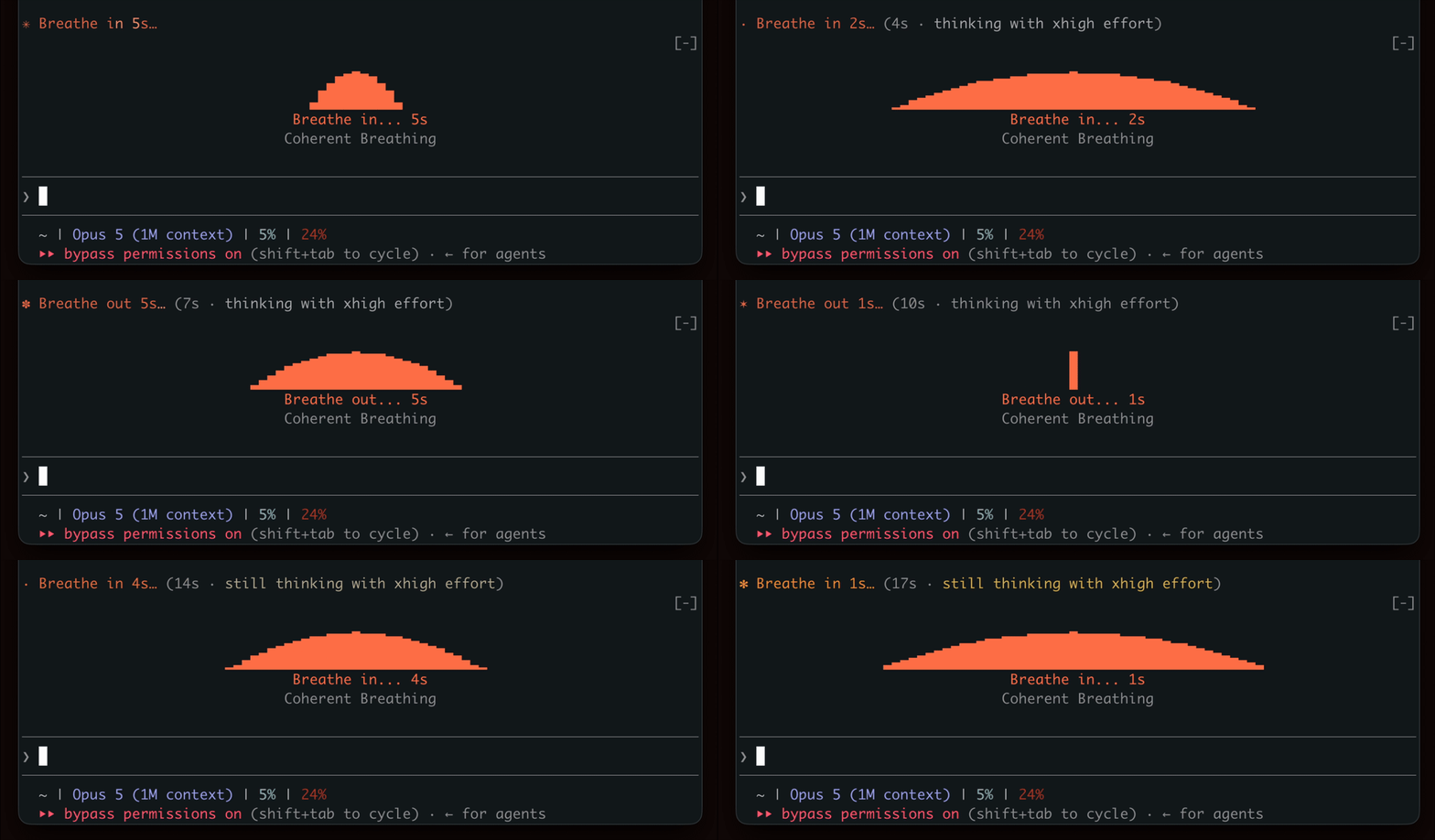
在等待生成時表現出呼吸節奏,鼓勵短暫的休息。

終端機面板中的 YouTube Shorts:Claude 工作時播放,Claude 完成後暫停。


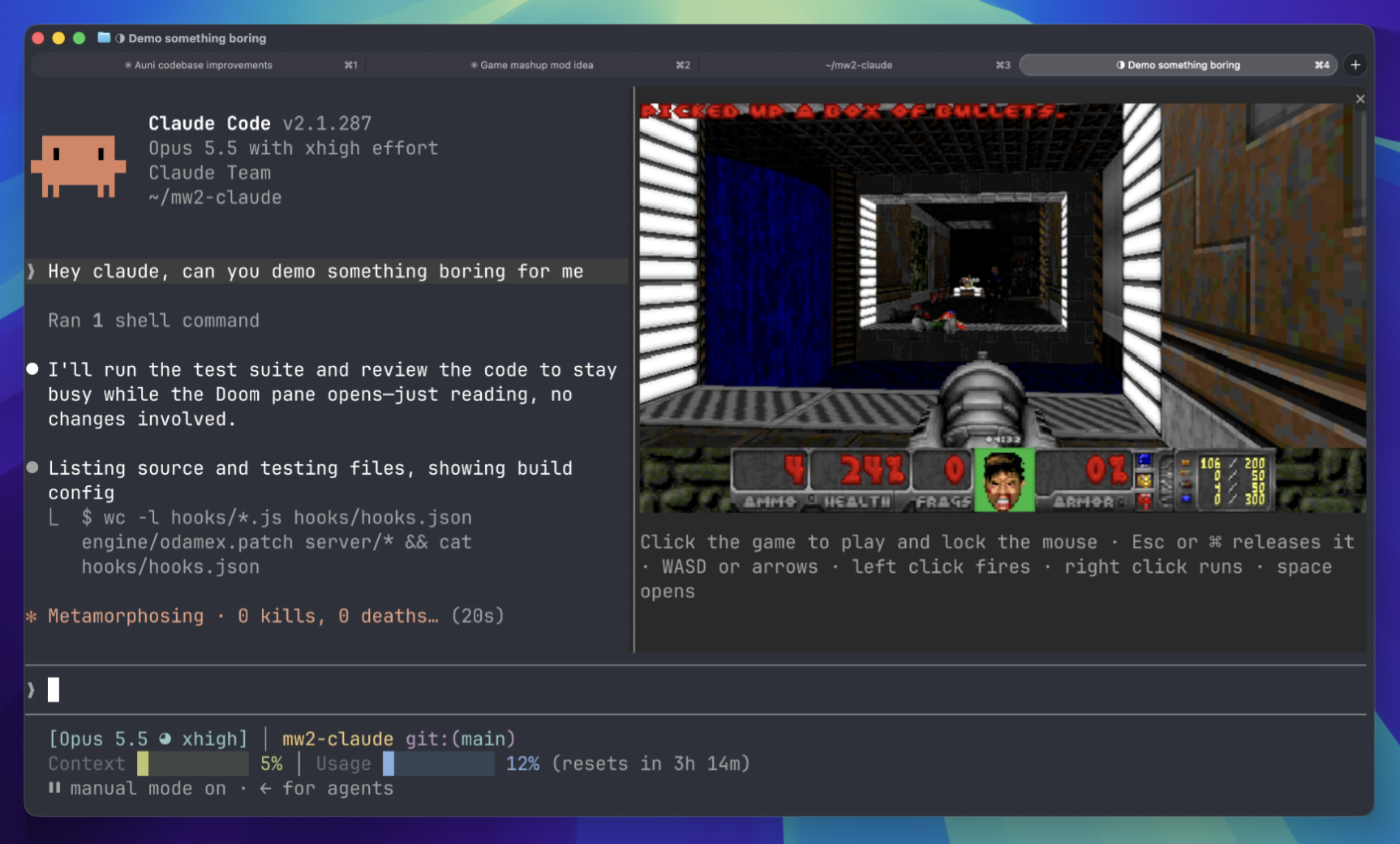
等待時在終端面板上玩 Doom 比賽。需要下載遊戲組件並連接到伺服器。
 ▶ ♫
▶ ♫