
i-noma-ru@i-noma-ru
i-noma-ru/claude-dotpet
i-noma-ru/claude-dotpet
claude-dotpet 會在 Claude Code 的提示輸入框上方顯示像素風寵物,並隨工作階段狀態變化(閒置、工作中、完成、睡眠)。它以 Claude Code 的外掛 hooks API 建置,可使用 --plugin-dir 或 CLAUDE_CODE_PLUGIN_DIRS 安裝。指令包括 /dotpet,可切換開關、切換大小(big、small),以及實驗性的 image/still 模式。art/pets/ 中附有兩個美術檔案:預設的綠色範例蜥蜴(MIT)和 Bun-chan(CC BY-NC 4.0)。瀏覽器編輯器(editor/dotpet_editor.html)可繪製影格並匯出 JSON,再透過 node editor/apply_art.js 套用;套用過程包含驗證、備份和安全停止。美術資料位於 art/dotpet_art.json,使用固定的九色調色盤和固定影格數。在 Claude Code 2.1.288/2.1.289 上開發和測試;尚未測試 Windows。
請先查看作者 README,確認 marketplace 與外掛名稱;指令可能隨儲存庫結構而變動。
claude plugin marketplace add i-noma-ru/claude-dotpet
claude plugin install dotpet
A pixel-art pet that sits above the prompt input in Claude Code's terminal UI, plus a browser editor for redrawing it.
日本語の説明は README.ja.md にあります。
| Idle | Working | Done | Sleeping |
|---|---|---|---|
| |  |
|  |
|  |
|
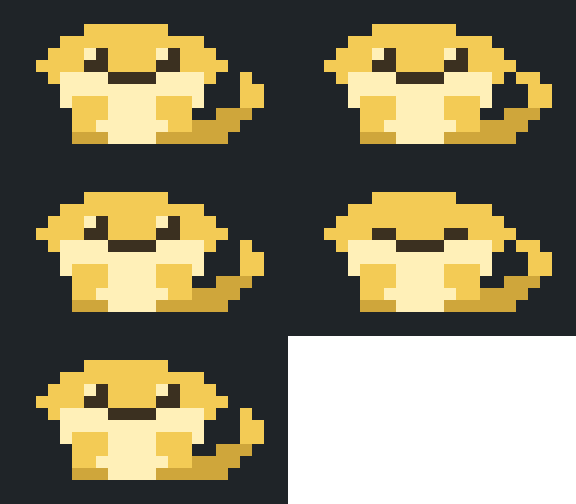
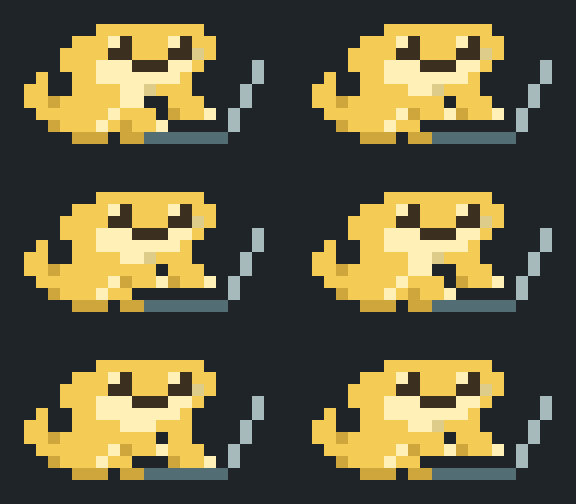
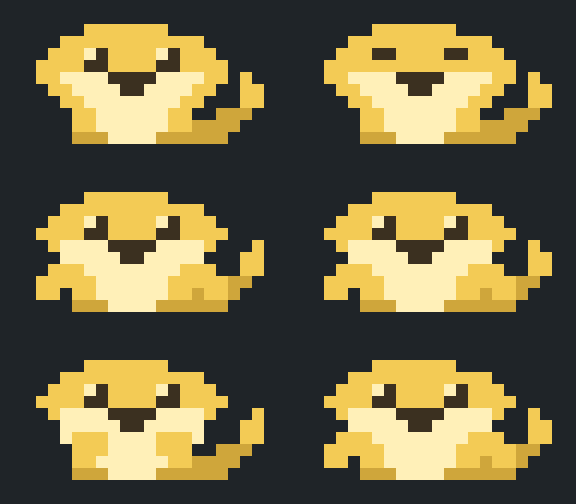
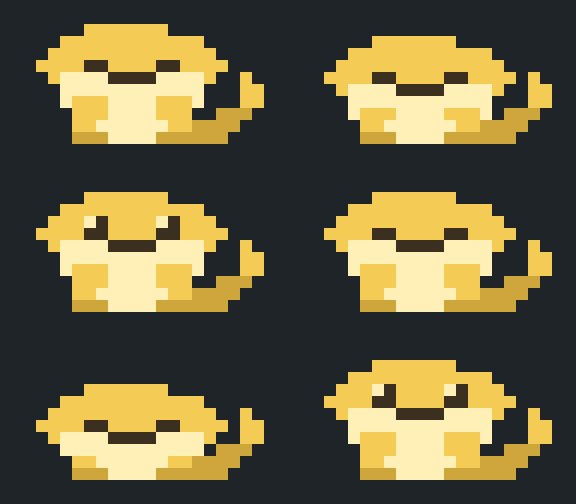
This is Bun-chan (文ちゃん), the author's pet bearded dragon and a member of the family.
/dotpet turns it on and off and switches the size.editor/dotpet_editor.html in a browser, paint, export, and run one command to apply.The in-app messages and the editor UI are in Japanese.
Requirements: Claude Code, and Node.js 18 or later for the editor's apply command.
Clone this repository.
Start Claude Code with the folder as a plugin:
claude --plugin-dir /path/to/claude-dotpet
--plugin-dir loads the plugin for that session only. To load it in every session, place the folder inside a directory listed in the CLAUDE_CODE_PLUGIN_DIRS environment variable. That variable worked on 2.1.288 but does not appear in claude --help, so treat it as subject to change.
| Command | Effect |
|---|---|
| /dotpet | Toggle on / off |
| /dotpet on, /dotpet off | Turn on / off (the choice is saved across sessions) |
| /dotpet big | Full body, 20 columns × 5 rows of half-block characters (20 × 10 dots) |
| /dotpet small | Full body, 10 columns × 3 rows of octant characters (20 × 12 dots) |
| /dotpet image | Experimental. Draws the pet as an image, 12 columns × 3 rows |
| /dotpet still | Experimental. One still image, no animation |
Notes:
small uses octant characters (U+1CD00 and up, "Symbols for Legacy Computing Supplement"). The terminal font must have these glyphs, for example Cascadia Code. Without them the pet shows as empty boxes.image and still need a terminal that supports the kitty graphics protocol. image was seen working in kitty and Ghostty; still has not been checked there. In other terminals a text fallback is shown; use big or small there.Two art files are included in art/pets/:
| File | Pet | License |
|---|---|---|
| sample-lizard.json | Green sample lizard (the default) | MIT |
| bun-chan.json | Bun-chan, shown in the GIFs above | CC BY-NC 4.0 |
Switch with the apply command, from the repository folder:
node editor/apply_art.js --force art/pets/bun-chan.json
node editor/apply_art.js --force art/pets/sample-lizard.json
--force is needed because these files are not exports from the editor and carry no base marker. The command replaces the current art, so export your own drawing first if you want to keep it (the previous files are also saved under backup/).
Open editor/dotpet_editor.html in a browser (Chrome was used during development).
Pick a size, a state and a frame, then paint.
← → move between frames. Hold the key to preview the motion.Shift + arrow keys shift the picture by one dot. The target can be one picture, one state, or one size.Press 「書き出す」 (export). The browser downloads dotpet_art_<timestamp>.json and the page shows a command.
Run that command in a terminal:
node "/path/to/claude-dotpet/editor/apply_art.js" ~/Downloads/dotpet_art_<timestamp>.json
The command path is taken from where the HTML file is, so it works from any directory. The download location is assumed to be ~/Downloads; adjust it if your browser saves elsewhere.
If the pet does not change in an open session, run /dotpet twice or restart the session.
The apply command validates the file, backs up the current files to backup/, rewrites art/dotpet_art.json and the four generated files (hooks/palette.ts, hooks/sit_art.ts, hooks/octant_art.ts, editor/dotpet_art.js), and then runs claude plugin validate and claude plugin test. If those checks fail, the files are restored from the backup. If the claude command is not found, the checks are skipped and a notice is printed.
| Option | Effect |
|---|---|
| --check <file> | Validate only; write nothing |
| --regen | Rebuild the generated files from art/dotpet_art.json |
| --force | Continue past the two safety stops below (their details are still printed) |
Exit codes: 0 success, 1 failure, 2 bad arguments.
dotpet_art*.json files that were never applied, the command stops and names them. Applied files are remembered in apply_ledger.json.--force overwrites the art with the given file, including any rollback it lists. There is no automatic merge.
art/dotpet_art.json holds:
palette: nine colors under the fixed keys A S M E P K B C V. The color values can be changed; keys cannot be added.big (20 × 10) and small (20 × 12), each with poses (the pictures, one string per row, one character per dot, space = transparent) and order (which picture each frame shows).Fixed in this version:
hooks/art.ts.small, every 2 × 4 block of dots may use at most two colors, and transparent counts as one. A terminal cell can only carry a foreground and a background color. The editor outlines offending blocks in red and refuses to export until they are fixed.node editor/test_apply_art.js
claude plugin validate .
claude plugin test .
art/pets/bun-chan.json and the GIFs in assets/): CC BY-NC 4.0. See LICENSE-ART.md. Credit the author when you reuse it; commercial use, such as selling goods with the artwork, is not permitted. Showing Bun-chan in your own terminal is fine, including on a computer you use for work.The first draft of the Bun-chan pixel art was made with an AI tool; the author then redrew it by hand in the editor.

Claude Code 的 Firstmate Calm:帆船工作動畫和僅顯示對話的轉錄呈現,並與 Pi Calm 擴充功能共用每個 home 的 config/calm 偏好。它的 hooks 模組可能透過 CLAUDE_CODE_ENABLE_FUNCTION_HOOKS 或 Claude Code 的 tengu_plugin_hooks_modules rollout flag 載入,但只有當 CLAUDE_CODE_ENABLE_FUNCTION_HOOKS 恰好是 1 時 mod 才會啟用,否則完全不執行任何操作。

Claude Code 輸出樣式(Epistemic Ink)搭配一個 mod,會把它寫出的 ```mermaid 和 ```math 圍欄繪製成終端機圖形;轉錄文字本來就能呈現的內容則維持文字。

一個像素寶可夢住在你的 Claude Code 提示列上方,對 Claude 所做的一切做出反應。
