
Chinteyley@Chinteyley
Chinteyley/tiktok-break
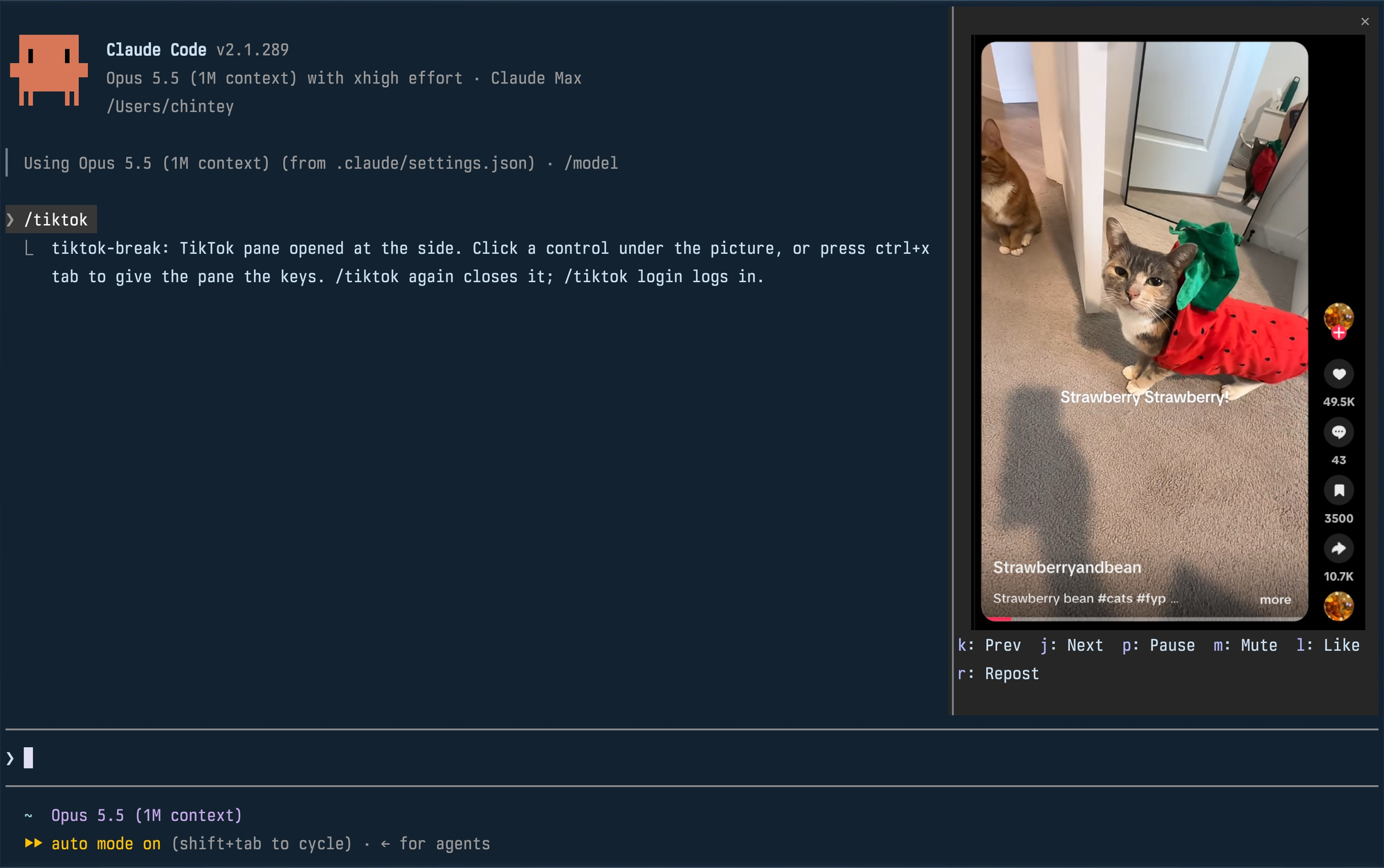
Chinteyley/tiktok-break
Claude가 작업하는 동안 사이드 패널에서 TikTok For You 피드를 재생하는 비공식 Claude Code 플러그인입니다. 자체 프로필의 헤드리스 Chromium을 실행하고 DevTools 프로토콜을 통해 피드를 PNG 프레임으로 스크린캐스트한 뒤 터미널의 kitty graphics 프로토콜로 패널을 다시 그립니다. 명령은 /tiktok과 /tiktok login이며 패널 제어에는 다음/이전, 일시 정지, 음소거, 좋아요, 리포스트가 있습니다. macOS 또는 Linux, Chromium 기반 기본 브라우저, PATH에 있는 Bun, kitty graphics 터미널, function-hook 모드를 지원하는 Claude Code 빌드가 필요합니다. 주의: 자동화 플래그를 끈 상태로 Chrome을 시작해 TikTok의 자동화 검사를 우회하고 실제 계정 작업을 수행합니다. 또한 약 0.5 MB PNG 프레임을 초당 약 30번 기록합니다. 라이선스는 MIT입니다.
먼저 작성자의 README에서 marketplace와 플러그인 이름을 확인하세요. 저장소 구조에 따라 명령어가 달라질 수 있습니다.
claude plugin marketplace add Chinteyley/tiktok-break
claude plugin install tiktok-break
Watch TikTok inside Claude Code while Claude works, in a pane beside the transcript.
Unofficial. Not affiliated with TikTok or Anthropic.
| Command | What it does |
| --- | --- |
| /tiktok | Plays your For You feed in a pane; run it again to close. |
| /tiktok login | Opens a real browser window on the mod's profile so you can log in. Close it, then run /tiktok. |
The pane docks at the side, full height, when Claude Code is in its fullscreen layout and the terminal is at least 110 columns wide. In a smaller terminal it is a block above the prompt. Docked, a video is framed with its creator, likes, comments, saves and shares; above the prompt, the video alone.
Click a control under the picture, or press ctrl+x tab to give the pane the keyboard and use its key. Esc hands the keyboard back to the prompt.
| Key | Control |
| --- | --- |
| k | Previous video |
| j | Next video |
| p | Pause or play |
| m | Mute or unmute |
| l | Like |
| r | Repost (again takes it back) |
A video that finishes moves on to the next by itself. Like and Repost are real actions on the account you logged in with.
env or flatpak isn't
detected. A snap-packaged Chromium can't write the profile in ~/.config
and won't work.PATHclaude plugin marketplace add Chinteyley/tiktok-break
claude plugin install tiktok-break@tiktok-break
Then start Claude Code, or run /reload-plugins in a session that is already
open.
To work on the mod instead, clone the repository and load the folder directly; edits to it reload live:
git clone https://github.com/Chinteyley/tiktok-break
claude --plugin-dir ./tiktok-break
viewer/viewer.ts runs a headless Chrome on a profile of its own
(~/Library/Application Support/tiktok-break on macOS,
~/.config/tiktok-break on Linux), opens the For You feed and
screencasts it over the DevTools protocol. Each frame is written to one PNG
file, and the mod (hooks/register.tsx) repaints the pane's picture from that
file through the terminal's graphics protocol. The controls go the other way
over a Unix socket: the viewer presses TikTok's own keyboard shortcuts in the
page. Sound comes from that Chrome.
/tiktok login opens a plain app window of the same browser on the same profile, which is
how the pane comes to be logged in.
/tiktok login window for comments and search./tiktok login.claude plugin validate .
claude plugin test .
tsc -p .
tsc needs the type declarations Claude Code lays into .claude-plugin/types/
the first time it loads the mod; that folder is not checked in.
MIT

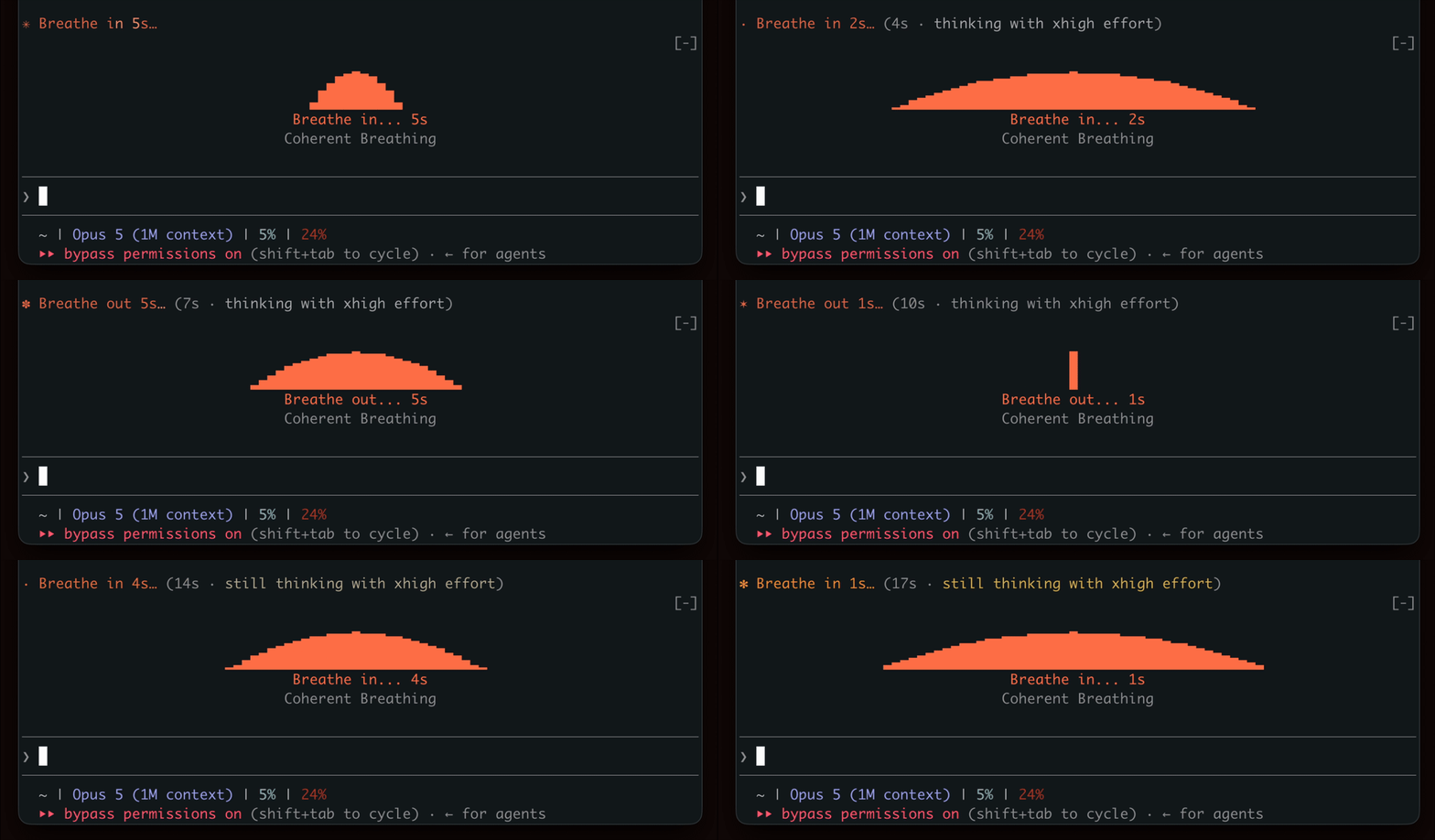
세대를 기다리며 호흡의 리듬을 보여주며 잠시의 휴식을 독려한다.

터미널 패널에서 YouTube Shorts를 재생합니다. Claude가 작업하는 동안 재생되고, 작업이 끝나면 일시 중지됩니다.


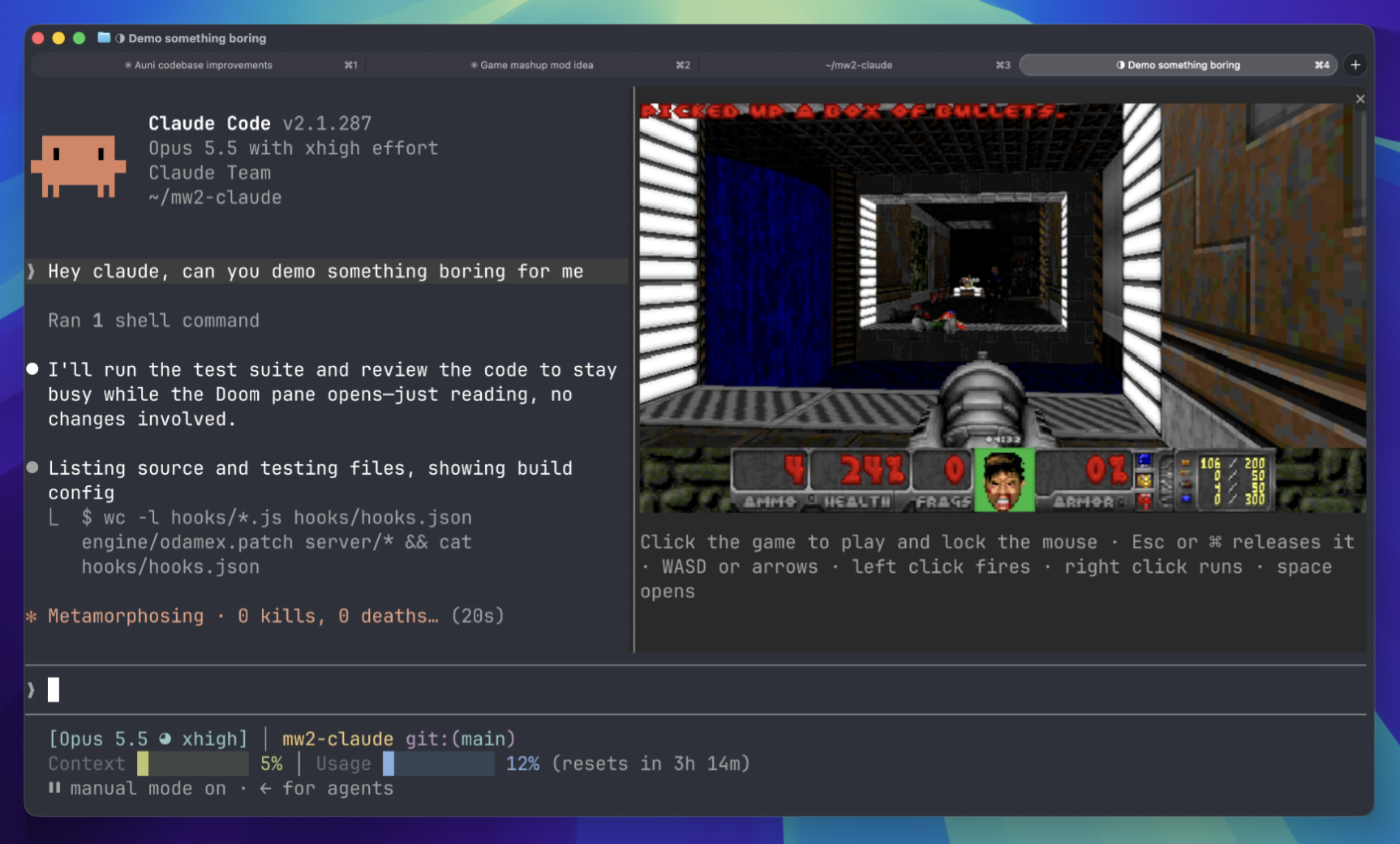
기다리는 동안 터미널 패널에서 Doom 경기를 플레이하세요. 게임 구성 요소를 다운로드하고 서버에 연결해야 합니다.
 ▶ ♫
▶ ♫