NotTahaAli@NotTahaAli
NotTahaAli/sessclone/tree/main/packages/plugin
토큰, 모델, 비용 사용량을 SessClone 배포에 보고하는 Claude Code 플러그인으로, 상태 표시줄과 슬래시 명령, 선택적 트랜스크립트 업로드를 제공합니다.
NotTahaAli/sessclone/tree/main/packages/plugin
SessClone Collector는 Claude Code 사용량(토큰, 모델, 비용 입력, 타이밍)을 SessClone 배포에 보고하여 개인과 조직이 사람、Project、Device、Session별 지출을 볼 수 있게 합니다. SessionStart、Stop、StopFailure、SessionEnd hooks와 상태 표시줄、/sessclone-status 및 /sessclone-sync 명령을 포함하며, mod에서는 /sessclone:status 및 /sessclone:sync로 대체할 수도 있습니다. 턴마다 bearer key가 포함된 메타데이터만 HTTPS로 전송합니다. 선택적 트랜스크립트 업로드를 켜지 않으면 프롬프트、답변、파일 내용은 전송하지 않습니다. Node 22.18+(또는 23.6+、24)가 필요합니다. MIT 라이선스입니다.
먼저 작성자의 README에서 marketplace와 플러그인 이름을 확인하세요. 저장소 구조에 따라 명령어가 달라질 수 있습니다.
claude plugin marketplace add NotTahaAli/sessclone
claude plugin install sessclone
The SessClone Collector. It reports your Claude Code usage (tokens, models, cost inputs, timings) to a SessClone deployment, so you and your Org can see spend per person, Project, Device and Session on the dashboard.
/plugin marketplace add NotTahaAli/sessclone
/plugin install sessclone@sessclone
Claude Code asks for two things, both optional:
settings.json. Leave it empty in a Claude Code
cloud environment whose SessClone API credential adds it.https://sessclone.com. Self-hosted deployments enter their own address.Restart Claude Code. The next session says whether it connected, and which Org it reports to. Turns from before the install are backfilled from the transcripts Claude Code still keeps.
Requires Node 22.18 or newer (or 23.6+, or 24).
/sessclone-status shows what the last session start found: the
deployment, the key's first three characters and length, whether it was
accepted and for which Org, plus this Device, how many of this session's
Turns are not sent yet, what is waiting to send and the last push./sessclone-sync sends everything waiting now, without a Claude turn, and
says what it sent.↗,
which opens this session in the dashboard.These are the plugin's mod (hooks/register.tsx), which needs Claude Code
2.1.287 or newer. Where mods cannot load, /sessclone:status and
/sessclone:sync do the same, except that status leaves out this session's
unsent Turns, and sync is carried out by the hook that ends that turn.
Everything goes over HTTPS to the deployment URL above, with your key as a bearer token, except the opt-in transcript upload described last.
SessionStart): GET /api/ingest to ask whether the key
is accepted and for which Org. If it is not, the plugin says so and sends
nothing else until a session starts with a key that is. Then it re-sends
what an earlier session could not (POST /api/ingest).Stop): POST /api/ingest with, per Turn, the token counts
by kind, the model, timings, the Session, Project and Device it belongs to,
the working directory, the git branch, and the git remote reduced to a
Project key. No prompt, no reply, no file contents.StopFailure, SessionEnd): POST /api/ingest saying
that a turn ended on an API error, or that a session ended.POST /api/logs/presign), uploads the
compressed transcript to that URL, which is the deployment's object storage
(Supabase Storage for the hosted service), and confirms it
(POST /api/logs/confirm). Your Org's retention removes it.~/.claude/projects/ (or
CLAUDE_CONFIG_DIR), from a cursor, so each turn costs a few hundred bytes.git in the session's working directory, to read the branch and remote.~/.local/state/sessclone, ~/Library/Application Support/sessclone, or
%LOCALAPPDATA%\sessclone).HTTPS_PROXY is set, each hook restarts itself once under Node's own
proxy support so its requests go through that proxy.The API key is read only from the plugin's setup prompt, never from your shell environment, and never written to a log, a file or a transcript.
| Setting | Where | Default |
| ------------------- | ----------------------------- | ------------------------ |
| API key | setup prompt (api_key) | none, optional in cloud |
| Deployment URL | setup prompt, SESSCLONE_URL | https://sessclone.com |
| State directory | SESSCLONE_STATE_DIR | per platform, see above |
| Device name | SESSCLONE_DEVICE | derived from the machine |
| Print hook failures | SESSCLONE_DEBUG=1 | off |
To change an answer, run /plugin configure sessclone and start a new session.
Readable source, no build step: the hooks in hooks/ run as node <file>.mjs
and import the modules in src/. MIT licensed, see LICENSE. Project home and
issues: https://github.com/NotTahaAli/sessclone

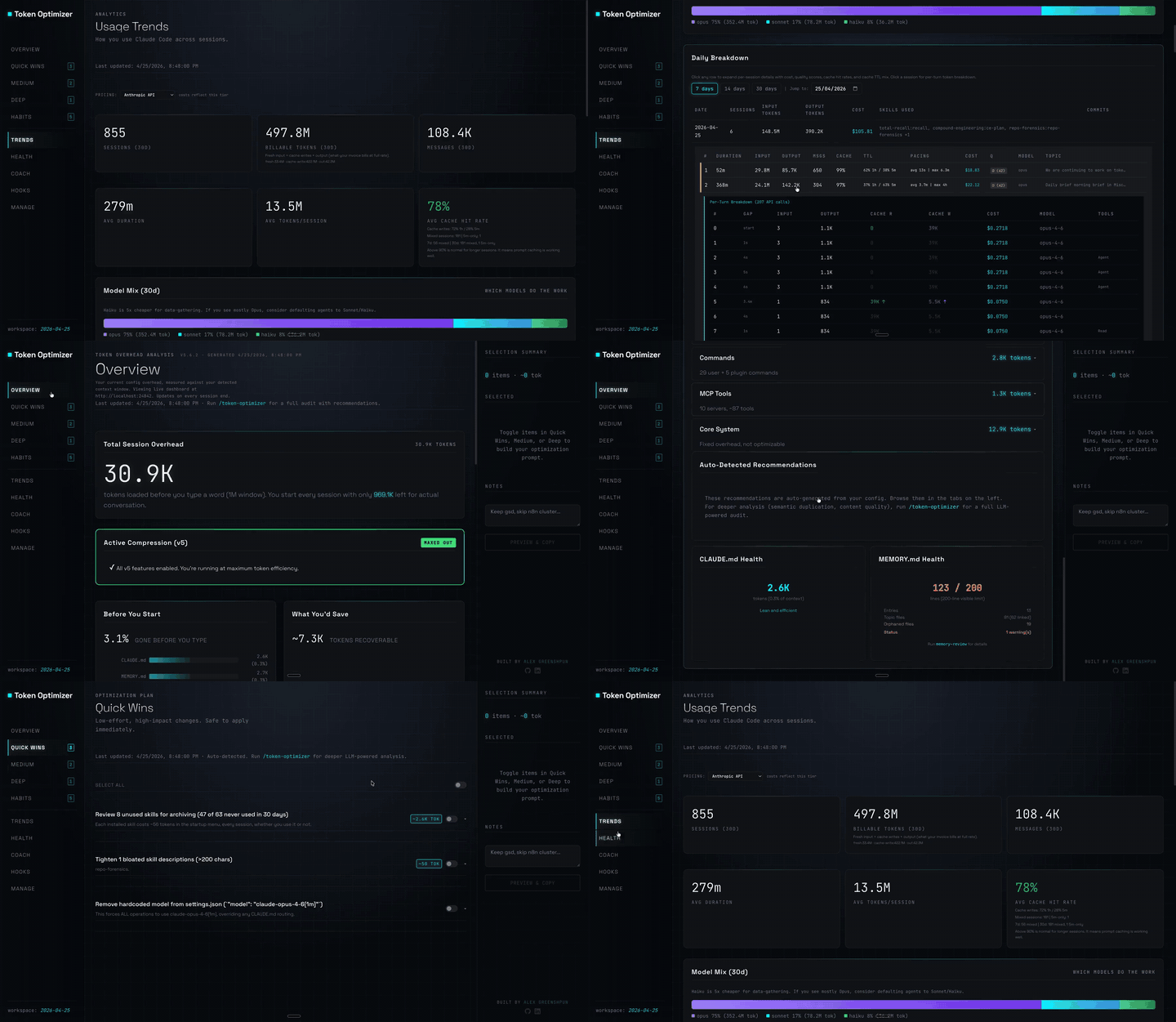
도구 출력을 압축하고, 압축 전 체크포인트를 만들고, 컨텍스트 품질을 평가하며, 로컬 대시보드에 token/비용 절감액을 보고하는 Claude Code 플러그인입니다. hooks와 localhost 데몬을 함께 제공합니다.

무사용 세션의 프롬프트 캐시를 조용한 ping으로 따뜻하게 유지한 다음 캐시가 따뜻할 때 큰 세션을 한 번 압축하는 Claude Code mod입니다.
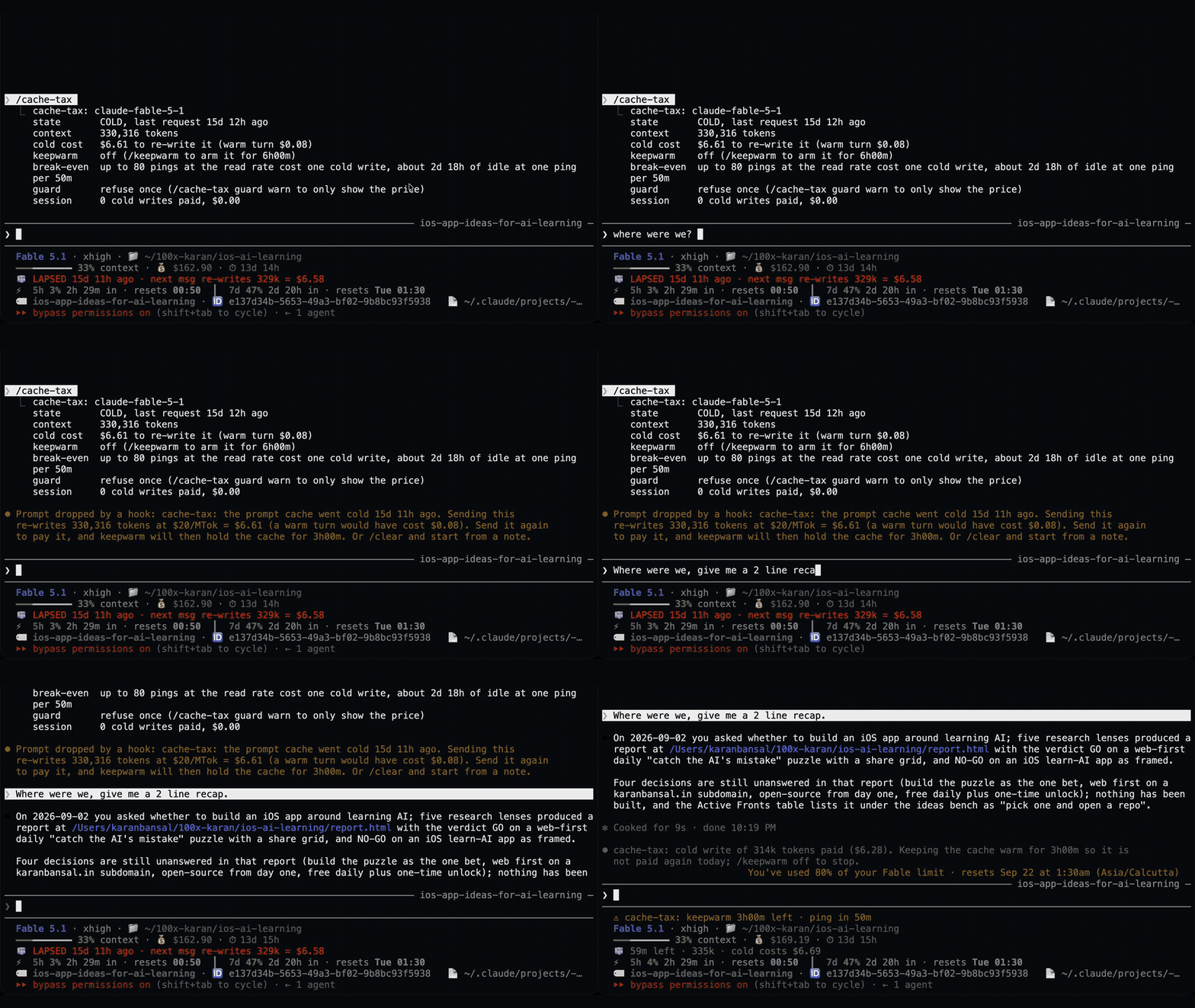
쉬는 동안 1시간 프롬프트 캐시를 따뜻하게 유지하고 예상 재작성 비용을 보여 주며 콜드 전송을 한 번 막는 Claude Code 모드입니다. 워밍업에는 모델 요청과 토큰이 사용됩니다. Claude Code 2.1.287+가 필요합니다.