
KilimcininKorOglu@KilimcininKorOglu
KilimcininKorOglu/claude-code-mods/tree/main/plugins/output-flood
각 Bash 명령이 얼마나 많은 컨텍스트를 소비했는지 측정하고, 크기 제한을 넘으면 같은 질문에 답할 수 있는 더 좁은 명령을 모델에 알려 주는 Claude Code 플러그인입니다.
KilimcininKorOglu/claude-code-mods/tree/main/plugins/output-flood
output-flood는 도구 호출이 끝나고 다음 모델 요청이 시작되기 전에 모델이 읽는 모든 Bash 결과를 문자 수로 측정합니다. 제한을 넘은 결과(기본 20 KB, 약 5000 토큰)는 비용과 함께 다음 실행을 좁힐 수 있는 명령별 제안(예: pytest -x -q, go test -run, cargo test <name>, jest -t)으로 모델에 보고됩니다. 가능하면 간단한 한 줄도 transcript에 기록하거나 사이드바 모드의 스트림으로 보냅니다. 각 명령은 세션마다 한 번만 보고하며 처음 60자를 기준으로 추적합니다. /output-flood로 기능을 전환하고, 제한(1-1000 KB, 세션 간 유지)을 설정하고, 세션의 출력 초과 합계를 볼 수 있습니다. 함수 훅에는 Claude Code 2.1.288+가 필요하며 KilimcininKorOglu 마켓플레이스에서 설치합니다. 알려진 제한은 CANNOT reclaim output already in context, 백그라운드 명령은 측정하지 않음, 명령 텍스트로 조언을 매칭함, 크기를 토큰이 아니라 문자로 계산함입니다.
먼저 작성자의 README에서 marketplace와 플러그인 이름을 확인하세요. 저장소 구조에 따라 명령어가 달라질 수 있습니다.
claude plugin marketplace add KilimcininKorOglu/claude-code-mods
claude plugin install output-flood@kilimcininkoroglu-mods
The model runs pytest tests/ -v or find . for one answer, and tens of KB of output land in the context and stay there for the rest of the session. The next requests carry that weight, and the model does not know what it cost. This mod measures how much of your context each Bash command spent. When a command's output passes a size limit, it tells the model what it cost and which narrower command would have answered the same question.
After each batch of tool calls resolves, and before the next model request, the mod measures every Bash result in characters, as the model reads it. The measure comes after every mod that rewrote a result, so a result another mod shrank (such as bash-diet) counts at its shrunk size, whichever order the plugins load in. Subagent calls are measured the same way.
A result over the limit (20 KB by default, about 5000 tokens) is a finding. The model reads this note before its next request:
output-flood: "pytest tests/ -v" returned 30 KB of output, over the 20 KB limit, and all of it is now in the context. Next time run the one test or file this turn needs, and let the runner report only failures (pytest -x -q, go test -run, cargo test <name>, jest -t).
The advice follows the kind of command: a test runner, git log/diff/show, a filesystem walk (find, ls, du, tree), a package install, a file or JSON read, container logs. A command of no known kind is told to send its output to a file and read the range it needs.
No advice is ever a pipe into tail or head. A long run whose output is cut at the end hides the failure that scrolled past; every suggestion narrows what the command produces instead.
At the same moment one line reaches the transcript, the finding alone, without the instruction the model reads:
output-flood: 30 KB of output from "pytest tests/ -v", over 20 KB
While the sidebar is open, that finding goes there instead, as an entry in its stream: the size on the first line (yellow under twice the limit, red at or above it, with over N KB faint) and the advice faint under it. The transcript stays clean. With the sidebar closed, or without that mod installed, the transcript line is written as above.
One command is reported once per session, known by its first 60 characters. Its size still counts towards the total /output-flood prints.
/output-flood            on or off, the limit, and what this session flooded
/output-flood on | off   on by default
/output-flood limit 50   a result over 50 KB is reported; 1 to 1000, 20 by default, stored across sessions
claude plugin marketplace add KilimcininKorOglu/claude-code-mods
claude plugin install output-flood@kilimcininkoroglu-mods
Function hooks are early access. Claude Code 2.1.288 and later load them by default, so there is nothing to switch on.
Validated with claude plugin validate on Claude Code 2.1.283:
❯ ./register.ts hooks: session.start, command.run{command=output-flood}, classic.PostToolBatch
❯ ./register.ts calls: $.command.register, $.sidebar.set (via toPerson), $.store.get (via readLimit, readSettings), $.store.set (via runCommand, setLimit), $.ui.log (via toPerson)
Reach L1, reads the session.
1. Reads:    each Bash command's text, and the length of its result as the model reads it; it never parses the output itself
2. Runs:     nothing
3. Sends:    a note to the model before its next request, and one line to the transcript; nothing leaves the machine
4. Persists: in $.store, the on/off setting and the limit
5. Hostile input: only the length of the output is measured; the command text reaches the note cut to 60 characters and is never run
make target gets the general advice.make install # eslint, typescript-eslint, typescript
make lint # complexity limit 10, the build fails above it
make typecheck # needs .claude/types/ from /plugin-types
make validate
make test # claude plugin test
내 프로젝트인가요? 이 배지를 README나 웹사이트에 넣으면 이 페이지로 연결됩니다.

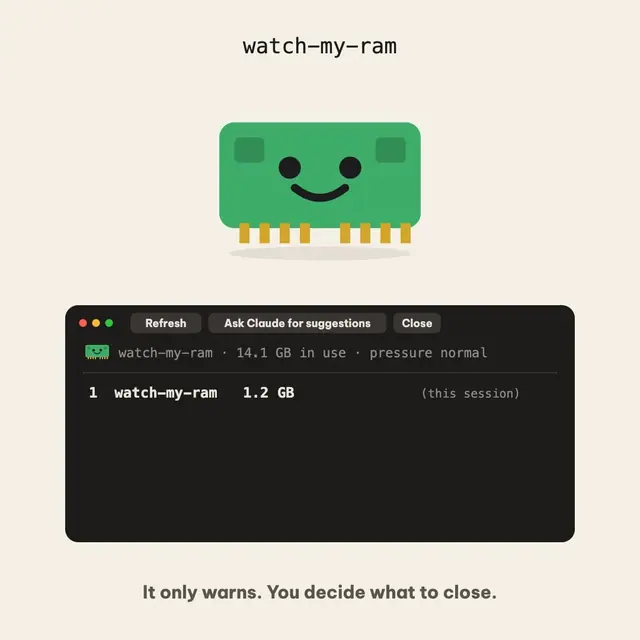
프롬프트 위에 RAM 사용량과 메모리 압력을 표시하고, 활성 세션, 남아 있는 개발 프로세스, 열린 포트를 나열하는 /watch-my-ram 명령을 추가하는 작은 오픈 소스 Claude Code 모드입니다. 읽고 경고만 하며, 어떤 것도 자동으로 종료하지 않습니다.

Kindex는 여러 에이전트를 위한 로컬 지식 그래프 MCP 플러그인 겸 CLI입니다. claude_modern은 저장소 로컬 영속성, 비밀 최소화, 선택적 modern/legacy hook을 제공하는 실험적 최신 어댑터입니다.
CodeCraft는 무료 오픈 소스 Claude Code mod로 인터페이스를 Minecraft 스타일 HUD로 다시 그립니다. 하트는 컨텍스트 창, 배고픔은 사용량 제한, 갑옷은 작업 안전성을 나타내며 아이템 핫바, 주민 서브에이전트, 60개의 업적을 추가합니다.


lcm은 코딩 에이전트를 위한 공유 메모리 인프라로, sliding-window 망각을 SQLite 지속성, DAG 요약 및 cross-session 메모리를 사용하여 사람과 에이전트를 위한 영구 런타임으로 대체합니다.
"Context Diet"를 소개하는 Reddit 제출물로, 대규모 도구 출력이 컨텍스트 윈도우를 범람하는 것을 방지하기 위한 Claude Code 모드입니다. 게시물 텍스트에는 제출 메타데이터(작성자, 서브레딧, 링크/댓글 자리 표시자)만 포함되어 있으며 저장소 링크, 설치 단계 또는 데모 미디어가 없으므로 소스만으로는 이 모드를 검증할 수 없습니다.

장시간 실행되는 에이전트의 작업 메모를 모든 압축 과정에서 유지합니다. 요약자에게 브리프를 주고 요약 뒤 메모를 다시 붙이며 조종할 수 있는 패널에 보여 줍니다.