falconsw@falconsw
falconsw/cost-info/tree/main/cost-info
falconsw/cost-info/tree/main/cost-info
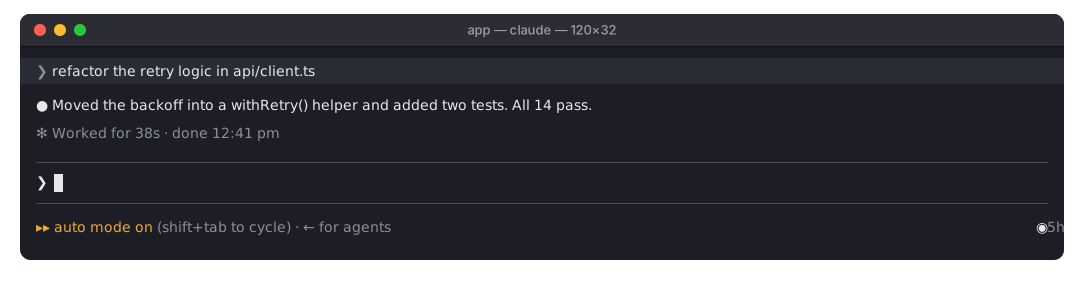
현재 세션에서 지금까지 발생한 비용과 사용한 토큰을 실시간으로 보여 주는 Claude Code 모드입니다.

◉ $0.16 | Token Usage 142k / 30k | now $0.02를 초록색으로 실시간 표시하며, 턴 중에도 갱신합니다. 턴이 끝나면 now가 last로 바뀝니다. 120열보다 좁은 터미널에서는 세션만 표시합니다. 비용은 /cost에 표시되는 값과 같고 서브에이전트도 포함합니다./spend. 토큰, 턴 수, 턴당 평균, 가장 비용이 큰 턴, 예산 사용량을 보여 줍니다./spend를 실행해 다시 표시할 수 있습니다.Pro 또는 Max 플랜에서는 달러 금액이 실제 청구액이 아닙니다. 따라서 Claude Code가 속도 제한을 보고하면 미터는 각 한도를 얼마나 사용했는지 대신 보여 줍니다: ◉ 5h ━─── 15% wk ━─── 7% Resets in 3h 55m | Token Usage 104k / 70k. 5시간 및 주간 창을 가는 게이지로 표시하고, 더 빨리 재설정되는 창까지 남은 시간도 보여 줍니다. Claude Code가 이미 받는 정보를 읽으므로 추가 비용이 없습니다. 속도 제한이 없는 API 과금에서는 이전처럼 비용을 표시합니다. 토큰은 모드가 세션에 로드된 시점부터 계산하므로, 재개한 세션에서 그보다 앞서 사용한 토큰은 합계에 포함되지 않습니다.
Claude Code 2.1.288 이상이 필요합니다. Claude Code 세션 안이 아니라 shell에서 실행하세요:
claude plugin marketplace add falconsw/cost-info
claude plugin install cost-info@falconsw-mods
그다음 열려 있는 Claude Code 세션에 로드합니다:
/reload-plugins
터미널이나 VS Code에서 새 세션을 시작해도 됩니다.
새 버전을 받으려면 claude plugin update cost-info@falconsw-mods를 실행한 다음 /reload-plugins를 실행하세요. 이미 최신 버전이라고 나오면 먼저 claude plugin marketplace update falconsw-mods를 실행하세요. 제거하려면 claude plugin uninstall cost-info@falconsw-mods를 실행합니다.
설정하지 않으면 예산은 $5이고, 0으로 설정하면 꺼집니다. shell에서 설정하고 값은 문자열로 기록되므로 Claude Code를 다시 시작하세요:
echo '{"budget": "10"}' | claude plugin configure cost-info@falconsw-mods --values-stdin
설치할 때 설정할 수도 있습니다:
claude plugin install cost-info@falconsw-mods --config budget=10
claude plugin configure cost-info@falconsw-mods를 실행하면 설정 여부를 확인할 수 있습니다.
claude plugin validate ./cost-info
claude plugin test ./cost-info
claude --plugin-dir ./cost-info   # reloads as you save
모드는 Claude Code 내부에서 Claude Code와 동일한 접근 권한으로 실행됩니다. 설치하기 전에 소스를 읽으세요. 파일 하나이며 cost-info/hooks/register.tsx입니다.
먼저 작성자의 README에서 marketplace와 플러그인 이름을 확인하세요. 저장소 구조에 따라 명령어가 달라질 수 있습니다.
claude plugin marketplace add falconsw/cost-info
claude plugin install cost-info
A Claude Code mod that shows what your session has cost so far, and the tokens it took, live.
◉ $0.16 | Token Usage 142k / 30k | now $0.02 at the right of the line under the prompt, the figures in green, live, mid-turn too; once the turn ends now becomes last. A narrow terminal (under 120 columns) shows the session alone. The cost is the same figure /cost shows, subagents included./spend. Tokens, turns, average per turn, your priciest turn, and how much of the budget is used./spend to bring it back if you close it.On a Pro or Max plan the dollars aren't what you're billed, so when Claude Code reports rate limits the meter shows how much of each is used instead: ◉ 5h ━─── 15% wk ━─── 7% Resets in 3h 55m | Token Usage 104k / 70k: a thin gauge for the 5-hour and weekly windows, and the time until the sooner one resets. It reads what Claude Code already receives, so it costs nothing extra. Without rate limits (API billing) it shows cost as before. Tokens count from when the mod loaded into the session, so a resumed session's earlier tokens aren't in the total.
Requires Claude Code 2.1.288 or later. Run these in a shell, not inside a Claude Code session:
claude plugin marketplace add falconsw/cost-info
claude plugin install cost-info@falconsw-mods
Then load it into your open Claude Code session:
/reload-plugins
Or start a new session, in the terminal or in VS Code.
To get a new version, run claude plugin update cost-info@falconsw-mods, then /reload-plugins. If it says it's already at the latest version, run claude plugin marketplace update falconsw-mods first. To remove it, run claude plugin uninstall cost-info@falconsw-mods.
The budget is $5 unless you set it; 0 turns it off. Set it from a shell, the value written as a string, then restart Claude Code:
echo '{"budget": "10"}' | claude plugin configure cost-info@falconsw-mods --values-stdin
Or set it while installing:
claude plugin install cost-info@falconsw-mods --config budget=10
claude plugin configure cost-info@falconsw-mods shows whether it's set.
claude plugin validate ./cost-info
claude plugin test ./cost-info
claude --plugin-dir ./cost-info   # reloads as you save
A mod runs inside Claude Code with the same access Claude Code has. Read the source before you install it: it's one file, cost-info/hooks/register.tsx.

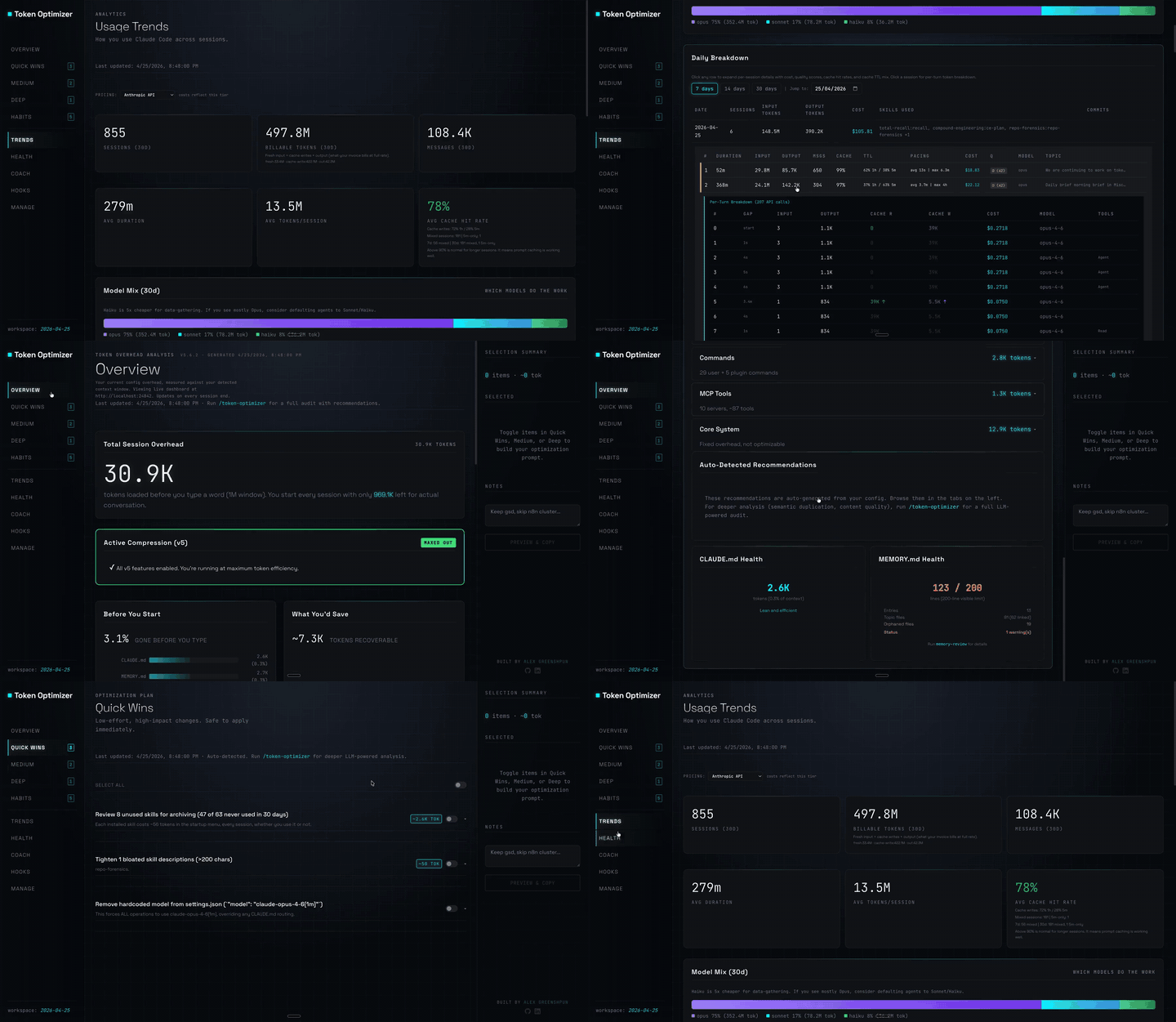
도구 출력을 압축하고, 압축 전 체크포인트를 만들고, 컨텍스트 품질을 평가하며, 로컬 대시보드에 token/비용 절감액을 보고하는 Claude Code 플러그인입니다. hooks와 localhost 데몬을 함께 제공합니다.

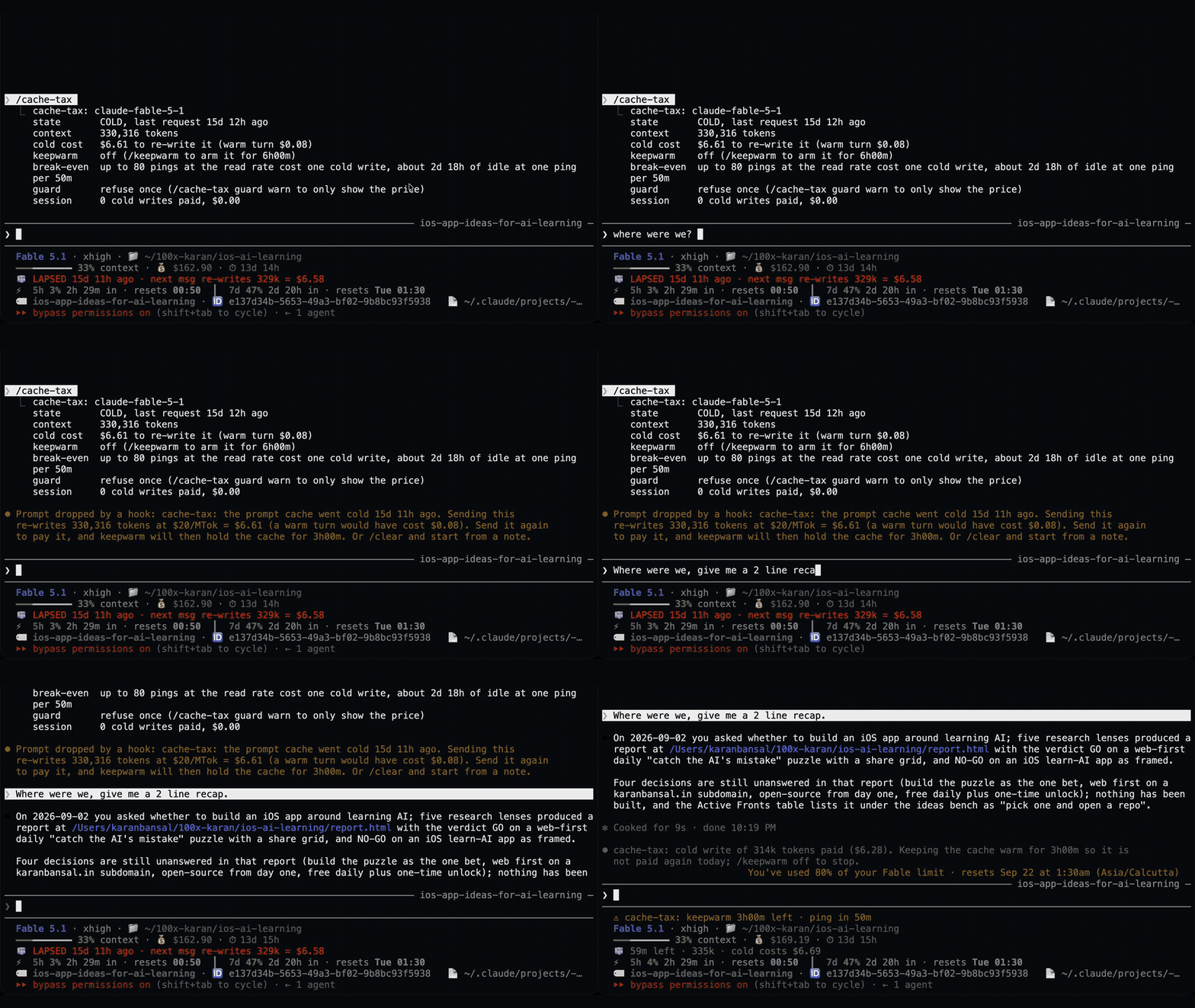
무사용 세션의 프롬프트 캐시를 조용한 ping으로 따뜻하게 유지한 다음 캐시가 따뜻할 때 큰 세션을 한 번 압축하는 Claude Code mod입니다.
쉬는 동안 1시간 프롬프트 캐시를 따뜻하게 유지하고 예상 재작성 비용을 보여 주며 콜드 전송을 한 번 막는 Claude Code 모드입니다. 워밍업에는 모델 요청과 토큰이 사용됩니다. Claude Code 2.1.287+가 필요합니다.