NO2UT@NO2UT
Danovich/turntype
turntype는 턴이 3초 이상 걸릴 때 프롬프트 위에 타이핑 테스트를 여는 Claude Code 플러그인입니다. flow, time, words 모드, 개인 최고 기록, 일일 목표, 연속 기록, 놓친 문자 쌍을 적응적으로 훈련하는 기능이 있습니다. 설치는 /plugin install turntype --marketplace Danovich/turntype로 하며, 모든 것이 로컬에 유지됩니다.
Danovich/turntype
긴 턴마다 스피너를 바라보며 앉아 있었습니다. 그래서 기다림을 연습으로 바꿨습니다. turntype는 Claude Code mod입니다. 턴이 3초 이상 걸리면 프롬프트 위에 "press 1: type while you wait"라는 줄이 표시됩니다. 1을 누르면 작은 타이핑 테스트가 열리고, flow 모드에서는 Claude와 정확히 같은 시간 동안 지속됩니다. Claude가 끝나면, 당신은 단어를 끝내고, wpm을 얻습니다. 포함된 내용: - flow / time / words 모드 - 모드별 개인 최고 기록, 일일 목표 및 연속 기록 - 계속 놓치는 문자 쌍을 훈련하는 적응형 단어 - 모든 것이 로컬에 유지되며, 어디에도 전송되지 않습니다 설치: /plugin install turntype --marketplace Danovich/turntype 무료 및 오픈 소스: https://github.com/Danovich/turntype 피드백을 환영합니다. 즐기세요 /u/NO2UT가 r/claudeskills에 제출 [link] [comments]
먼저 작성자의 README에서 marketplace와 플러그인 이름을 확인하세요. 저장소 구조에 따라 명령어가 달라질 수 있습니다.
claude plugin marketplace add Danovich/turntype
claude plugin install turntype@turntype
I made this mod for fun, and it's inspired by Monkeytype. The goal is to help me in my never-ending race to type faster. This project is not related to Monkeytype in any shape or form. It isn't made, endorsed or reviewed by the Monkeytype team. It borrows three of their word lists under their GPL-3.0 license (details below), and that's the whole connection.
Here's the idea. You send Claude a prompt, then you wait. You could scroll Twitter, or you could press 1 and type the fastest 30 seconds of your day.
You need Claude Code 2.1.296 or later, in the terminal. The Desktop app should work too, but nobody has tested it there yet (notes).
Type this at the Claude Code prompt:
/plugin install turntype --marketplace Danovich/turntype
Answer y to add the marketplace, then press Enter for the user scope. turntype is active right away, in this session and every one after.
To try it for one session without installing it:
git clone https://github.com/Danovich/turntype
claude --plugin-dir ./turntype
The mods API is young and can change between Claude Code releases. If something looks off after an update, open an issue and say which version you're on.
Once a turn has run for 3 seconds, a line shows above the prompt. Short turns never show it, so it stays out of your way when Claude answers fast.
press 1: type while you wait ⋅ 2/5 min today ⋅ 4-day streak
The note after the dot is today's practice and your streak:
| You see | It means |
| --- | --- |
| 2/5 min today ⋅ 4-day streak | You've typed 2 of your 5 daily minutes, and today counts toward the streak |
| 0/5 min today ⋅ keep your 4-day streak | No test yet today. One test keeps the streak alive |
| daily goal met (5 min) ⋅ 4-day streak | Done for today. Typing more is still allowed |
| nothing | Your first day, with the goal off |
1 (or run /type)Press 1 in an empty prompt. If you've started writing a prompt, 1 is just a 1. You can also run /type at any time, Claude busy or not.
The game opens in a small pane above the prompt and takes the keys:
the quick brown fox jumps over the lazy dog and then some
words that keep on coming while Claude reads your code
╌╌╌╌╌╌╌╌╌╌╌╌╌╌╌╌╌╌╌╌╌╌╌╌╌╌╌╌╌╌╌╌╌╌╌╌╌╌╌╌╌╌╌╌╌╌╌╌╌╌╌╌╌╌╌╌╌╌
█start typing ⏎ finish   your weak pairs: th er
◍ english_1k ❘ ∿ flow  ◷ time (30)  ☰ words (25)
Before the first key you can change the test in the toolbar on the last row. Press Tab to reach it, then Enter, or click. See Modes and Word lists. When adaptive words are on and you have weak letter pairs, they show next to the field.
The clock starts on your first key. Two lines of words show what to type: the line you're on, and the next one. When you finish a line, the next one moves up. The colors show how it's going:
| Look | Meaning | | --- | --- | | dim | still to type | | white | typed right | | red | a mistake: a wrong letter, or one you skipped | | yellow, underlined | where your next key lands (on the space once a word is typed out) |
The field under the rule holds only the word you're on. The row under the field keeps score live. It has a row of its own, so it stays still while the word grows:
while claude writes the code you can type a few words
words that keep on coming while Claude reads your code
╌╌╌╌╌╌╌╌╌╌╌╌╌╌╌╌╌╌╌╌╌╌╌╌╌╌╌╌╌╌╌╌╌╌╌╌╌╌╌╌╌╌╌╌╌╌╌╌╌╌╌╌╌╌╌╌╌╌
y█ ⏎ finish
0:12  52 wpm  7 words  esc: hide
7/25.0:18 left.A few rules keep the score honest:
Stop typing for more than 2 seconds and the clock pauses:
paused ⋅ type to resume
The pause doesn't count against your wpm, and that holds for a time test too: a 30-second test means 30 seconds of typing, not 30 seconds on the wall clock. The next key picks up where you left off.
Press Esc to hide the pane. A test in progress waits in the band:
press 1: continue ⋅ 12 words
Press 1 to jump back in. A test you never typed in stays while Claude is still working, and goes away when the turn ends.
In flow mode the test lasts as long as Claude does. When the turn ends, the status says so:
∘ Claude is done ⋅ finish the word
Finish the word you're on, type the space, and the test ends. In time and words mode Claude finishing changes nothing. The test runs to its own end, or you press ⏎ to stop early.
If Claude was already done when you started (or you opened the game with /type while Claude was idle), a flow test has nothing to wait for. It says so, and runs until you press ⏎:
∘ Claude is done ⋅ ⏎ finish
62 wpm  96% accuracy  ✦ new personal best (+4)
▂▃▅▄▆█  ⇡ +5 vs week  today 3 tests ⋅ 4-day streak
╌╌╌╌╌╌╌╌╌╌╌╌╌╌╌╌╌╌╌╌╌╌╌╌╌╌╌╌╌╌╌╌╌╌╌╌╌╌╌╌╌╌╌╌╌╌╌╌╌╌╌╌╌╌╌╌╌╌
█ ⏎ again   x: close   d: details
◍ english_1k ❘ ∿ flow  ◷ time (30)  ☰ words (25)
The card is the same five rows as the game, so the pane never jumps.
The card ignores keys for its first second. A test often ends mid-word, and the keys you already sent shouldn't start a new test or close the card. After that second, the small field on the card takes every key: ⏎ or a starts again, x closes, d shows the details, and any other key does nothing. None of them leak into your prompt.
✦ new personal best (+4): you beat it, by this much✦ first personal best for this test: your first fair result for this mode, count and listpersonal best 98 wpm: not this timenot a personal best try: ended early: the test didn't qualify (why)⇡ +5 vs week compares this result with your average for the same test over the last 7 days.d for details swaps the trend row and the rule for two rows of detail: raw wpm, consistency, the test length, the words and today's total time, then correct, wrong, extra and missed characters. Details stay open for the next card until you press d again.⏎ or a for again starts a fresh test. Change the toolbar first if you want a different one.x to close.A new personal best also pops a toast, and so does each milestone the first time you reach it:
✦ new personal best: 61 wpm ⋅ time 30 ⋅ first 60 wpm test
The milestones are 40, 50, 60, 70, 80, 90, 100, 120 and 150 wpm, and 3, 7, 30 and 100-day streaks.
Claude sometimes asks before it runs a tool, and the dialog takes the keys from the game. Once you answer it, turntype takes the keys back by itself, and your test keeps going.
It leaves the keys with you if you've started typing in the prompt, because you're clearly busy. The band then shows the way back:
press 1: back to typing ⋅ 12 words or ctrl+x tab
ctrl+x tab gives the keys back to the game from anywhere. The field shows the same hint when it doesn't have them.
The game needs somewhere to draw: the terminal, or the Claude Code Desktop app (untested so far). In the VS Code chat panel or with claude -p, /type tells you so and does nothing else.
| Mode | The test ends when | ⏎ (Enter) |
| --- | --- | --- |
| ∿ flow (default) | Claude is done and you finish the word. Started with Claude idle: only Enter ends it | Ends it, and it counts as complete |
| ◷ time 15 / 30 / 60 / 120 | The typing time runs out (pauses don't count) | Ends it early |
| ☰ words 10 / 25 / 50 / 100 | You type the last word (no space needed) | Ends it early |
Flow is the reason this mod exists: you type exactly as long as Claude works. Time and words are the classic tests, for when you want a number you can compare.
To change modes, use the toolbar under the field before your first key, or under the result card. Press a counted mode to see its counts (◷ time 15 30 60 120). The count in use is yellow, and a pick closes the list and puts you back in the field. Your picks are saved for next time.
Changed your mind while in the toolbar? Just start typing. The first letter goes to the field and starts the test, never into your prompt.
Each mode, count and word list keeps its own personal best. time 15 never competes with words 100, and english_10k never competes with english. A test can set a personal best only if:
A test that misses one of these still counts toward today's minutes, your streak and your letter-pair practice. It just can't take the crown.
Every day with at least one test extends your streak. Days follow your own midnight, not UTC. The daily goal counts minutes of active typing, 5 by default. You can set it from 3 to 30 minutes, or turn it off and keep just the streak (Settings).
turntype notices the letter pairs you miss. If you keep hitting r when you meant th, then th is a weak pair. It counts the miss only while the word is still on track, so a single slip doesn't drag down every letter after it.
A pair has to show up at least 15 times, and you have to miss it often enough that it isn't noise. After that, about a third of the words in each new test contain one of your three weakest pairs. Older misses fade a little with each test, so a pair you've fixed drops out on its own. Your current weak pairs show next to the field before you start.
Adaptive words are on by default. Turn them off in Settings for plain random words.
| List | Words | Source |
| --- | --- | --- |
| english | 200 common words | turntype's own |
| english_1k (default) | the 1,000 most common | Monkeytype |
| english_5k | the 5,000 most common | Monkeytype |
| english_10k | about 10,000 | Monkeytype |
Pick one with ◍ in the toolbar.
Drop a JSON file in word-lists/ and it shows up in the toolbar by its file name:
{ "words": ["und", "der", "die", "das", "..."] }
_ and -, so german.json shows as german.useState and => works for practicing code.turntype reads the list names when the session starts. It reads each list's words the first time you use that list, then keeps them.
| Key | Where | What it does |
| --- | --- | --- |
| 1 | Empty prompt | Opens the game, continues a test, or takes you back after a dialog |
| /type | Prompt | Opens the game |
| ctrl+x tab | Anywhere | Gives the keys back to the game |
| ⏎ Enter | Game field | Ends the test |
| Tab | Game field, before the first key | Moves to the toolbar |
| Esc | Game pane | Hides the pane. A test in progress waits in the band |
| ⏎ or a / x / d | Result card, after its first second | Again / close / details |
Set these in /config, under turntype:
| Setting | Options | Default |
| --- | --- | --- |
| Adaptive words | on, off | on |
| Daily goal (minutes) | off, 3, 5, 10, 15, 30 | 5 |
The mode, count and word list are set in the game's toolbar and remembered between sessions. The colors follow your Claude Code theme.
Everything stays on your machine, in the mod's own store (~/.claude/plugins/store/):
turntype sends nothing anywhere. If you run several Claude Code sessions at once, they share the store, and two tests finishing at the same moment both get saved.
turntype is a mod living inside someone else's app, so a few things work around Claude Code rather than with it.
1 in an empty prompt or ctrl+x tab.1 only works in an empty prompt. With text in the prompt, 1 types a 1, and the game won't take the keys from your half-written message. Use ctrl+x tab or clear the prompt.1 key a fraction of a second after the invitation appears. A 1 pressed in that instant types a 1 into the prompt. Delete it and press 1 again.word-lists/, run /reload-plugins or start a new session.claude -p have nowhere to draw the pane.claude plugin validate --strict . # manifest, hooks and calls
claude plugin test . # engine, flow, probe and cost tests
tsc -p . # types (Claude Code writes them into .claude-plugin/types/)
hooks/register.tsx is the shell, the only code that talks to Claude Code.hooks/engine/ holds the game rules as pure functions.hooks/view/ draws the pane and the band.tests/cost.test.ts makes sure typing and the clock tick cost no extra redraws or host calls. A typing game that lags is worse than none.The test kit has no real keyboard focus, and it can't press Esc or move Date.now(). So there's a live probe too. It drives turntype in a real Claude Code session in an iTerm2 window: it types, resizes and reads the screen, and saves screenshots of the moments worth a look. It needs macOS, iTerm2, and Screen Recording allowed for iTerm. It plays on a clean store and puts yours back after, so your stats stay untouched. Leave its window alone while it runs.
python3 -I tests/live/iterm-probe.py            # about 80 checks, no model calls
python3 -I tests/live/iterm-probe.py --turns    # plus two short model turns: Claude done, a permission dialog
python3 -I tests/live/iterm-probe.py --only words_test esc_and_back   # chosen cases alone
turntype is free software under the GNU General Public License v3.0 or later.
The word lists english_1k, english_5k and english_10k are copied unchanged from Monkeytype (frontend/static/languages/), © the Monkeytype contributors, under GPL-3.0. Thanks to them for the lists, and for the years of typing tests that inspired this one. The english list is turntype's own.
Monkeytype is a trademark of its owners. turntype is an independent fan project, not affiliated with or endorsed by Monkeytype.
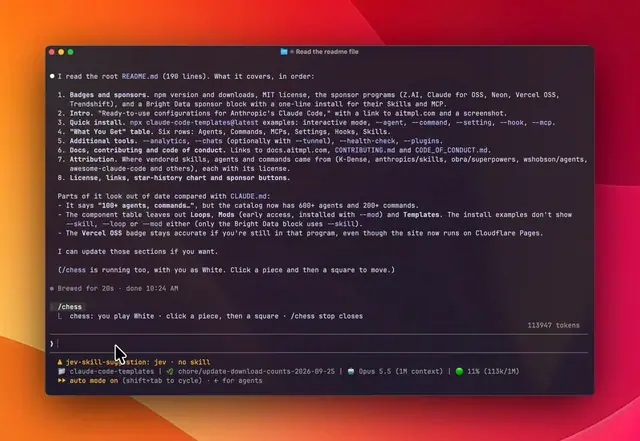
세션은 그대로 돌아가고 사이드바에 체스판이 열립니다. Claude의 수마다 사용한 토큰이 표시됩니다.
 ▶ ♫
▶ ♫universal-modder는 MIT 라이선스의 Claude Code 플러그인으로, 게임 엔진을 식별하고, 실제 코드를 읽고, 모드를 구축하고, fal로 에셋을 생성하고, 게임 내에서 테스트하며, 쇼케이스 비디오를 생성할 수 있습니다.

터미널 패널에서 YouTube Shorts를 재생합니다. Claude가 작업하는 동안 재생되고, 작업이 끝나면 일시 중지됩니다.
