
Ahmad8864@Ahmad8864
Ahmad8864/cc-side
Ahmad8864/cc-side
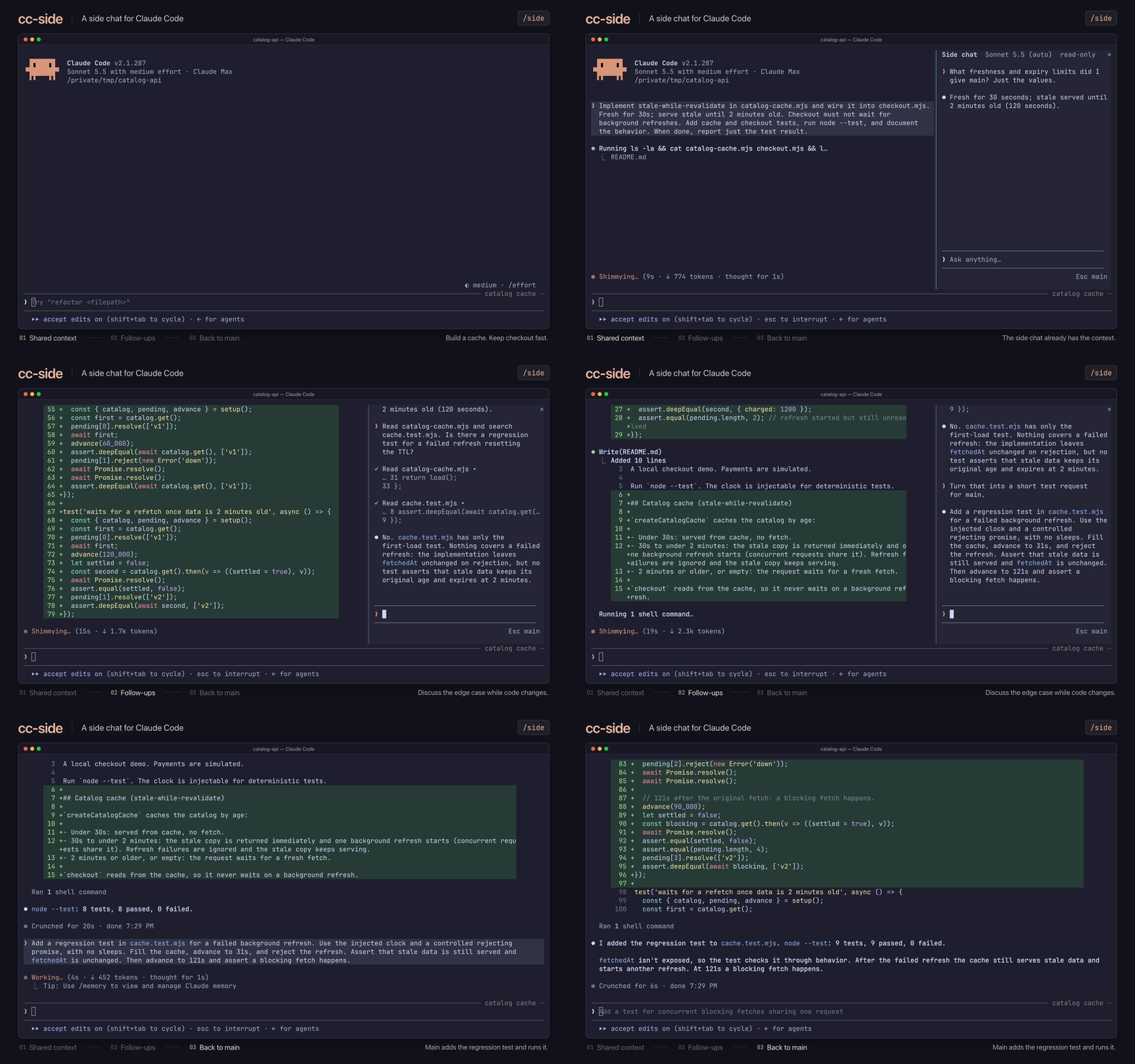
/side를 실행하면 메인 대화 옆에 두 번째 대화가 열리고 현재 메인 채팅 컨텍스트에서 분기됩니다. 사이드 채팅은 메인 채팅이 아는 내용을 알고 읽기 전용으로 시작하며 새로 고치거나 메인 채팅에 다시 삽입할 수 있습니다. 모델/effort 변경, 파일 멘션, 도구 호출 검사를 지원합니다.
먼저 작성자의 README에서 marketplace와 플러그인 이름을 확인하세요. 저장소 구조에 따라 명령어가 달라질 수 있습니다.
claude plugin marketplace add Ahmad8864/cc-side
claude plugin install cc-side
A side chat for Claude Code. Run /side to open a second conversation next to your
main one. It knows everything your main chat knows, so you can ask a quick question,
dig into some code, or try an idea while Claude keeps working, without any of it
landing in your main conversation. Closing the side chat throws it away.
Works on macOS, Linux, and Windows. You'll need Claude Code 2.1.287 or later, Node.js 18 or later (or Bun), and a terminal window at least 110 characters wide.
Install the plugin:
claude plugin marketplace add Ahmad8864/cc-side
claude plugin install cc-side@cc-side
In Claude Code, run /tui fullscreen to switch to the fullscreen view. You only need
to do this once.
Run /side to open the side chat, or /side <question> to open it and ask right away.
| Action | What happens |
| ------------------- | ------------------------------------------------------------------ |
| Click the input box | Start typing. Enter sends; Shift+Enter starts a new line |
| Type / | See commands. Claude Code's own commands and your skills work too |
| Type @ | Mention a file or folder, and press Tab to pick it (git projects) |
| Press ↑ or ↓ | Move through suggestions, or bring back a message you sent earlier |
| Press Esc | Go back to the main chat |
| Click a tool call | See its full details |
| Command | What it does |
| ----------------------- | ------------------------------------------------------------------------------------------- |
| /model, /effort | Change the model or effort for the side chat only |
| /edit on, /edit off | Let Claude edit files, or stop it. Side chats start read-only and remember your last choice |
| /refresh | Catch up with the main chat without losing your side conversation |
| /insert | Put the last reply into the main chat's input box |
| /copy | Copy the last reply |
| /stop | Stop Claude mid-reply (or click Stop) |
| /close | Close the side chat and throw it away (or click ×) |
/refresh catches up. After a refresh, Claude remembers your side
conversation but not the files or output it looked at earlier.@ aren't listed under your message as they are in the
main chat, though Claude still sees them./side <question> doesn't wait if the side chat is busy; your question goes back
to your input box.Want to help? See CONTRIBUTING.md. MIT licensed; bundled components keep their own licenses. cc-side is an unofficial project, not affiliated with Anthropic.

학습, 예측, 진행률 추적, autopilot_* MCP 도구 10개를 제공하는 Claude Code용 자율 /loop 기반 작업 완료 플러그인입니다.

Claude에 register_assumption 도구를 제공하고 이번 턴의 가정, 결정 및 고려했지만 하지 않은 항목을 프롬프트 위에 표시합니다.

채팅 채널, routine, heartbeat, learning loop를 갖춘 상시 실행 Claude Code agent plugin인 hermitd의 test wrapper mod입니다.