artemnovichkov@artemnovichkov
artemnovichkov/xcode-mods/tree/main/mods/xcode-mods
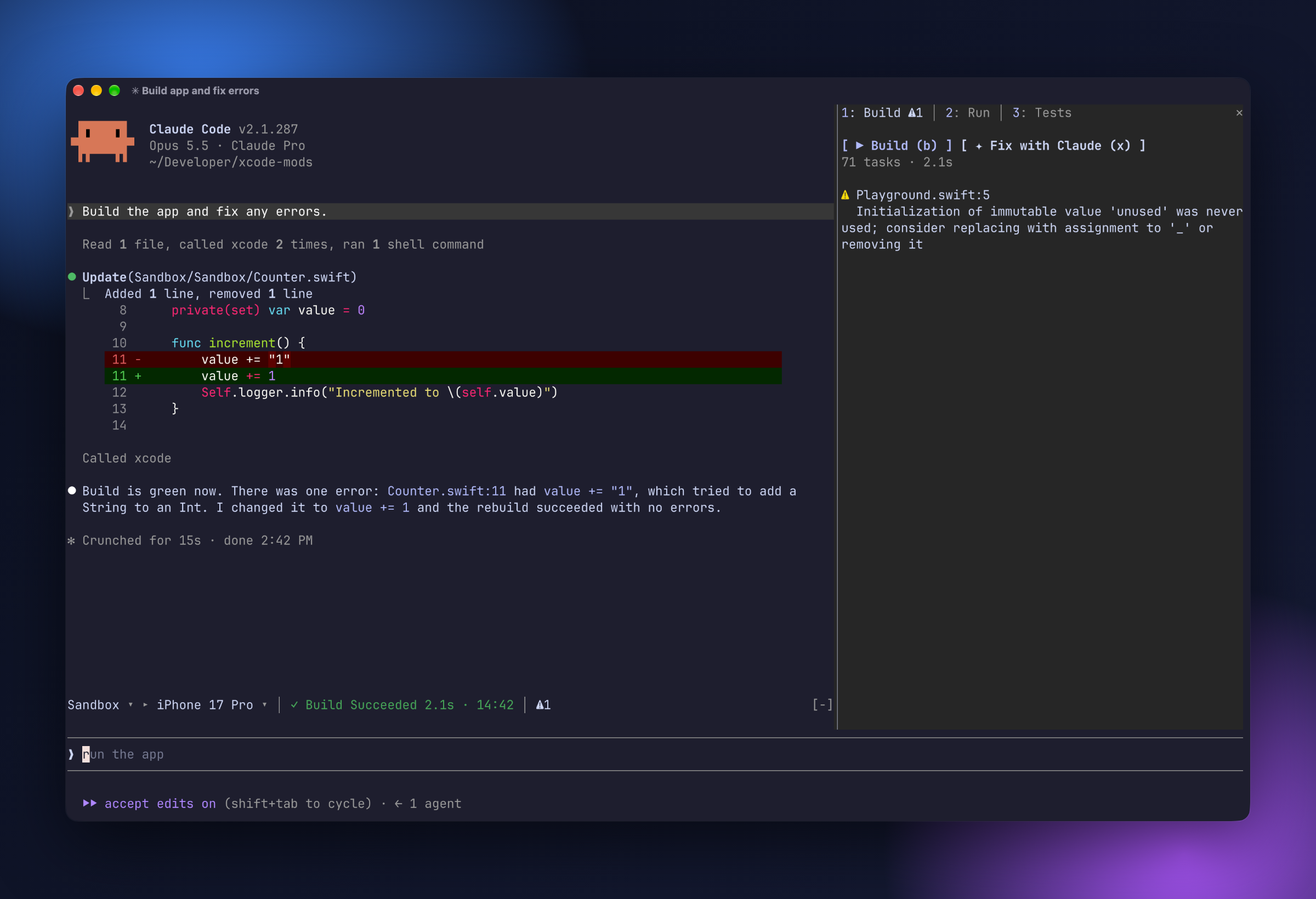
ヘッドレス Xcode MCP server を介して、Xcode のビルド、テスト、コンソール、SwiftUI プレビューを Claude Code に持ち込む Claude Code プラグインです。
artemnovichkov/xcode-mods/tree/main/mods/xcode-mods
ヘッドレス Xcode MCP server を基盤に、Xcode のビルド、テスト、コンソール、SwiftUI プレビューを Claude Code 内で利用できます。プロンプト上部にツールバー帯(scheme ▸ destination、アクティビティ、問題カウンター)を追加し、Build · Run · Tests タブを持つ Xcode ペインと、SwiftUI #Preview のスナップショット用 Canvas ペインを表示します。/xcode、/build、/tests、/run、/stop、/preview のコマンド、通知 toast、トラブルシューティングのメモも含みます。ヘッドレス MCP server を備えた Xcode 27+ と Claude Code 2.1.286+ が必要です。
まず作者の README で marketplace とプラグイン名を確認してください。コマンドはリポジトリの構成によって変わる場合があります。
claude plugin marketplace add artemnovichkov/xcode-mods
claude plugin install xcode-mods
Xcode's build, tests, console and SwiftUI previews inside Claude Code, built on the headless Xcode MCP server.
One Claude Code plugin that adds:
#Preview snapshots.It picks up Claude's own Xcode tool calls too. When Claude builds, runs tests, launches the app or renders a preview, the result appears in the pane.
Turn on Xcode's headless MCP server (once):
sudo xcrun mcp-server enable
xcrun mcp-server status
Add the server to Claude Code. The mods expect it to be named xcode:
claude mcp add --scope user xcode -- xcrun mcpbridge
Allow the mods' Xcode calls in ~/.claude/settings.json. Without this rule, every build or refresh asks for permission:
{
  "permissions": {
    "allow": ["mcp__xcode"]
  }
}
Install the plugin:
/plugin marketplace add artemnovichkov/xcode-mods
/plugin install xcode-mods@xcode-mods
Open Claude Code in a folder with an .xcodeproj or .xcworkspace (up to 3 levels deep). The band appears above the prompt. In other folders the plugin stays hidden and doesn't register any commands.
| Command | What it does |
| --- | --- |
| /xcode | Open the Xcode pane |
| /build | Build the active scheme |
| /tests [filter] | Run all tests, or only those whose Target/identifier contains the filter |
| /run | Build and run on the active destination, then stream the console |
| /stop | Stop the running app |
| /preview [file.swift] | Render a #Preview into the Canvas pane. Without an argument, uses ContentView.swift, or the first file with #Preview. |
The band above the prompt works like Xcode's toolbar:
Sandbox ▸ iPhone 17 Pro │ ✓ Build Succeeded 1.4s · 14:02 │ ⚠1 ✗2
◐ Building 3s · Compile ContentView.swift, ◐ Testing, ◐ Launching, ● Running Sandbox), or the last result with its time (✓ Build Succeeded, ✗ Tests Failed, ■ Sandbox stopped).⛔ errors, ⚠ warnings, ✗ failed tests. Click one to open the matching tab.The band also shows Claude's own builds, test runs and launches.
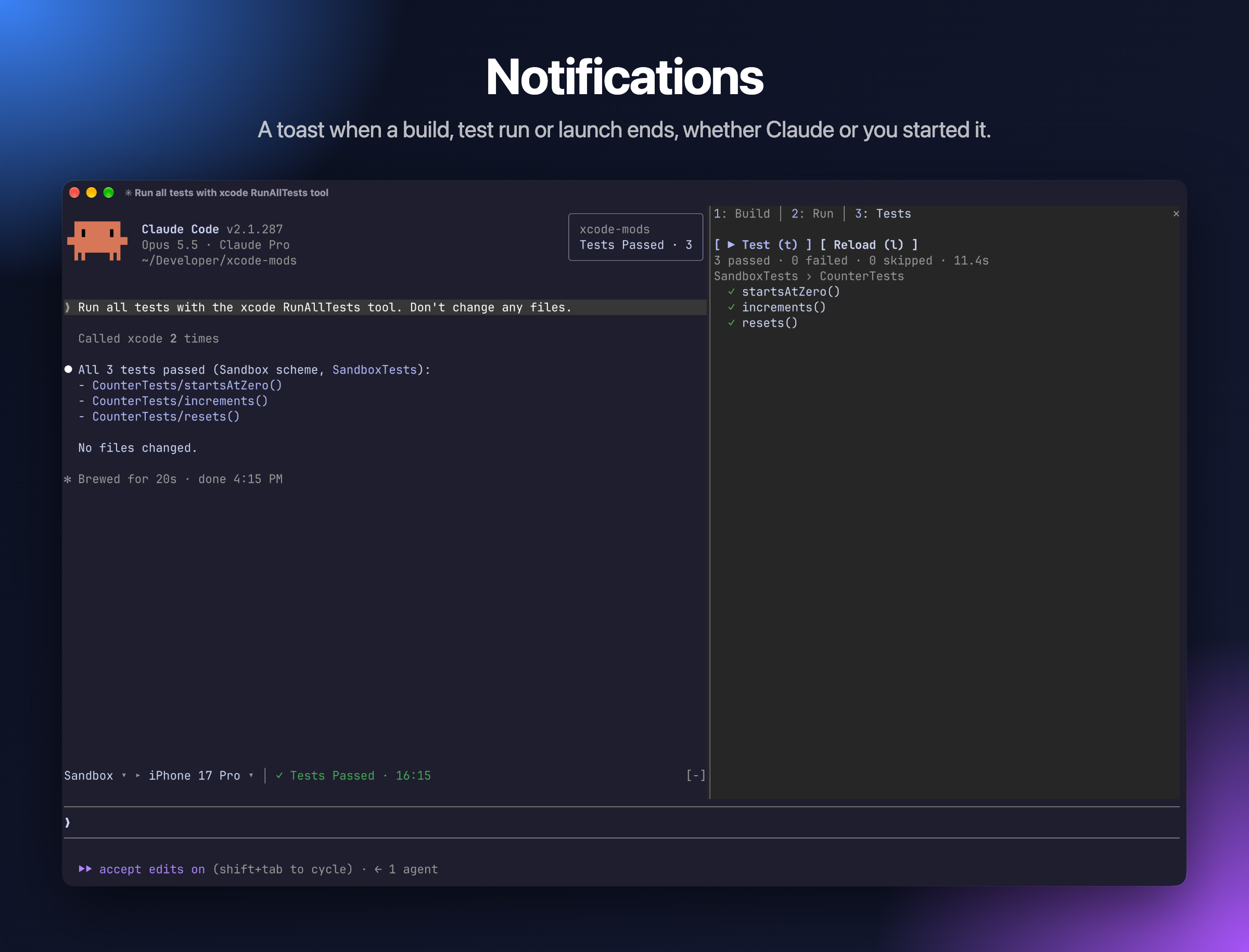
A toast pops up in the top right corner when an action ends, whether you or Claude started it:
Build Succeeded · 2 warnings, Build Failed · 3 errorsTests Passed · 12, Tests Failed · 2 failedRun FailedPreview ready: /preview to show, when the window is too narrow to open the Canvas pane by itself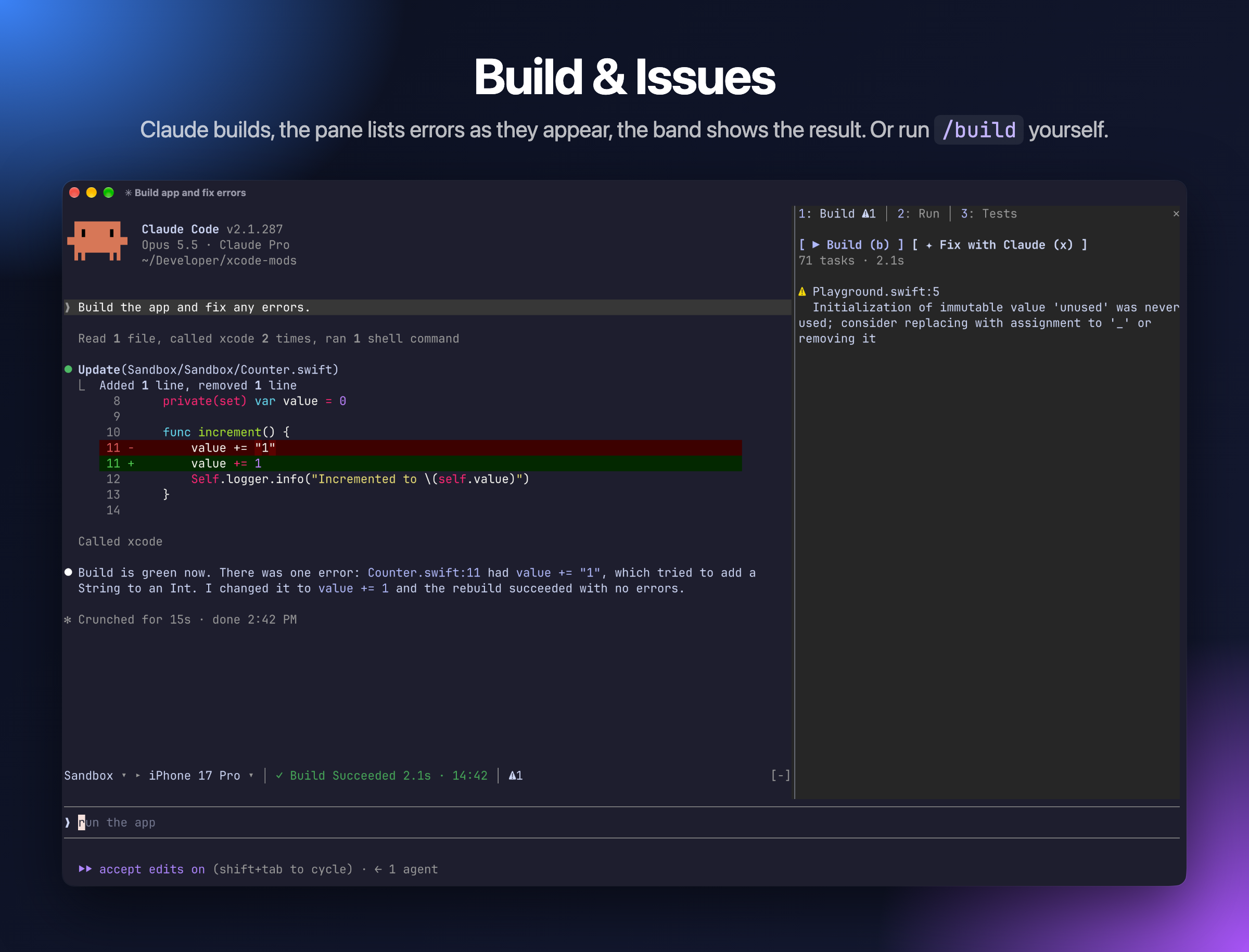
Live progress while the build runs, then errors and warnings. Click a file name to open that line in Xcode.
Keys: b build · x send the issues to Claude to fix
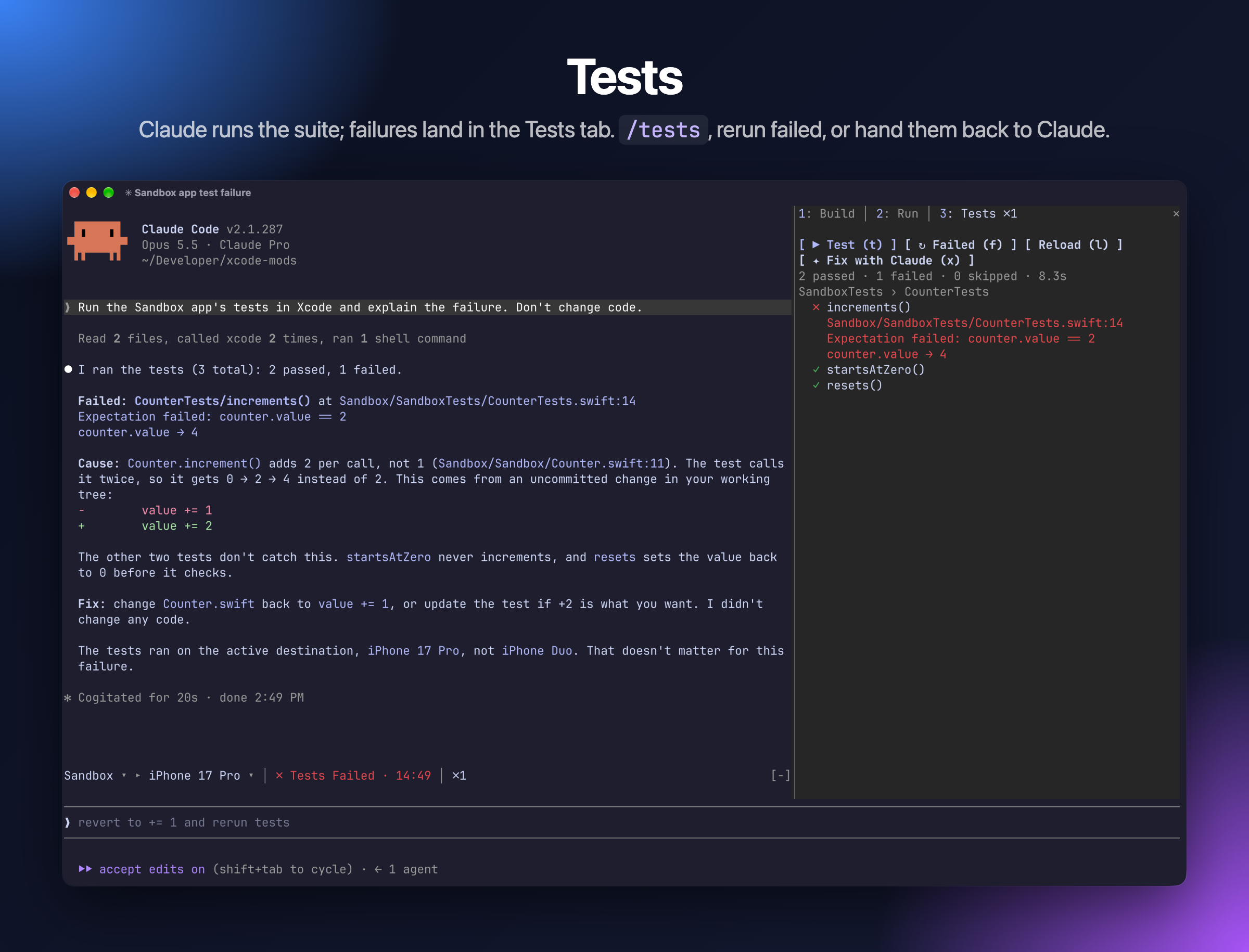
Tests are grouped by target and suite, with failures first and their messages shown inline. Click a test to run only that test.
Keys: t run all · f rerun failed · l reload the list · x ask Claude to fix the failures
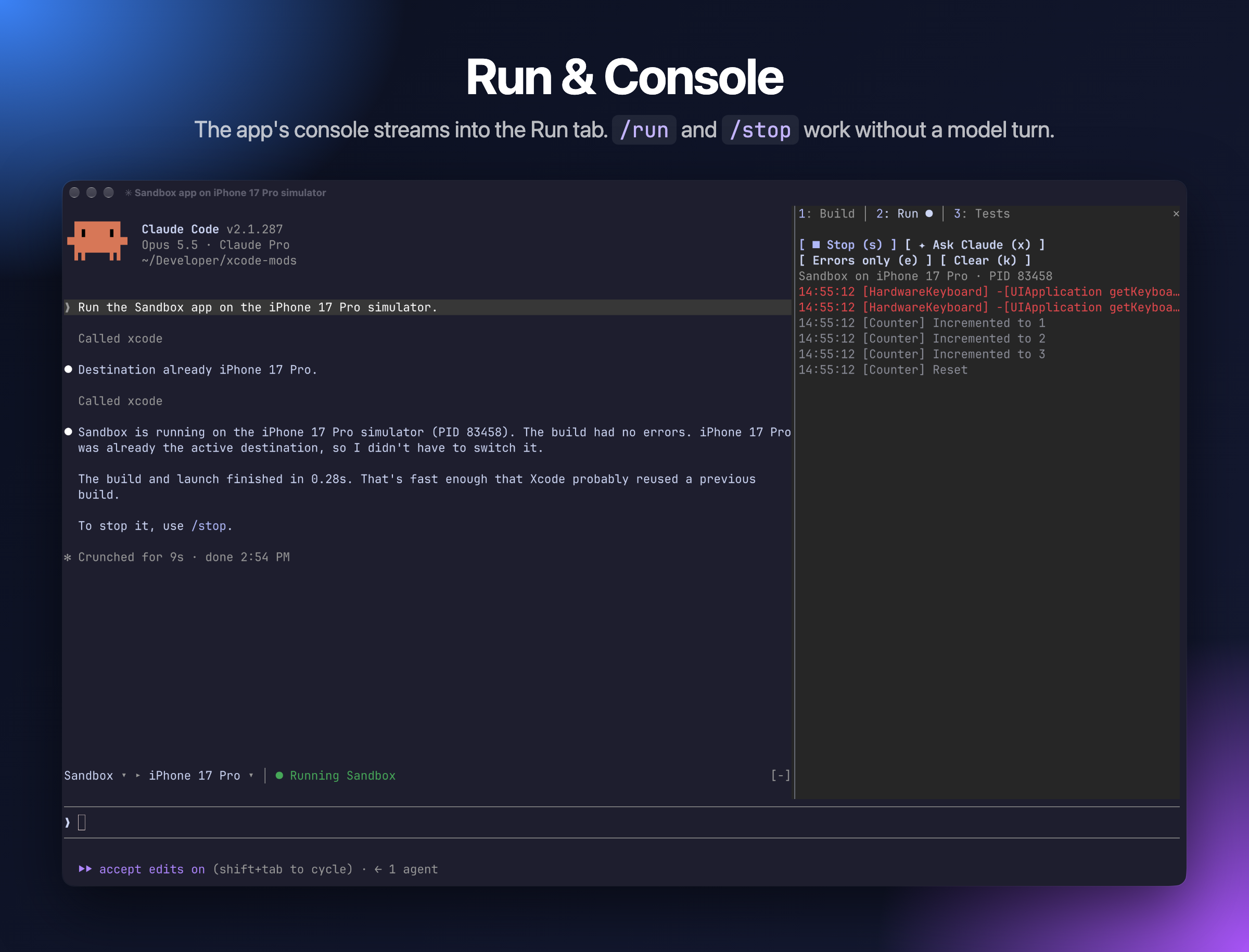
The app's stdout and OSLog stream in while it runs.
Keys: r run · s stop · e errors only · k clear · x ask Claude about the console
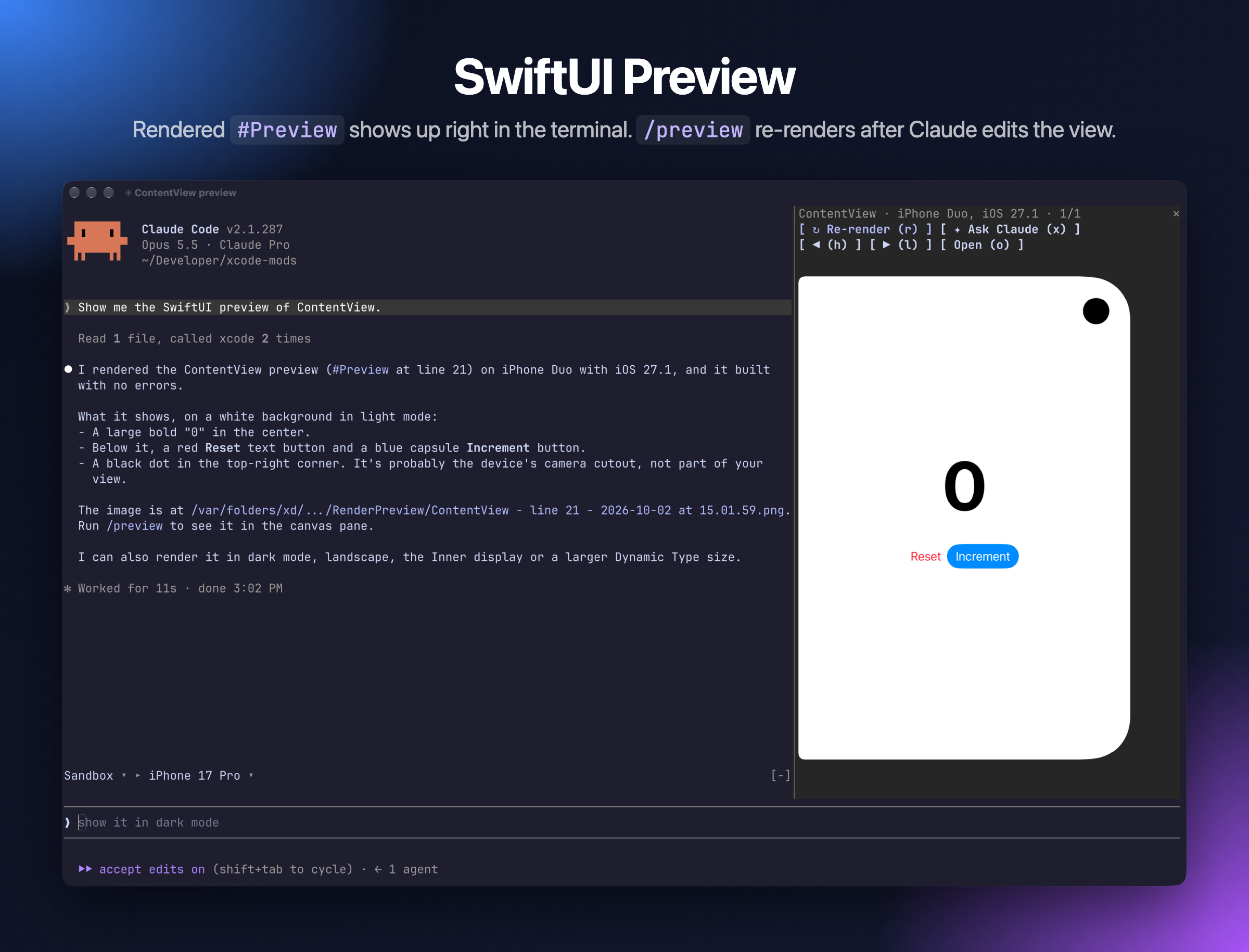
Keeps the last 10 snapshots. Once you have rendered a preview, it re-renders after Claude edits a Swift file that contains #Preview.
Keys: r re-render · h/l previous/next · o open the PNG · x ask Claude to review the layout
Switch tabs with 1 2 3.
Xcode MCP server "xcode" not connected. Run /mcp and check that the xcode server is connected. Check that xcrun mcp-server status reports it as enabled.mcp__xcode allow rule from Setup.o to open it.mods/xcode-mods/hooks/register.tsx # entry: wires both modules
mods/xcode-mods/hooks/build.tsx # toolbar band + Build · Run · Tests pane
mods/xcode-mods/hooks/canvas.tsx # SwiftUI preview pane
Sandbox/ # test iOS app (XcodeGen: project.yml)
.mcp.json # xcode MCP server for this repo
To run the plugin from source with hot reload:
claude --plugin-dir mods/xcode-mods
Claude Code writes the mod API types into mods/xcode-mods/.claude-plugin/types/ (git-ignored) when it loads the plugin with --plugin-dir, so start a session that way once before type-checking with tsc -p mods/xcode-mods.
To check and test the plugin:
claude plugin validate mods/xcode-mods
claude plugin test mods/xcode-mods
Sandbox is a SwiftUI counter app with Swift Testing tests. Playground.swift holds an intentional warning; edit it to break the build. After editing project.yml, regenerate the project with cd Sandbox && xcodegen.
Artem Novichkov, https://artemnovichkov.com/
The project is available under the MIT license. See the LICENSE file for more info.

neural-trader(v2.7+)を基盤にしたニューラル取引戦略です。自己学習する LSTM/Transformer/N-BEATS モデル、Rust/NAPI バックテスト、112+ の MCP ツール、スウォーム協調、ポートフォリオ最適化を備えます。

claude-seo 用の任意の mods companion。Claude Code 内では mod(function-hook plugin)として動くため、skill が要求するだけのことも強制できる。

Claude Code 用 Repowise プラグイン。Graph、Git、Docs、Decisions、Code Health の 5 層のコードインテリジェンスを提供し、MCP ツール、slash commands、自動 skills で Claude にアーキテクチャ、所有者、ホットスポット、欠陥リスクを理解させます。spinner ヒント、margin notes、変更レビュー、/lens パネルを備えた Claude Code mod の Lens も含みます。