
3dnow@3dnow
3dnow/claude-mods/tree/main/weektoken

リセット前に使い切るかを判断できるよう、Claude Codeのレート制限で使用した量とウィンドウ経過量を並べ、時間より先行しているか遅れているかを示します。5時間、7日間、Fableなどのモデル別週次クォータに対応します。
3dnow/claude-mods/tree/main/weektoken
リセット前に使い切るでしょうか。WeekTokenはClaude Codeのレート制限で使用した量をウィンドウの経過量と並べ、時計より先行しているか遅れているかを知らせます。5時間ウィンドウ、7日間ウィンドウ、Fableなどのモデル別週次クォータを対象にします。機能には、単純な割合ではなくペースに基づくスコア、モデル別クォータ、予測と消費履歴、プロンプト上部のバンド、ペースリングと消費チャートを備えた完全な/weektokenペインがあります。設定は不要で、Claude Codeの言語に合わせて英語と中国語に対応します。データはセッション自身のレート制限、~/.claude.jsonのcachedUsageUtilization、手動更新時に任意で実行するローカルのclaude -p /usage呼び出し、任意のWeekToken macOSアプリ履歴ファイルから取得します。Claude Code 2.1.287以降とClaudeサブスクリプションが必要です。
まず作者の README で marketplace とプラグイン名を確認してください。コマンドはリポジトリの構成によって変わる場合があります。
claude plugin marketplace add 3dnow/claude-mods
claude plugin install weektoken
Will you run out before the reset? WeekToken puts what you have used of Claude Code's rate limits next to how much of the window has passed, and tells you whether you are ahead of the clock or behind it. It covers the 5-hour window, the 7-day window and per-model weekly quotas such as Fable.
| /weektoken pace | Burn-up history |
| --- | --- |
| 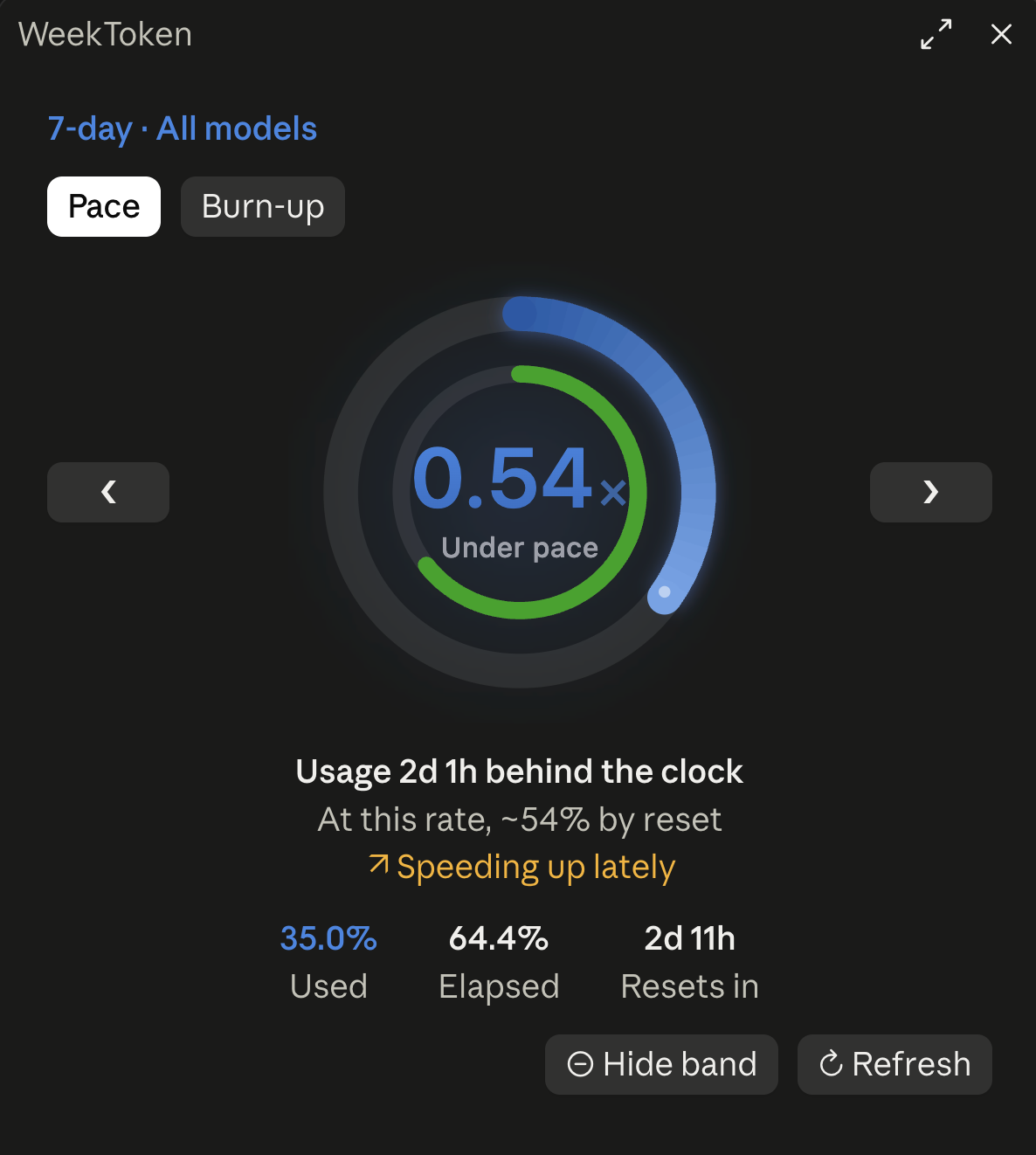 |
| 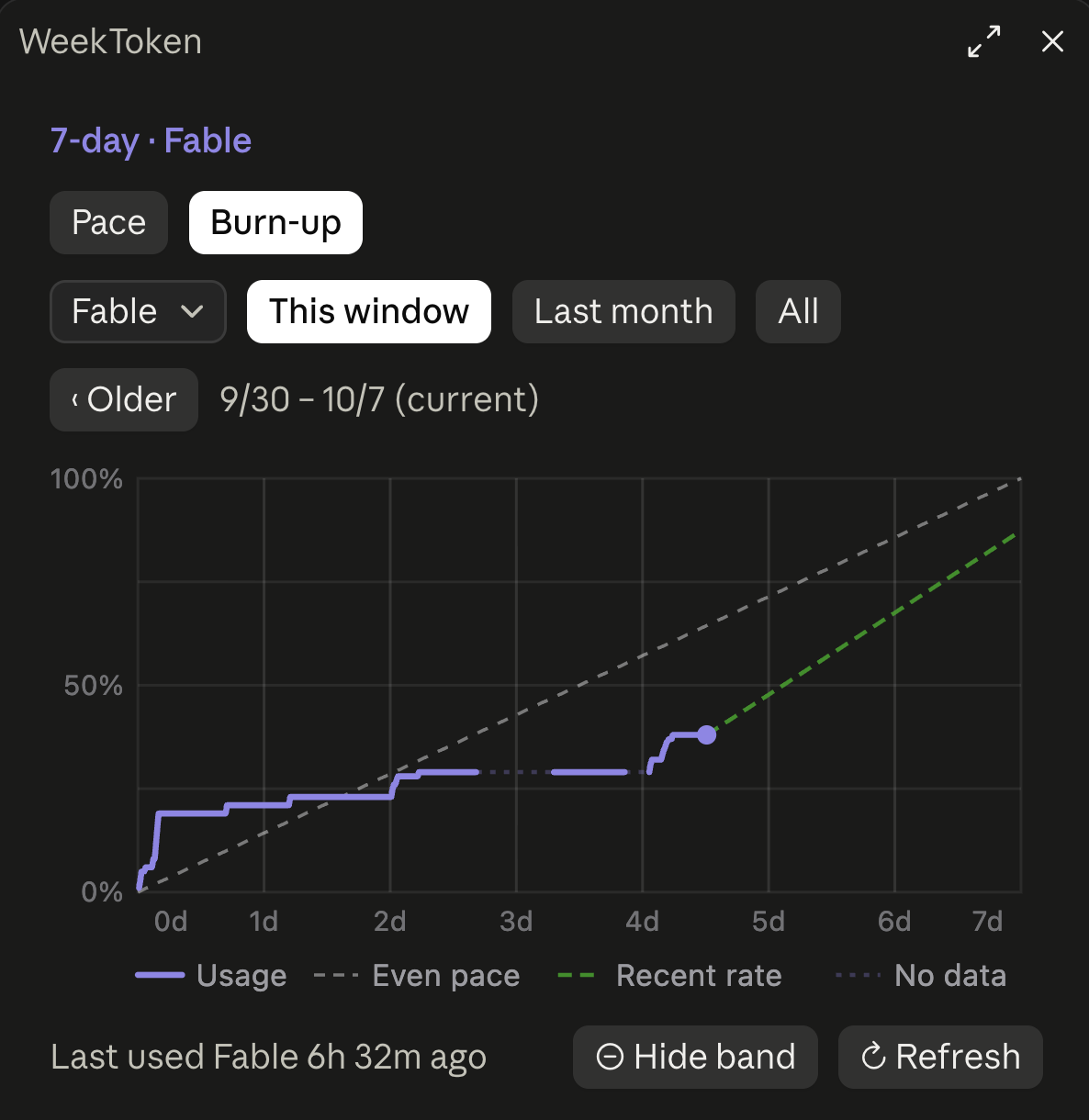 |
|
In the terminal, the band sits above the prompt and /weektoken docks beside the conversation:
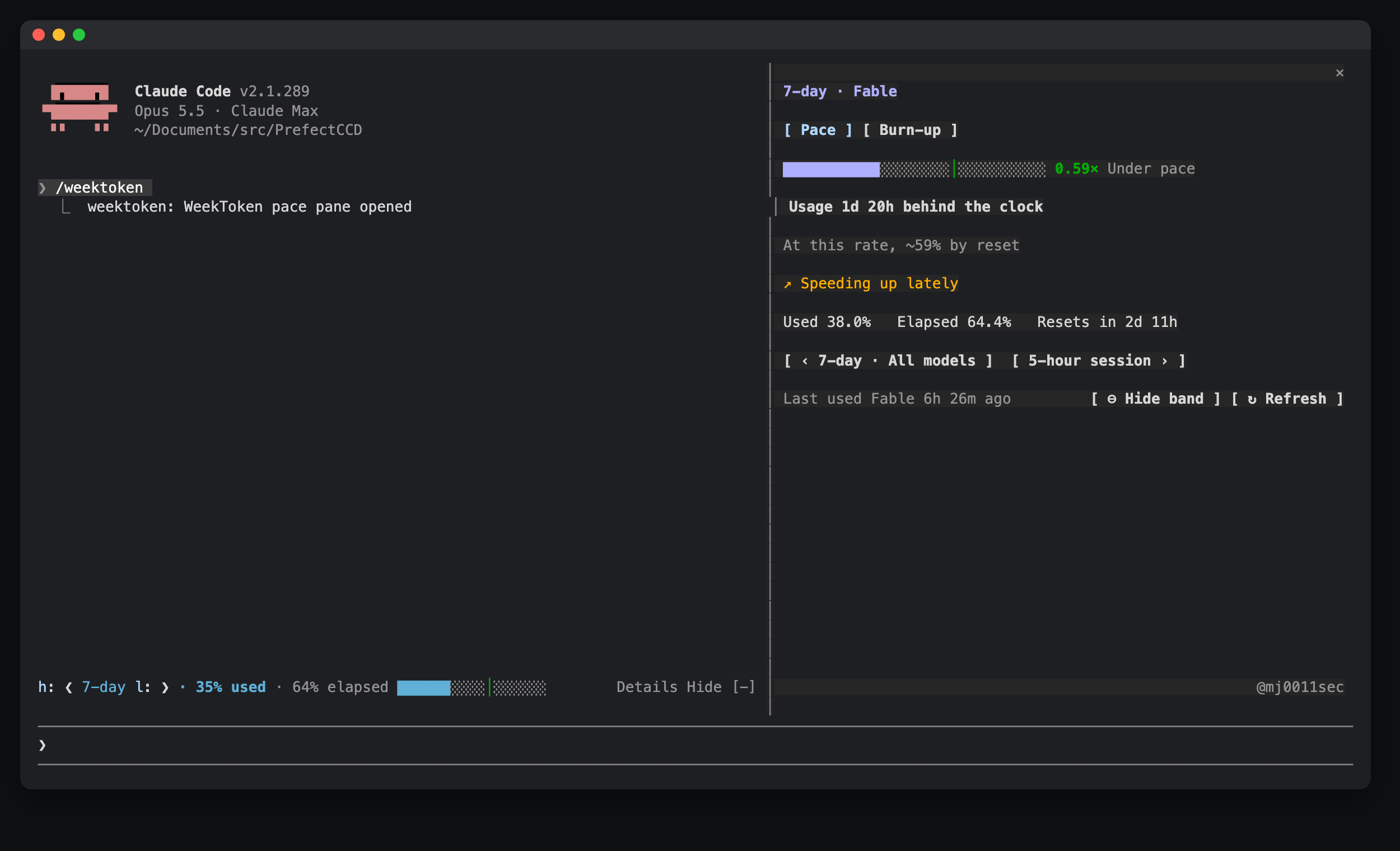
A band above the prompt: ❮ 7-day ❯ · 64% used · 71% elapsed, a progress bar that stretches with the band, plus Details and Hide (in the desktop app, Hide is the close button at the band's right end).
/weektoken show, or ⊕ Show band at the bottom of the pane.The /weektoken pane:
/usage could not run.Colors follow pace, not the raw percentage: the over-pace thresholds are Claude Code's own rate-limit warning calibration (five_hour: 0.9/0.72; seven_day: 0.25/0.15, 0.5/0.35, 0.75/0.6) and tighten as the window goes on.
| Source | Content |
|---|---|
| The session's own rate limits | The 5-hour and 7-day windows, updated after every reply |
| cachedUsageUtilization in ~/.claude.json | Claude Code's own usage cache, including per-model quotas (Fable and others) |
| Local claude -p --no-session-persistence /usage (only when you press ↻ Refresh) | Fresh per-model quotas; also the 5-hour and 7-day windows when there is no local reading from the last 10 minutes (a new session before its first reply) |
| ~/.weektoken/samples.jsonl (optional) | History from the WeekToken macOS app, imported read-only |
Samples are kept in the mod's own cross-session store, up to 8000; the oldest go first. Sessions open at the same time merge their samples and keep one copy of each reading. Without history to import from the WeekToken macOS app, history starts when you install the mod, since the API only reports current values.
A quota you are not using does not change, so old data still gives a valid pace.
| Command | Does |
|---|---|
| /weektoken | Opens the pace pane |
| /weektoken hide | Hides the band (kept across sessions) |
| /weektoken show | Shows it again |
Nothing to configure. Two environment variables override the defaults; set them in your shell profile (e.g. ~/.zshrc) and start a new session:
| Variable | Effect |
|---|---|
| WEEKTOKEN_LANG | zh or en forces the interface language. By default it follows Claude Code's language setting, then the system language |
| WEEKTOKEN_HISTORY | Path of the WeekToken macOS app's history file; an empty string turns the import off |
| CLAUDE_MODS_DISABLE | all, or a comma list containing weektoken, turns the mod off entirely |
Mods run with the same access as Claude Code itself and are not sandboxed. This is everything WeekToken does besides drawing its own band and pane.
WeekToken itself makes no network calls, and nothing it reads is sent anywhere. The only request that leaves your machine is made by Claude Code, not by the mod: when you press ↻ Refresh, the mod runs Claude Code's own /usage command (below), and Claude Code looks up your usage at Anthropic's usage endpoint (/api/oauth/usage) with the login it already has. No model is called and no quota is used; checked with claude --debug-file.
Every command is fixed text, and none goes through a shell.
| Command | When | Why |
| --- | --- | --- |
| claude -p --no-session-persistence /usage | Only when you press ↻ Refresh | The only fresh source for per-model quotas such as Fable. The mod looks for claude on your PATH, then in ~/.local/bin, ~/.claude/local, /opt/homebrew/bin and /usr/local/bin. It saves no session. |
| defaults read -g AppleLanguages | At session start, and when you change Claude Code's language | Reads the macOS language when Claude Code's own language setting is not set (macOS only). |
| tail -n 8000 ~/.weektoken/samples.jsonl | At session start and every 10 minutes, only if the file exists | Imports history from the WeekToken macOS app. |
| perl, with one fixed pattern and no shell | Only when ~/.claude.json is over 4 MiB and can't be read directly | Extracts just the cachedUsageUtilization entry from that file and prints it back to the mod; nothing else is read or sent. |
~/.claude.json, Claude Code's own file. Only its cachedUsageUtilization entry is used: Claude Code's usage cache, which includes per-model quotas. The file also holds account details; those are not used or kept. It is read at session start, every 5 minutes when the file has changed, and on Refresh.~/.weektoken/samples.jsonl, or the file named by WEEKTOKEN_HISTORY, if it exists.HOME and PATH (to find the files and claude above), LANG, LC_ALL and LC_MESSAGES (the language), WEEKTOKEN_LANG, WEEKTOKEN_HISTORY and CLAUDE_MODS_DISABLE. It reads no credentials.language setting.In the mod's own store on your machine: samples (up to 8000) and their version stamp, when each model was last used, whether the band is shown and which quota it shows, the quota selected in the pane, the modification time of the imported history file, and whether the welcome notice was shown. The interface language is detected each session, not stored.
| Hook | What it does |
| --- | --- |
| session.start | Registers /weektoken, loads the stored samples, reads the sources above and starts the 1-, 5- and 10-minute timers |
| session.measure | Records the session's 5-hour and 7-day figures when they change |
| turn.complete | Records the time and model of each reply, to tell when a quota was last used |
| command.run, /weektoken only | Answers its own command: opens the pane, or shows or hides the band |
| ui.render, AbovePrompt | Draws the band, then whatever other plugins or Claude Code draw there, below it |
| ui.render, the weektoken pane only | Draws the /weektoken pane |
| ui.press | Notes presses on its own pane and passes every press on unchanged |
| ui.focus | Passes the event on unchanged. On its own pane in the desktop app, when a click only moved the focus to a button (the first click on an unfocused pane), it runs that button's action |
| config.set, language only | Passes the change on unchanged, then detects the interface language again |
It changes no settings or permissions, and it leaves other plugins' events as they are.
"env": { "CLAUDE_CODE_ENABLE_FUNCTION_HOOKS": "1" } to ~/.claude/settings.json firstclaude plugin validate .
claude plugin test
mj0111 · @mj0011sec on X

ツール出力を圧縮し、コンパクション前にチェックポイントを作成し、コンテキスト品質を採点して、ローカルダッシュボードに token/コスト削減を表示する Claude Code プラグインです。hooks と localhost デーモンも含みます。
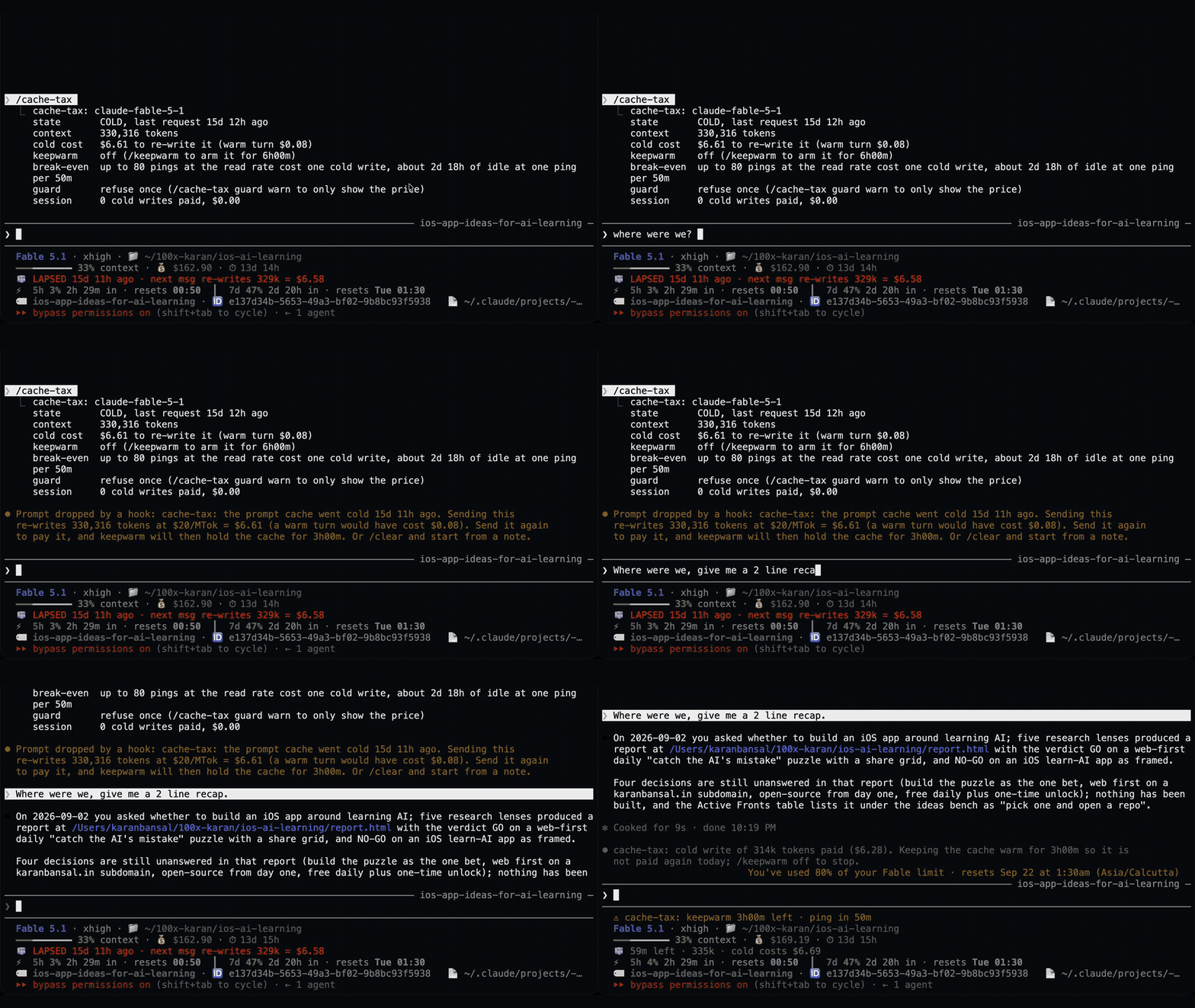
休憩中も 1 時間のプロンプトキャッシュを温め、冷えた状態での送信を推定書き換えコストとともに一度止める Claude Code mod。ウォームアップはモデル要求を使い、トークンを消費します。Claude Code 2.1.287+ が必要です。

Claude Code mod。プランの使用量が少なくなると、実行中のすべての agent に終了準備を指示し、編集中のファイルを半端に残したまま引き継ぎなしで止まるのを防ぎます。