
hacksurvivor@hacksurvivor
hacksurvivor/claude-mods/tree/main/mods/tree-of-mods
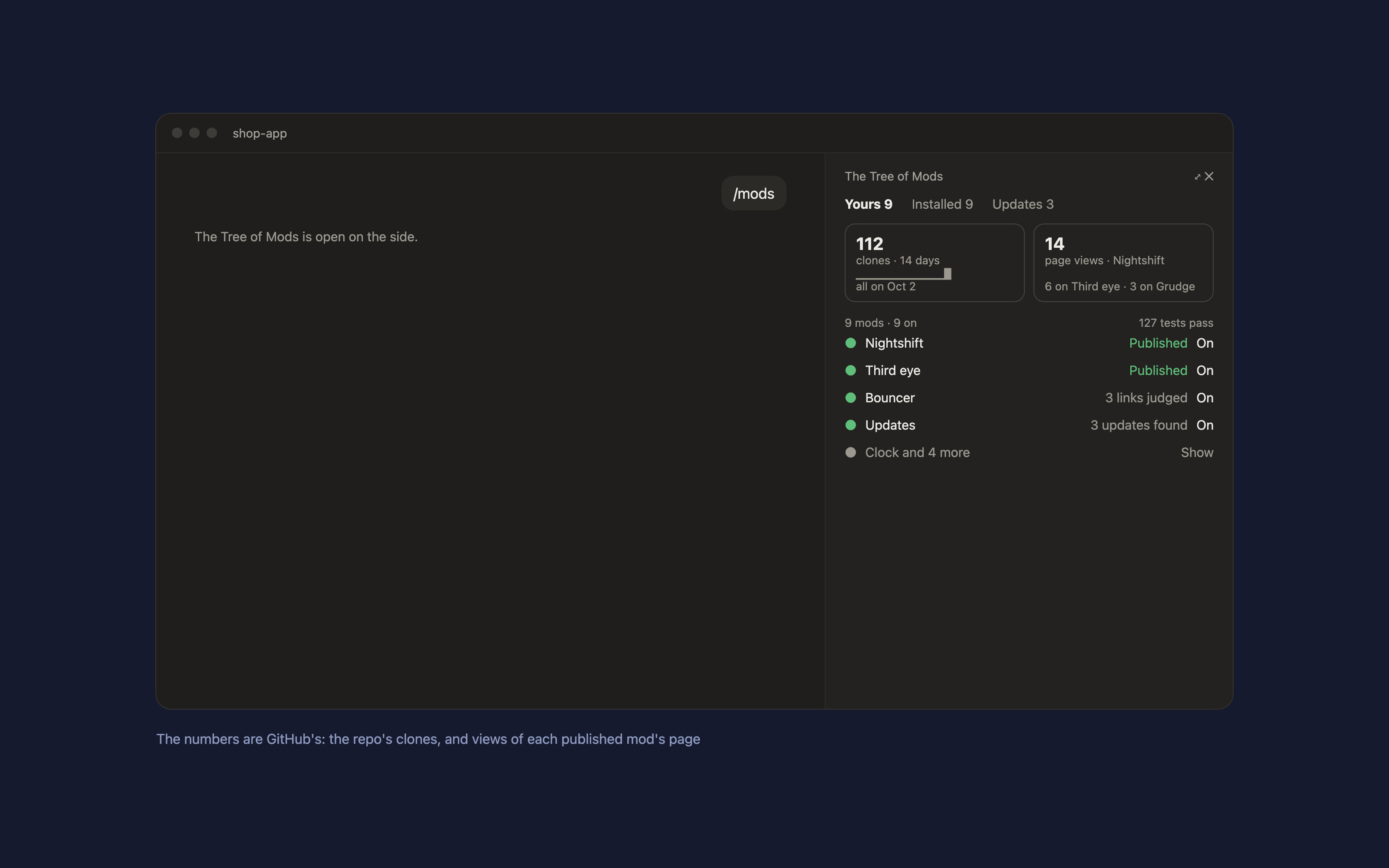
すべての mod をチャット横の1つのペインにまとめる Claude Code mod です。`/mods` と入力します。
hacksurvivor/claude-mods/tree/main/mods/tree-of-mods
すべての mod をチャット横の1つのペインにまとめる Claude Code mod です。/mods と入力します。

claude plugin enable と disable を使い、自分の mod には設定の CLAUDE_CODE_PLUGIN_DIRS を使います。インストール数は表示しません。Claude Code は作者に報告しないためです。GitHub のクローン数はリポジトリ全体の数字で、自分の分も含みます。
デフォルトでは、この mod が置かれているフォルダーと、そのリポジトリの GitHub リモートを使います。別の場所を指定するには ~/.claude/tree-of-mods/config.json に書きます。
{ "modsDir": "~/code/my-mods/mods", "repo": "you/my-mods" }
gh)。数値の取得に使います。Claude Code で実行します。
/plugin marketplace add hacksurvivor/claude-mods
/plugin install tree-of-mods@hacksurvivor
/reload-plugins
bin/inventory.py は mod フォルダーと git の状態、インストール済みプラグイン、Updates のレポート、リポジトリの GitHub トラフィック(gh api、GET のみ、1時間キャッシュ)を読み取ります。mod のファイルが変わると claude plugin test で各 mod のテストを実行します。~/.claude/settings.json を先にバックアップして変更するか、claude plugin enable または disable を実行します。更新はその更新手順を実行し、Publish は Claude にプロンプトを送ります。~/.claude/tree-of-mods/ に保持します。PRIVACY.md を参照してください。
Apache-2.0
まず作者の README で marketplace とプラグイン名を確認してください。コマンドはリポジトリの構成によって変わる場合があります。
claude plugin marketplace add hacksurvivor/claude-mods
claude plugin install tree-of-mods
A Claude Code mod that puts all your mods in one panel beside the chat. Type /mods.
claude plugin enable and disable, your own mods in your settings' CLAUDE_CODE_PLUGIN_DIRS.Install counts aren't shown: Claude Code doesn't report them to authors. GitHub's clones count the whole repository and include your own.
By default, the folder this mod sits in and the GitHub remote of its repository. To point it elsewhere, write ~/.claude/tree-of-mods/config.json:
{ "modsDir": "~/code/my-mods/mods", "repo": "you/my-mods" }
gh) signed in with access to your repo's traffic, for the numbers.In Claude Code:
/plugin marketplace add hacksurvivor/claude-mods
/plugin install tree-of-mods@hacksurvivor
/reload-plugins
bin/inventory.py, which reads your mods folder and its git state, your installed plugins, the Updates report, and GitHub's traffic numbers for your repo (gh api, GET only, cached for an hour). It runs each mod's tests with claude plugin test when its files changed.~/.claude/settings.json (backed up first) or runs claude plugin enable or disable; an update runs that update's steps; Publish sends Claude a prompt.~/.claude/tree-of-mods/.See PRIVACY.md.
Apache-2.0

neural-trader(v2.7+)を基盤にしたニューラル取引戦略です。自己学習する LSTM/Transformer/N-BEATS モデル、Rust/NAPI バックテスト、112+ の MCP ツール、スウォーム協調、ポートフォリオ最適化を備えます。

Claude Code 用 Repowise プラグイン。Graph、Git、Docs、Decisions、Code Health の 5 層のコードインテリジェンスを提供し、MCP ツール、slash commands、自動 skills で Claude にアーキテクチャ、所有者、ホットスポット、欠陥リスクを理解させます。spinner ヒント、margin notes、変更レビュー、/lens パネルを備えた Claude Code mod の Lens も含みます。

Claude Code 向けの Power BI / Microsoft Fabric プラグインです。fabric-cli(fab)スキル、移行コマンド、fab に従ってワークスペースと項目をツリー表示する /fabric-pane mod を提供します。
