
alex2481kobe@alex2481kobe
alex2481kobe/claude-mods/tree/main/plugins/peek
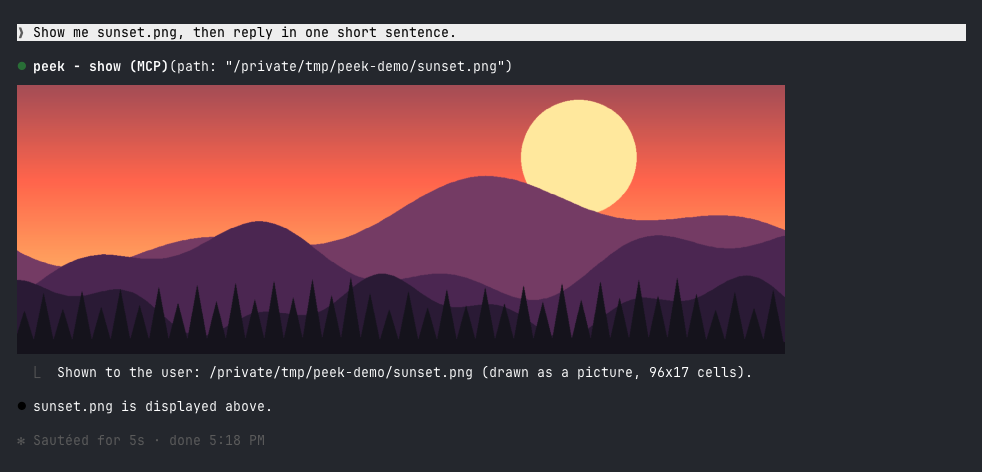
Claude Code プラグイン。Claude が生成または見つけた画像をターミナルに直接表示します。kitty と Ghostty では実際のピクセルで、その他のターミナルではカラーブロックでプレビューします。
alex2481kobe/claude-mods/tree/main/plugins/peek
peek は、Claude のツール呼び出しバーのすぐ下に画像を埋め込み表示するため、ブラウザやスマートフォンを開く必要がありません。Ghostty または kitty では、kitty グラフィックプロトコルを介して実際の画像をレンダリングし(まず画像をPNGとして$TMPDIR/peek/にコピーします)、その他のターミナル(Apple Terminal、iTerm2、WezTerm、VS Code Terminal、tmux)では、半ブロック文字▀と自己マッピングされた256色パレット、軽いディザリングを使用して、約160x96ピクセルのカラーブロックプレビューを生成します。Claude Code Desktopおよびモバイルアプリではツールバーのみが表示されます。要件は、modをサポートするClaude Code(2.1.287でテスト済み)とmacOS(内蔵のsipsを使用して画像を変換)です。インストールは、/plugin marketplace add alex2481kobe/claude-mods および /plugin install peek@claude-mods を介して行います。自然言語でClaudeにshowツールを呼び出すように依頼するか、/peek ~/Desktop/screenshot.png を使用して手動で画像を表示できます。実装には、showツールを登録するための$.tool.register、システムプロンプトを補完するためのprompt.composeフック、ツールバーの下に描画するためのui.renderフックが含まれており、CIE Labの最近傍色と4分の1強度のFloyd-Steinbergディザリングを使用してブロックプレビューを生成します。制限事項には、ブロックプレビューが粗いこと、平坦な領域にわずかなディザリングテクスチャが現れること、tmuxでは常にブロックプレビューが使用されること、macOSのみのサポートであること、表示された各画像が$TMPDIR/peek/にPNGコピーを残すことが含まれます。
まず作者の README で marketplace とプラグイン名を確認してください。コマンドはリポジトリの構成によって変わる場合があります。
claude plugin marketplace add alex2481kobe/claude-mods
claude plugin install peek
Images in the terminal. When Claude makes, downloads, captures or finds an image you should look at, it shows it to you inline, under its tool call, without you opening a browser or your phone.
In Ghostty or kitty it is the real picture:
In other terminals it is a colored-block preview:
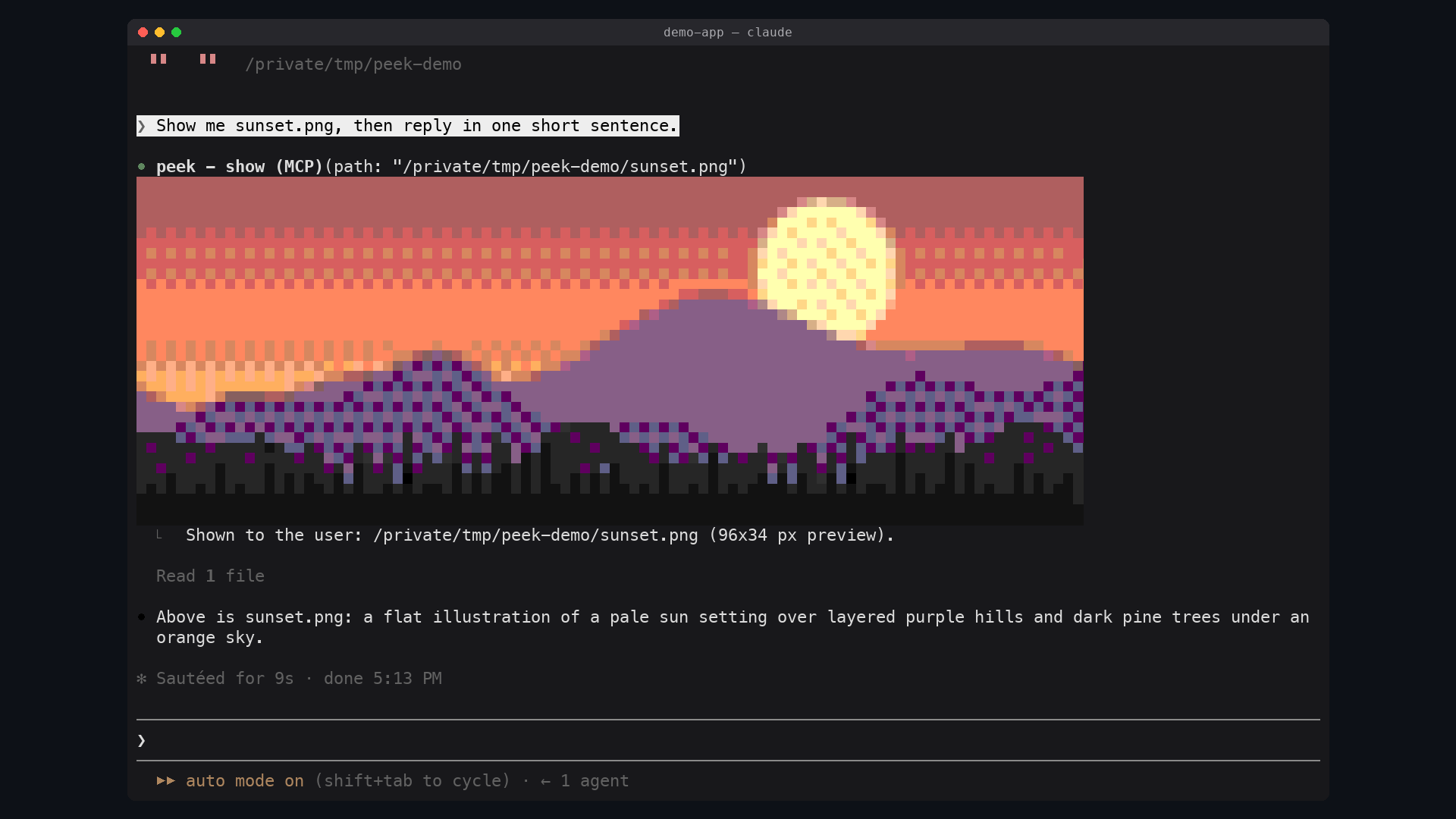
| Terminal | What peek draws | | --- | --- | | Ghostty, kitty | The real picture, in pixels | | Apple Terminal, iTerm2, WezTerm, VS Code's terminal, anything inside tmux | A colored-block preview, about 160x96 pixels at most | | Claude Code Desktop, the mobile app | Nothing: the tool row only |
The reason is what a terminal can draw. Every terminal draws text: a grid of cells, each one character with a text and a background color. A real picture needs the terminal to implement a graphics protocol, a way for a program to hand it pixels. Claude Code draws a mod's pictures through the kitty graphics protocol, which kitty and Ghostty implement. Apple Terminal implements none, and Claude Code does not promise pictures in the others.
Elsewhere peek fakes the picture with text: each cell is an upper half block
▀ whose text color paints one pixel and whose background paints the one
below it, so a cell holds two pixels. Claude Code draws these in the 256-color
palette even where the terminal has more, so peek picks the palette colors
itself, by how close they look, and lightly dithers between them.
sips, which ships with it/plugin marketplace add alex2481kobe/claude-mods
/plugin install peek@claude-mods
Ask for an image the way you would anyway ("show me the screenshot", "make a
chart of this and let me see it"). Claude calls the show tool on its own.
You can also show one yourself:
/peek ~/Desktop/screenshot.png
Any format macOS opens works: PNG, JPEG, HEIC, GIF, TIFF, BMP.
$.tool.register adds the show tool (mcp__peek__show). Claude Code may
defer a plugin's tool, which hides its description until it is loaded, so a
prompt.compose hook also adds a short section to the system prompt: to let
you see an image, call show. Reading an image shows it only to Claude.TERM_PROGRAM=ghostty, or KITTY_WINDOW_ID set) the
picture is an Image element over a PNG copy of the image in
$TMPDIR/peek/. The terminal reads that file itself at every redraw, and
Claude Code refuses a file on a network or device path, so the copy keeps the
picture working when the original moves or lives on a mounted volume.sips scales the image and writes an uncompressed BMP, which peek
decodes, fits to the 256-color palette (nearest in CIE Lab, then
Floyd-Steinberg at a quarter strength) and draws as a Raster of half
blocks.ui.render hook on the tool's row, and on /peek's output row, draws the
picture under it.The dither strength was measured, not guessed: on live captures of a 256-color terminal, a quarter strength cut the error you see at a glance by 8-22% against no dithering, without the checkerboard that stronger dithering leaves in this palette.
$TMPDIR/peek/,
which macOS clears with the rest of the temporary folder.claude plugin validate plugins/peek
claude plugin test plugins/peek
claude --plugin-dir plugins/peek

ドキュメント生成、ドリフト検出、API ドキュメント自動化プラグイン。秘密情報を含むドキュメント書き込みやワーカーのディスパッチを拒否する function-hook ガードとしても動作します。

A Claude Code plugin mod providing a /databricks-pane that presents Databricks workspace, Unity Catalog, compute, jobs, pipelines, apps and dashboards as a tree following the databricks CLI, with live highlights, profile switching, and CLI argument copy.


貼り付けた画像を単なる `[Image #n]` タグではなく、プロンプトの上にサムネイルで表示する Claude Code モッドです。
