
Amorfx@Amorfx
Amorfx/claude-paste-view
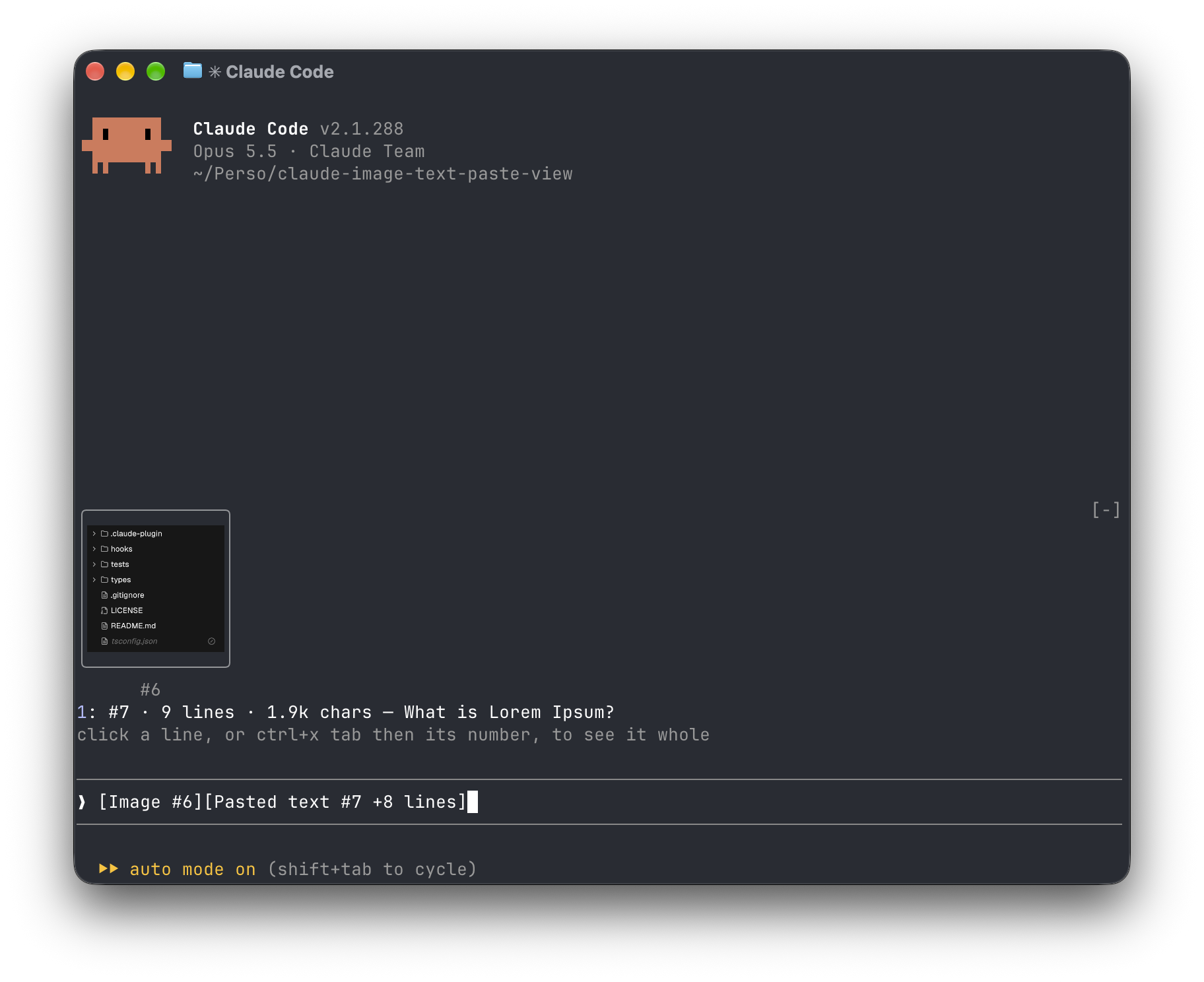
貼り付けた内容を表示する Claude Code mod: 裸の [画像 #1] タグと [貼り付けられたテキスト #2 +41 行] タグの代わりに、プロンプトの上に画像のサムネイルと long-text プレビューが表示されます。
Amorfx/claude-paste-view
Claude 貼り付けビューは、貼り付けたコンテンツをプロンプト入力ボックスの上に表示する Claude Code プラグインです。画像はサムネイルとして表示され、長いテキストには行番号、サイズ、最初の行のプレビューが表示され、元の [画像 #1] および [貼り付けられたテキスト #2 +41 行] ラベルが置き換えられます。
インストール方法 (Claude Code 内で実行):
/plugin marketplace add Amorfx/claude-paste-view
/plugin install paste-view
/reload-plugins
ターミナル コマンドを使用することもできます。
claude plugin marketplace add Amorfx/claude-paste-view
claude plugin install paste-view@claude-paste-view
特徴:
仕組み: 200ms はプロンプト入力ボックスを読み取るたびに、ラベルを検索します。画像は Claude Code のセッション画像キャッシュから取得され、テキストはラベルが表示されるときにクリップボードから一度読み取られ、行数が一致するとメモリに保持されます。
制限事項: テキストのプレビューはクリップボードに依存します。サムネイルは、tmux、screen、またはバックグラウンド セッションでは表示されません。ラベル形式と画像キャッシュ パスは Claude Code の内部実装であり、将来のバージョンでは変更される可能性があります。
セキュリティ: 完全にローカル マシン上で動作し、ネットワークに接続せず、ディスクに書き込みません。プロンプト入力ボックス、セッション画像キャッシュ、画像ファイルの最初の数バイト、およびクリップボードのみを読み取り、端末が描画をサポートしているかどうかを判断するために TERM などの環境変数を読み取ります。
要件: Claude Code v2.1.287 以降、wl-clipboard/xclip を備えた macOS または Linux。画像サムネイルは、kitty グラフィックス プロトコル ターミナル (Ghostty、kitty など) をサポートする必要があります。 MITとしてライセンスされています。
まず作者の README で marketplace とプラグイン名を確認してください。コマンドはリポジトリの構成によって変わる場合があります。
claude plugin marketplace add Amorfx/claude-paste-view
claude plugin install paste-view
A Claude Code mod that shows what you paste, so you see image thumbnails and a preview of long text above your prompt instead of bare [Image #1] and [Pasted text #2 +41 lines] tags.
Inside Claude Code, run:
/plugin marketplace add Amorfx/claude-paste-view
/plugin install paste-view
/reload-plugins
claude plugin marketplace add Amorfx/claude-paste-view
claude plugin install paste-view@claude-paste-view
Then run /reload-plugins inside a session, or start a new one.
╭────────────────────────╮
│      (screenshot)      │
│           #1           │
╰────────────────────────╯
1: #2 · 42 lines · 3.1k chars — Traceback (most recent call last):
click a paste, or ctrl+x tab then its number, to read it whole
❯ why does this fail [Image #1] [Pasted text #2 +41 lines]
#1 · image 1630×632 — open, that opens it in your system's image viewer. A pasted JPEG, WebP or other non-PNG image is always a line, #1 · image · jpg — open, since the terminal draws only PNG files.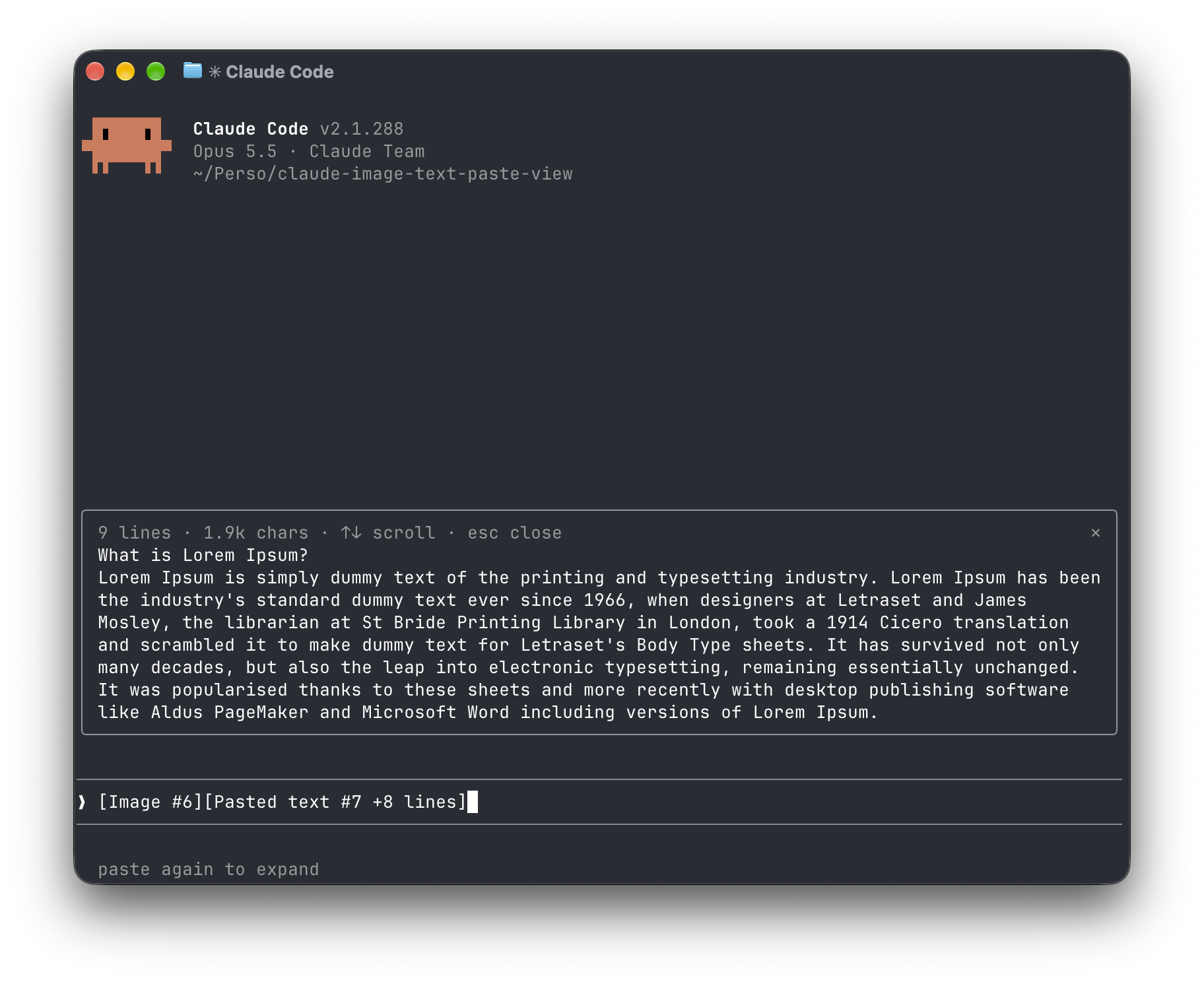
[Image #n] and [Pasted text #n …] tags. It polls because pasting raises no edit event.<tmp>/<project>/<session>/images/<n>.png, or <n>.jpg, <n>.webp, … when it was pasted in another format. The mod finds that file and draws a PNG with Claude Code's Image element.pbpaste on macOS, wl-paste or xclip on Linux). It keeps that text only if its line count matches the count in the tag, and holds it in memory until the tag leaves the prompt.no preview rather than showing the wrong text."env": { "CLAUDE_CODE_FORCE_TERMINAL_IMAGES": "1" } to ~/.claude/settings.json and start a new session.Everything stays on your machine: the mod never touches the network and never writes to disk. It reads the prompt box, lists Claude Code's temp folder to find the session's image cache and the pasted images in it, reads the first bytes of each pasted image, and reads the clipboard once per text paste. It reads TERM, TERM_PROGRAM, KITTY_WINDOW_ID, TMUX, STY, CLAUDE_CODE_SESSION_KIND and CLAUDE_CODE_FORCE_TERMINAL_IMAGES to know whether the terminal draws pictures. It runs id -u once if CLAUDE_CODE_TMPDIR isn't set, the clipboard tool for each text paste, and uname then open or xdg-open when you ask to open an image. Pasted text is kept in memory only, and dropped once its tag leaves the prompt.
Run claude plugin validate .claude-plugin/plugin.json on the repo to see every event it hooks and every call it makes.
wl-clipboard or xclip for text previewsTERM, TERM_PROGRAM and KITTY_WINDOW_ID; in any other terminal, or inside tmux, it lists images as lines that open them with open (macOS) or xdg-open (Linux).git clone https://github.com/Amorfx/claude-paste-view
cd claude-paste-view
# Load it for one session without installing
claude --plugin-dir .
# Check it and run the tests
claude plugin validate .claude-plugin/plugin.json
claude plugin test .
Once Claude Code has loaded the mod, it generates the API typings in .claude-plugin/types/ along with a tsconfig.json; after that, tsc -p . type-checks the code.
MIT. See LICENSE.

ドキュメント生成、ドリフト検出、API ドキュメント自動化プラグイン。秘密情報を含むドキュメント書き込みやワーカーのディスパッチを拒否する function-hook ガードとしても動作します。

A Claude Code plugin mod providing a /databricks-pane that presents Databricks workspace, Unity Catalog, compute, jobs, pipelines, apps and dashboards as a tree following the databricks CLI, with live highlights, profile switching, and CLI argument copy.


貼り付けた画像を単なる `[Image #n]` タグではなく、プロンプトの上にサムネイルで表示する Claude Code モッドです。
