
XD3an@XD3an
XD3an/PachinCode

XD3an/PachinCode
Claude が長い回答やコードを書いている間にパチンコを遊べます。
PachinCode は Claude Code mod です。ターミナルにピクセルアートのパチンコ台を置きます。Claude が数文字書くたびに、もう 1 玉が上皿に落ちます。保留ランプが満タンになったら、打つのを止めて返信を読みます。大当たりを引いたら右打ちに切り替えてポイントを貯め、次の質問を確変で実行できます。
返信を追う玉、リアルなパチンコ物理、保留と止め打ち、LCD 演出、3 種類の大当たり、右打ちと PachinPoints、ゴールド返信、永続状態、15 個の合成サウンドクリップを備えます。
要件:Claude Code 2.1.288 以降、true-color ターミナル、プラットフォーム固有のサウンド対応。
プラグイン marketplace からインストールします。
/plugin marketplace add xd3an/pachincode
/plugin install pachincode@pachincode
ソースからは git clone https://github.com/XD3an/pachincode.git を実行し、続けて claude --plugin-dir ./pachincode。コマンドは /pachinko、/pachinko off、/pachinko mute|unmute、/pachinko stats。MIT ライセンスです。
まず作者の README で marketplace とプラグイン名を確認してください。コマンドはリポジトリの構成によって変わる場合があります。
claude plugin marketplace add XD3an/PachinCode
claude plugin install pachincode
Play pachinko while Claude writes your long answers and code.


PachinCode is a Claude Code mod. It puts a pixel-art pachinko machine in your terminal. Every few characters Claude writes drop another ball into your tray (上皿). When the hold lamps fill up, you stop shooting and read the reply. Hit a 大当たり, switch to 右打ち to rack up points, and your next question can run in 確変.
Balls that follow the reply: every prompt loads 30 balls, and every 4 characters Claude generates adds one more.
Real pachinko physics: balls climb the launch rail, clear the top and bounce down through brass pins. A shot too weak to clear the rail rolls back (戻り球) and costs nothing.
Holds and 止め打ち: four hold lamps (保留). Once they are full, any ball that goes in is lost, so stop shooting and use the spin to read what Claude just wrote.
LCD performances: the central screen has its own scenes for normal play, 予告 (premonitions), リーチ and 大当たり, plus a day–night cycle and changing weather.
Three kinds of 大当たり:
| Kind | Digits | Rounds | Afterwards | |---|---|---|---| | プレミアム | 7-7-7 | 10 | 確変 | | 確変大当たり | odd | 8 | 確変 | | 通常大当たり | even | 5 | back to normal |
Overall jackpot odds are 1/99, ten times better during 確変 (1/9.9).
右打ち and PachinPoints: during a 大当たり the attacker (大入賞口) opens. Every ball you shoot right into it earns 15 points. Shooting right at any other time does nothing, and the machine tells you to go back to 左打ち.
Gold replies: any reply Claude writes during a 大当たり gets a gold frame and a rainbow banner that stay with it for good.
Persistent state: PachinPoints, 確変 and gold replies carry over between sessions.
Sound: 15 synthesized WAV clips for launches, pins, spins, リーチ, 大当たり and more.
/plugin marketplace add xd3an/pachincode
/plugin install pachincode@pachincode
Restart Claude Code. The machine opens after your first prompt, or with /pachinko.
git clone https://github.com/XD3an/pachincode.git
claude --plugin-dir ./pachincode
Loaded this way, Claude Code watches the folder and reloads the plugin whenever you save.
| Action | How |
|---|---|
| Shoot | Hold the left mouse button on the machine, or click the machine once and press Space (tap for one ball, hold for continuous fire) |
| Power | ← →, or the 「力−」「力+」 buttons |
| 左打ち / 右打ち | L (30%) / R (95%) |
| Auto-fire on/off | S |
If your terminal does not report mouse clicks:
ctrl+x then tab in the prompt to hand the keyboard to the machine pane.S, F (shoot), A, D, L, R, or click the buttons below the machine.Esc to give the keyboard back to the prompt.| Command | What it does |
|---|---|
| /pachinko or /pachinko on | Open the machine |
| /pachinko off | Close the machine |
| /pachinko mute / unmute | Turn sound off / on |
| /pachinko stats | Show PachinPoints, balls fired and jackpots hit |
# Check the manifest and the hooks module
claude plugin validate .

# Type-check (.claude-plugin/types is written by Claude Code when it loads the plugin)
npx -p typescript tsc -p .

# Run the tests
claude plugin test .
node tools/make-sounds.mjs          # all clips
node tools/make-sounds.mjs pin warn # only the clips you name
On Windows the running player keeps the loaded WAV files open. Close the machine or quit Claude Code before overwriting them.
npx esbuild hooks/game/index.ts --bundle --format=esm --outfile=/tmp/machine.mjs
MACHINE=file:///tmp/machine.mjs node tools/preview.mjs ./out 70 36
Issues and pull requests are welcome. Please run claude plugin validate . and claude plugin test . before opening a PR.

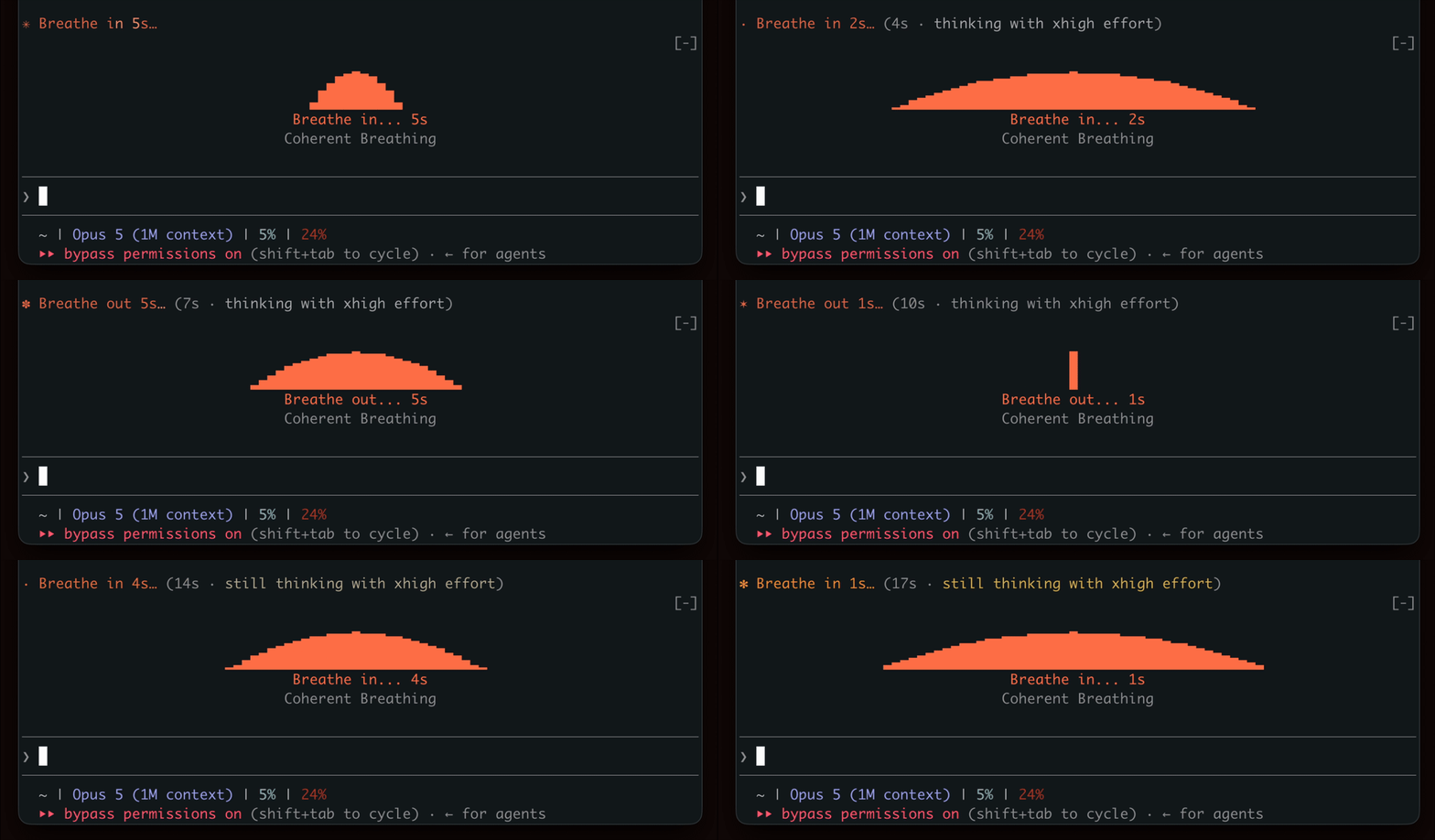
生成を待つ間、呼吸のリズムを示し、短い休憩を促します。

ターミナルペインで YouTube Shorts を再生します。Claude の作業中は再生し、完了すると一時停止します。


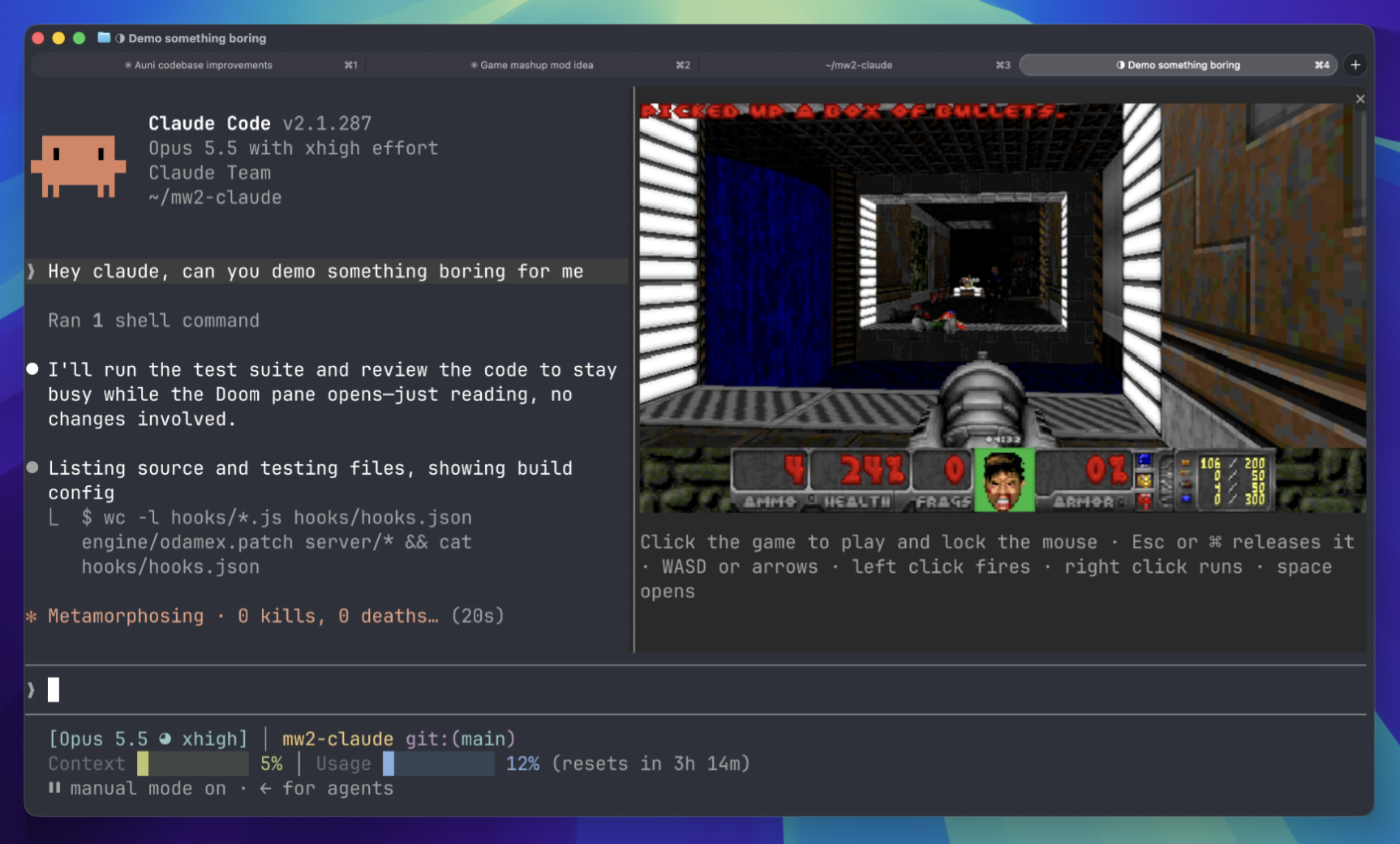
待機中にターミナル パネルで Doom マッチをプレイします。ゲームコンポーネントをダウンロードしてサーバーに接続する必要があります。
 ▶ ♫
▶ ♫