
DJPalefaceSD@DJPalefaceSD
DJPalefaceSD/rostech-mods/tree/main/plugins/logo
プロンプトの上のダッシュボードに独自のロゴを表示します。燃料計や速度計などの他のバンドの横に配置されるため、ダッシュボードにあなたのブランドが表示されます。
DJPalefaceSD/rostech-mods/tree/main/plugins/logo
プロンプトの上のダッシュボードに独自のロゴを表示します。燃料計や速度計などの他のバンドの横に配置されるため、ダッシュボードにあなたのブランドが表示されます。
/logo set C:/path/to/logo.png はダッシュボードに PNG を配置します。太い形状の正方形のロゴが最適です。/logo は使用中のファイルを表示します。/logo hide と /logo show で切り替えます。ロゴは色付きのブロック文字で描画され、1 文字あたり 2 ピクセルなので、色を表示できる任意のターミナルで表示されます。画像は必要ありません。
最も鮮明なロゴにするには、ダッシュボード用に 1 辺 40 ピクセル以下の小さな PNG を自分で描画してください。16x16 ピクセルの PNG が良いサイズです。小さな PNG は、描画したとおりに、1 ピクセルあたり半文字で、ぼやけることなく正確に描画されます。
より大きな PNG も機能します。その透かしの境界線はトリミングされ、16x16 ピクセルに縮小されます。すべてのピクセルは単色または透明のいずれかになり、両方がぼやけることはありませんが、細い線はそのサイズではまだ途切れる可能性があります。
PNG は、Windows PowerShell を使用して自分のマシンで設定すると 1 回読み取られ、結果は Claude Code のプラグインストアにセッション間で保持されます。何もどこにも送信されません。PNG の透かし部分は、ターミナル自身の色になります。
PNG の読み取りに PowerShell を使用するため、今のところ Windows のみです。
Claude Code 2.1.288 でテスト済み。
まず作者の README で marketplace とプラグイン名を確認してください。コマンドはリポジトリの構成によって変わる場合があります。
claude plugin marketplace add DJPalefaceSD/rostech-mods
claude plugin install logo
Your own logo on the dash above the prompt. It sits beside your other bands, such as Gas Gauge and Speedometer, so the dash carries your brand.
/logo set C:/path/to/logo.png puts a PNG on the dash. A square logo
with bold shapes reads best./logo shows which file is in use./logo hide and /logo show toggle it.The logo is drawn in coloured block characters, two pixels to a character, so it shows in any terminal that can show colour. Pictures are not needed.
For the sharpest logo, draw a small PNG for the dash yourself, 40 pixels a side or smaller. A 16 by 16 PNG is a good size. A small PNG is drawn exactly as you drew it, one pixel to half a character, with nothing blurred.
A bigger PNG works too. Its see-through border is trimmed, and it is shrunk to 16 by 16 pixels. Every pixel comes out either solid colour or clear, never a blur of the two, but thin lines can still break up at that size.
The PNG is read once when you set it, on your own machine with Windows PowerShell, and the result is kept across sessions in Claude Code's plugin store. Nothing is sent anywhere. See-through parts of the PNG take your terminal's own colour.
Windows only for now, because reading the PNG uses PowerShell.
Tested with Claude Code 2.1.288.

Claude Code プロンプト上に住むピクセル ポケモン。Claude が行うすべてに反応します。


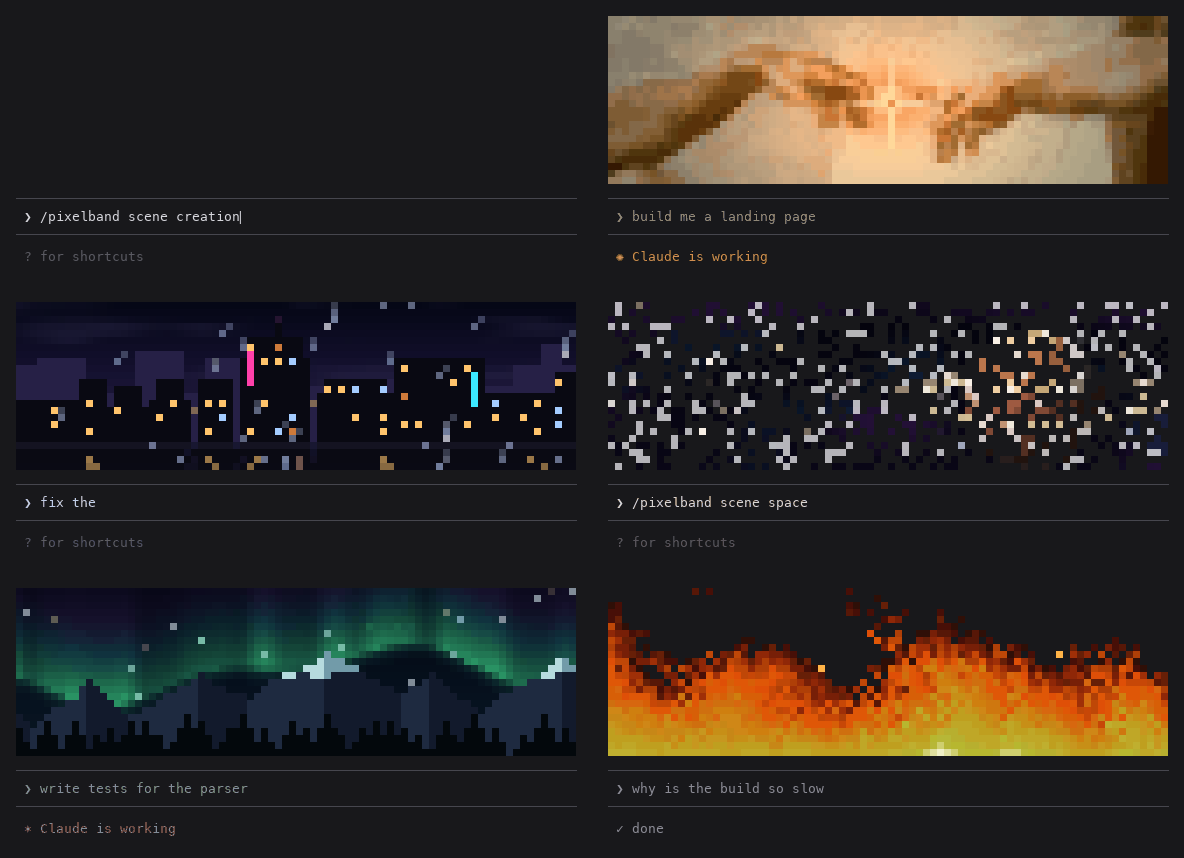
Animated pixel art above your Claude Code prompt that reacts while Claude works: seven scenes, or your own image or GIF. Zero tokens.

Claude Code の同じ TUI 内で返信、ツール行、ターン末尾を描き直し、色付きコマンド、コード・差分カード、枠なしテーブル、サブエージェント帯を提供する。