
i-noma-ru@i-noma-ru
i-noma-ru/claude-dotpet
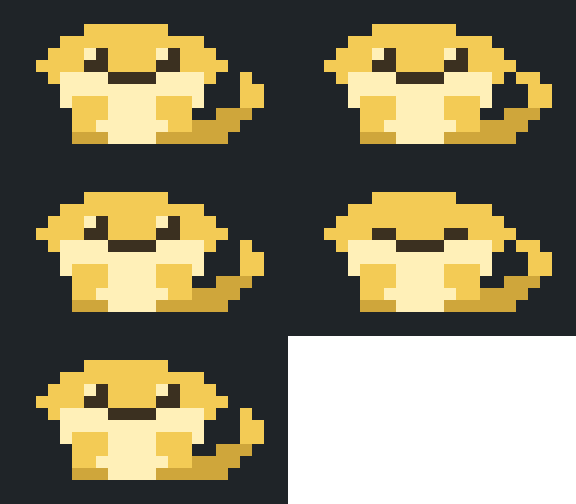
Claude Code のターミナル UI でプロンプト入力の上に座るピクセルアートのペットと、それを描き直すためのブラウザーエディターです。
i-noma-ru/claude-dotpet
claude-dotpet は Claude Code のプロンプト入力の上にピクセルアートのペットを表示し、セッション状態(アイドル、作業中、完了、睡眠)に合わせて変化させます。Claude Code のプラグイン hooks API を基盤にしており、--plugin-dir または CLAUDE_CODE_PLUGIN_DIRS でインストールできます。コマンドには、オン/オフの切り替え、サイズ(big、small)の変更、実験的な image/still モードを行う /dotpet があります。art/pets/ には 2 つのアートファイルが含まれます。デフォルトの緑色のサンプルリザード(MIT)と Bun-chan(CC BY-NC 4.0)です。ブラウザーエディター(editor/dotpet_editor.html)でフレームを描いて JSON に書き出し、node editor/apply_art.js で検証、バックアップ、安全停止を伴って適用できます。アートデータは art/dotpet_art.json にあり、9 色の固定パレットと固定フレーム数を使います。Claude Code 2.1.288/2.1.289 で開発・テストされており、Windows では未テストです。
まず作者の README で marketplace とプラグイン名を確認してください。コマンドはリポジトリの構成によって変わる場合があります。
claude plugin marketplace add i-noma-ru/claude-dotpet
claude plugin install dotpet
A pixel-art pet that sits above the prompt input in Claude Code's terminal UI, plus a browser editor for redrawing it.
日本語の説明は README.ja.md にあります。
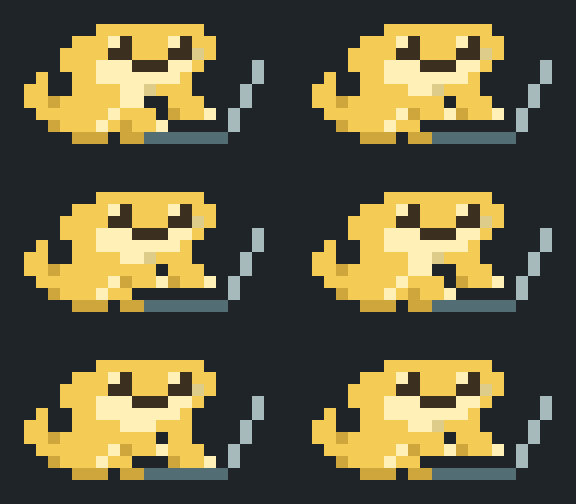
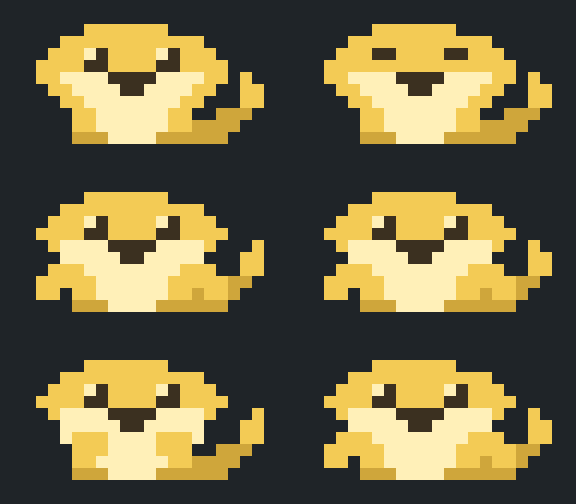
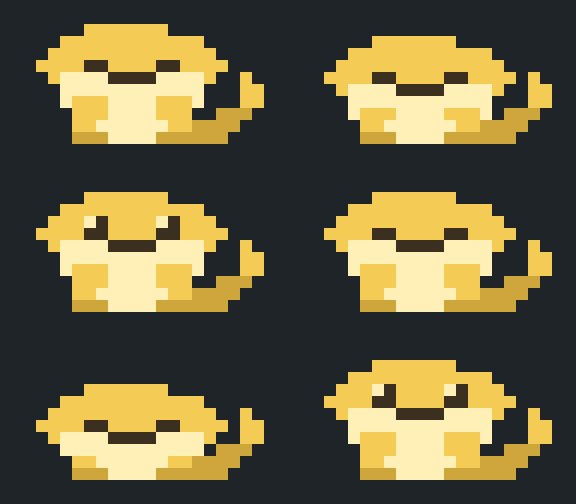
| Idle | Working | Done | Sleeping |
|---|---|---|---|
| |  |
|  |
|  |
|
This is Bun-chan (文ちゃん), the author's pet bearded dragon and a member of the family.
/dotpet turns it on and off and switches the size.editor/dotpet_editor.html in a browser, paint, export, and run one command to apply.The in-app messages and the editor UI are in Japanese.
Requirements: Claude Code, and Node.js 18 or later for the editor's apply command.
Clone this repository.
Start Claude Code with the folder as a plugin:
claude --plugin-dir /path/to/claude-dotpet
--plugin-dir loads the plugin for that session only. To load it in every session, place the folder inside a directory listed in the CLAUDE_CODE_PLUGIN_DIRS environment variable. That variable worked on 2.1.288 but does not appear in claude --help, so treat it as subject to change.
| Command | Effect |
|---|---|
| /dotpet | Toggle on / off |
| /dotpet on, /dotpet off | Turn on / off (the choice is saved across sessions) |
| /dotpet big | Full body, 20 columns × 5 rows of half-block characters (20 × 10 dots) |
| /dotpet small | Full body, 10 columns × 3 rows of octant characters (20 × 12 dots) |
| /dotpet image | Experimental. Draws the pet as an image, 12 columns × 3 rows |
| /dotpet still | Experimental. One still image, no animation |
Notes:
small uses octant characters (U+1CD00 and up, "Symbols for Legacy Computing Supplement"). The terminal font must have these glyphs, for example Cascadia Code. Without them the pet shows as empty boxes.image and still need a terminal that supports the kitty graphics protocol. image was seen working in kitty and Ghostty; still has not been checked there. In other terminals a text fallback is shown; use big or small there.Two art files are included in art/pets/:
| File | Pet | License |
|---|---|---|
| sample-lizard.json | Green sample lizard (the default) | MIT |
| bun-chan.json | Bun-chan, shown in the GIFs above | CC BY-NC 4.0 |
Switch with the apply command, from the repository folder:
node editor/apply_art.js --force art/pets/bun-chan.json
node editor/apply_art.js --force art/pets/sample-lizard.json
--force is needed because these files are not exports from the editor and carry no base marker. The command replaces the current art, so export your own drawing first if you want to keep it (the previous files are also saved under backup/).
Open editor/dotpet_editor.html in a browser (Chrome was used during development).
Pick a size, a state and a frame, then paint.
← → move between frames. Hold the key to preview the motion.Shift + arrow keys shift the picture by one dot. The target can be one picture, one state, or one size.Press 「書き出す」 (export). The browser downloads dotpet_art_<timestamp>.json and the page shows a command.
Run that command in a terminal:
node "/path/to/claude-dotpet/editor/apply_art.js" ~/Downloads/dotpet_art_<timestamp>.json
The command path is taken from where the HTML file is, so it works from any directory. The download location is assumed to be ~/Downloads; adjust it if your browser saves elsewhere.
If the pet does not change in an open session, run /dotpet twice or restart the session.
The apply command validates the file, backs up the current files to backup/, rewrites art/dotpet_art.json and the four generated files (hooks/palette.ts, hooks/sit_art.ts, hooks/octant_art.ts, editor/dotpet_art.js), and then runs claude plugin validate and claude plugin test. If those checks fail, the files are restored from the backup. If the claude command is not found, the checks are skipped and a notice is printed.
| Option | Effect |
|---|---|
| --check <file> | Validate only; write nothing |
| --regen | Rebuild the generated files from art/dotpet_art.json |
| --force | Continue past the two safety stops below (their details are still printed) |
Exit codes: 0 success, 1 failure, 2 bad arguments.
dotpet_art*.json files that were never applied, the command stops and names them. Applied files are remembered in apply_ledger.json.--force overwrites the art with the given file, including any rollback it lists. There is no automatic merge.
art/dotpet_art.json holds:
palette: nine colors under the fixed keys A S M E P K B C V. The color values can be changed; keys cannot be added.big (20 × 10) and small (20 × 12), each with poses (the pictures, one string per row, one character per dot, space = transparent) and order (which picture each frame shows).Fixed in this version:
hooks/art.ts.small, every 2 × 4 block of dots may use at most two colors, and transparent counts as one. A terminal cell can only carry a foreground and a background color. The editor outlines offending blocks in red and refuses to export until they are fixed.node editor/test_apply_art.js
claude plugin validate .
claude plugin test .
art/pets/bun-chan.json and the GIFs in assets/): CC BY-NC 4.0. See LICENSE-ART.md. Credit the author when you reuse it; commercial use, such as selling goods with the artwork, is not permitted. Showing Bun-chan in your own terminal is fine, including on a computer you use for work.The first draft of the Bun-chan pixel art was made with an AI tool; the author then redrew it by hand in the editor.

Claude Code 用の Firstmate Calm。帆船の作業アニメーションと会話だけを表示するトランスクリプト表示を提供し、Pi Calm 拡張機能と home ごとの config/calm 設定を共有します。hooks モジュールは CLAUDE_CODE_ENABLE_FUNCTION_HOOKS または Claude Code の tengu_plugin_hooks_modules rollout flag から読み込まれることがありますが、mod が有効になるのは CLAUDE_CODE_ENABLE_FUNCTION_HOOKS が正確に 1 の場合だけで、それ以外は完全な no-op です。

Claude Code の出力スタイル(Epistemic Ink)と、そこに書かれた ```mermaid および ```math フェンスをターミナル図として描画する mod の組み合わせ。転記テキストでそのまま描けるものは文字のまま残す。

Claude Code プロンプト上に住むピクセル ポケモン。Claude が行うすべてに反応します。
