
DJPalefaceSD@DJPalefaceSD
DJPalefaceSD/rostech-mods/tree/main/plugins/bumper-sticker
Claude の作業中に忙しい行へ自分の言葉を表示し、Baking、Brewing などの既定語を置き換えます。
DJPalefaceSD/rostech-mods/tree/main/plugins/bumper-sticker
忙しい行に自分の言葉を表示します。Claude の作業中、Claude Code は ✶ Baking… (12s) のような小さな脈動する語を表示します。Bumper Sticker はその語を自分のものに置き換えます。
変更するのは語だけです。タイマー、token 数、色は Claude Code の表示のままです。ターミナルとデスクトップアプリで動作し、何もマシンの外へ出しません。
まず作者の README で marketplace とプラグイン名を確認してください。コマンドはリポジトリの構成によって変わる場合があります。
claude plugin marketplace add DJPalefaceSD/rostech-mods
claude plugin install bumper-sticker
Your own words on the busy line. While Claude works, Claude Code shows a little
word that pulses, such as ✶ Baking… (12s). Bumper Sticker swaps that word for
yours.
/plugin, find Bumper Sticker, and type your words
into Your words, separated by commas: Revving, Idling, Drifting.It changes only the word. The timer, the token count and the colour stay as Claude Code draws them. It works in the terminal and in the desktop app. Nothing leaves your machine.

Claude Code プロンプト上に住むピクセル ポケモン。Claude が行うすべてに反応します。


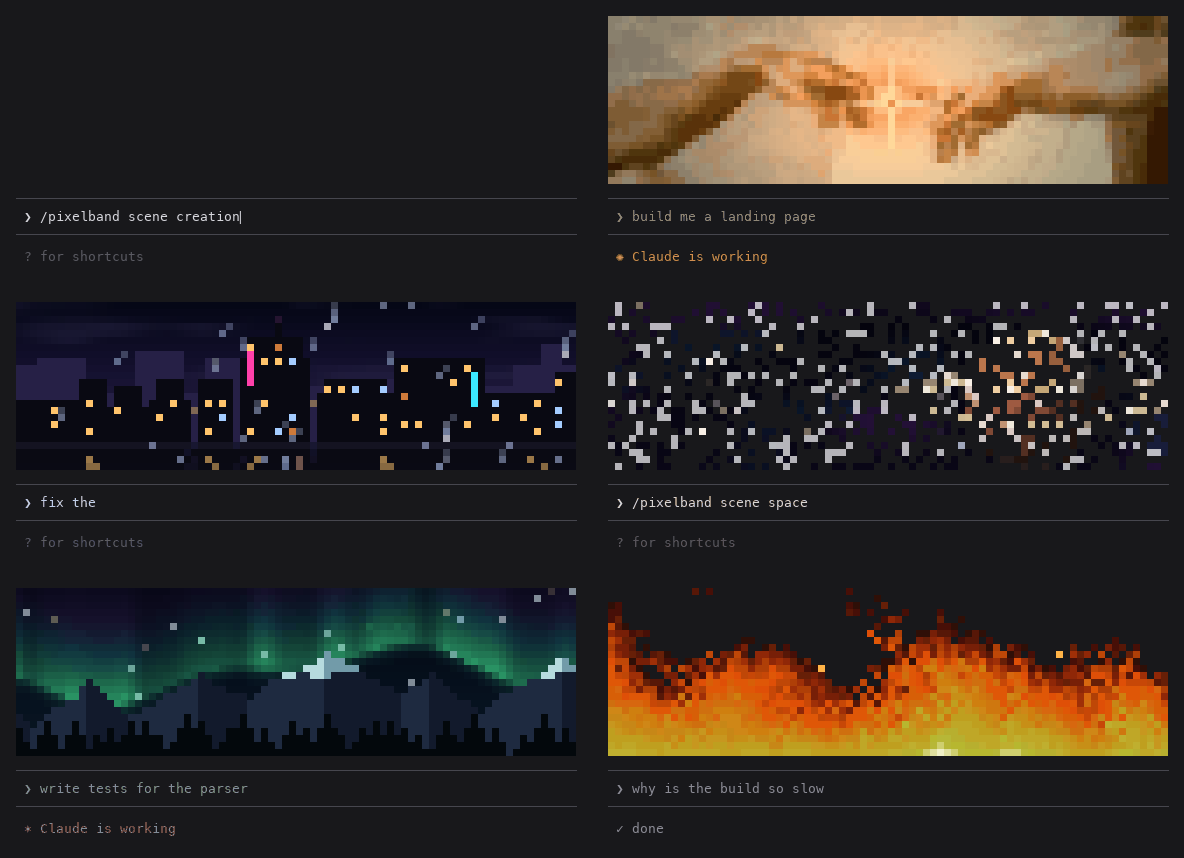
Animated pixel art above your Claude Code prompt that reacts while Claude works: seven scenes, or your own image or GIF. Zero tokens.

Claude Code の同じ TUI 内で返信、ツール行、ターン末尾を描き直し、色付きコマンド、コード・差分カード、枠なしテーブル、サブエージェント帯を提供する。